 Maymoune
Create a mobile app for your tourist office
Places to see, good addresses, what’s on, visitors’ photos and the evening message: what an app brings to a tourist office, with a real demo and its price.
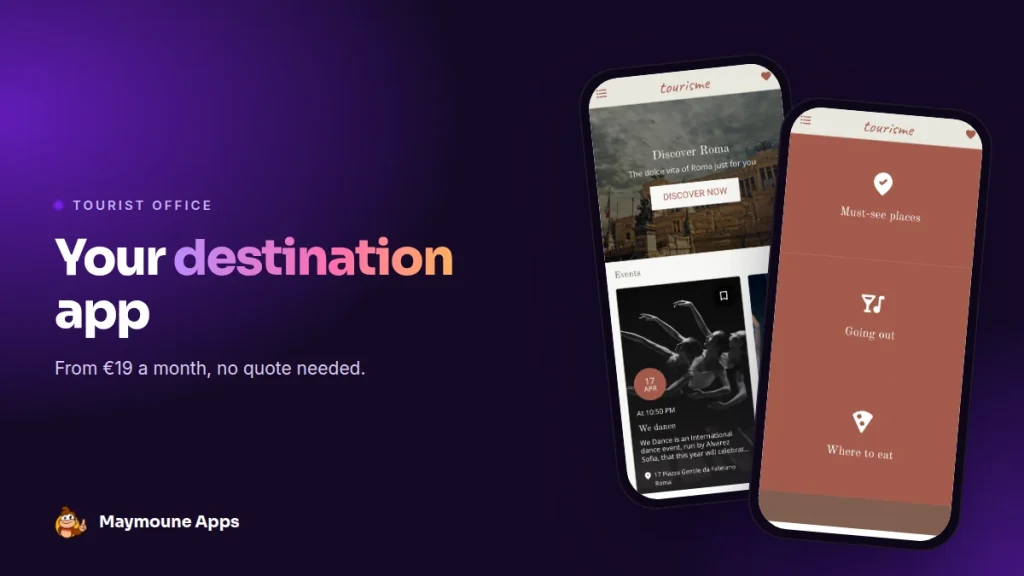
A tourist office app puts the destination in the visitor’s pocket: places to see, good addresses, the week’s calendar. You keep it up to date from your phone, and it starts at €19 a month.
Saturday morning, at the tourist office desk. A family asks where to have lunch, a couple is looking for the market, a group wants to know what’s on tonight. You hand over a map, a leaflet, the month’s programme. They leave happy.
By noon, the map is folded in a bag. By evening, the programme has stayed in the car. The phone, however, never leaves them. That is where your destination can keep them company.
I’ll show you a destination app here, with a real demo, what goes into it and what it costs.
Why an app for a tourist office
A visitor has three questions, always the same: what can we see, where can we eat, what can we do tonight. The app answers them at any hour, even when the office is closed.
It also saves you time. A restaurant changes its opening hours, a concert moves: you correct it once, and it is up to date for everyone. No more reprinting.
And it keeps the connection after the stay. A visitor who installed the app receives your news: next summer’s festival, the Christmas market, the new season. It is the best way to bring them back.
Everything below works for a tourist office, a tourist town, a resort, a nature park or a regional visitor board.
What goes into a tourism app
Here is the “tourisme” demo I prepared, based on Rome. It is a starting template: you replace the places, texts and photos with those of your area.
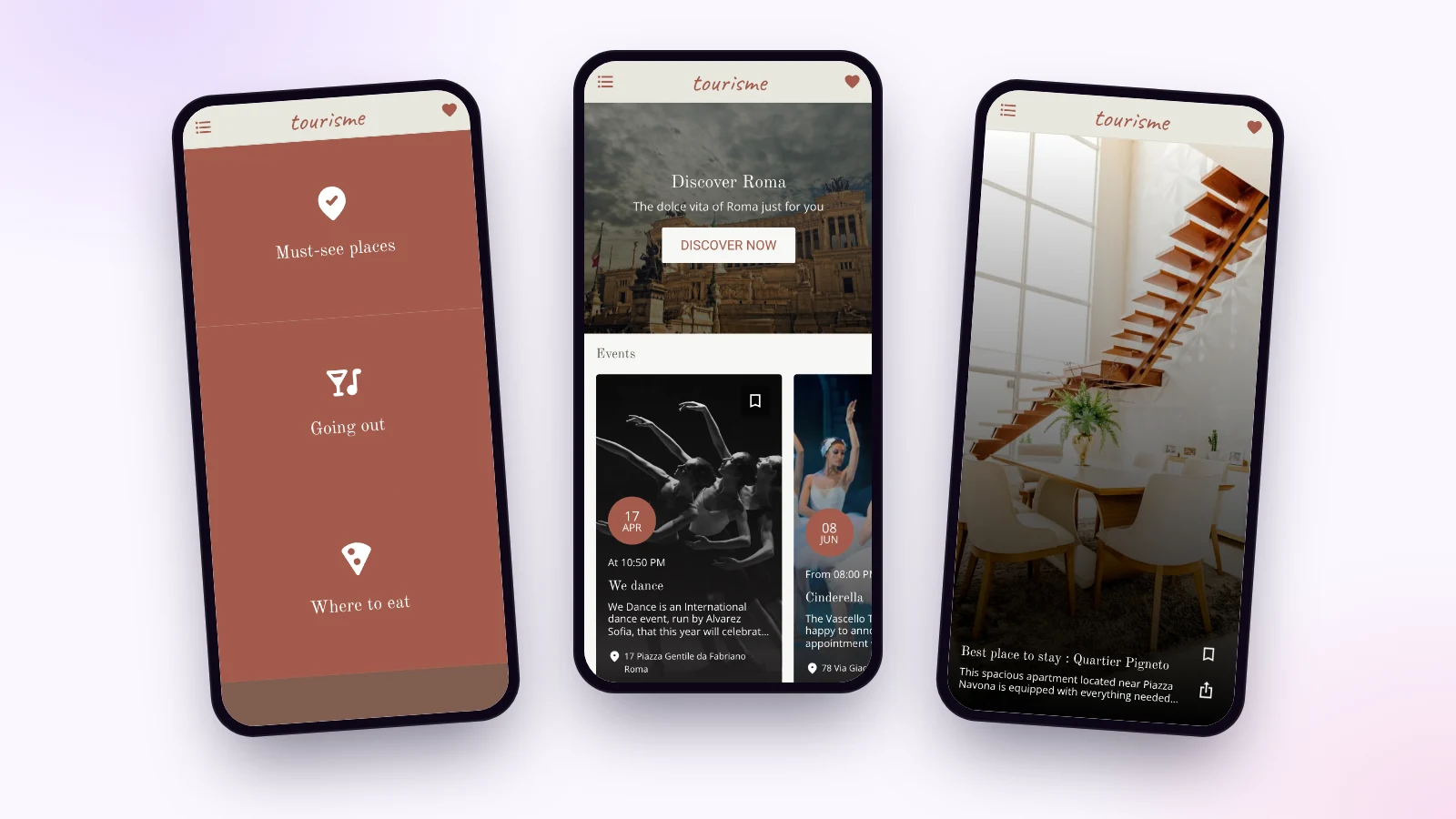
Places to see and good addresses
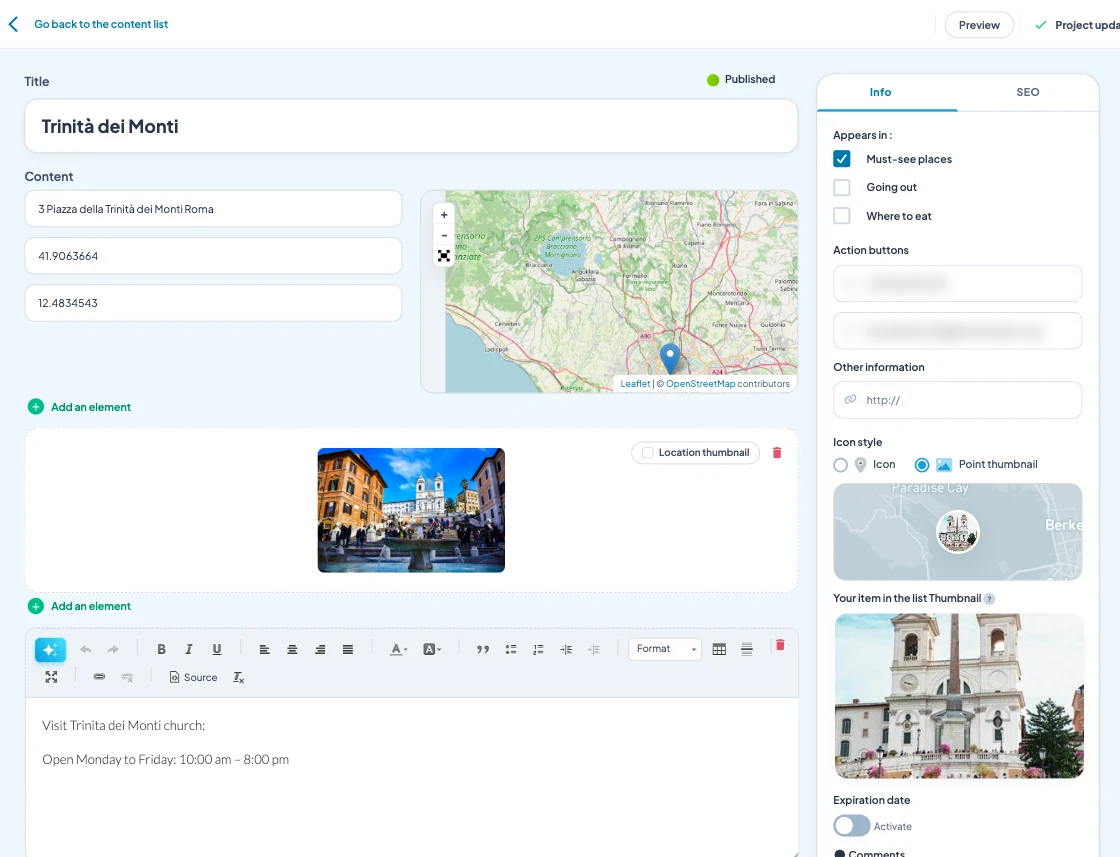
Must-see places, nights out, restaurants: each place has its own page, with a photo, its address on a map, opening hours, a button to call and a button to email. The visitor finds it, taps, and goes.
The destination calendar
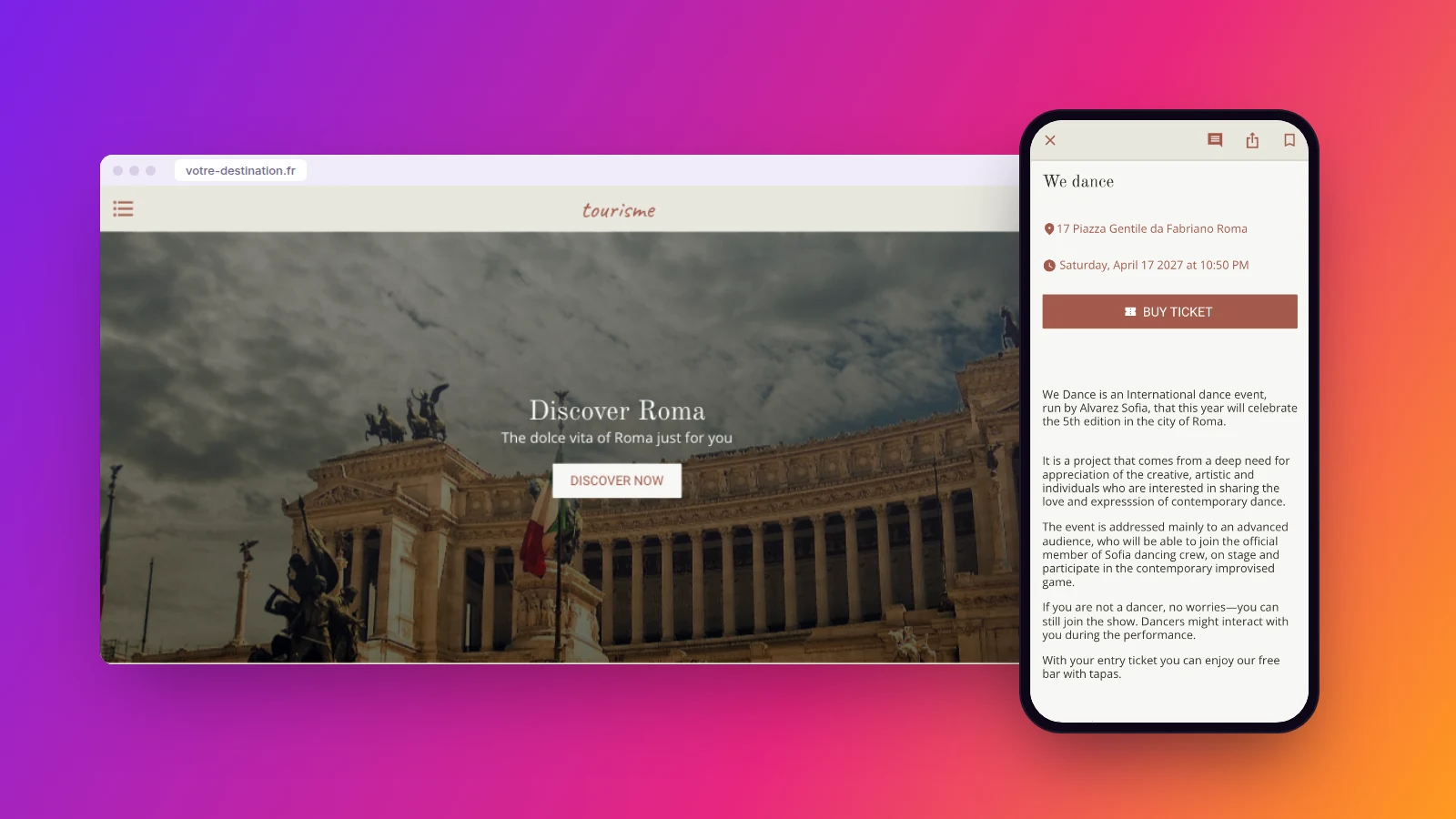
Concerts, exhibitions, markets, village fairs: each event shows its date, its venue and, when there is one, a ticketing button. The calendar also appears on the home screen, so what’s happening this week stands out.
Tips and places to stay
An articles section holds your advice: the neighbourhood to stay in, the Sunday walk, local produce. Visitors can save what they like in their favourites, and a search helps them find the rest.
Visitors’ photos and tips
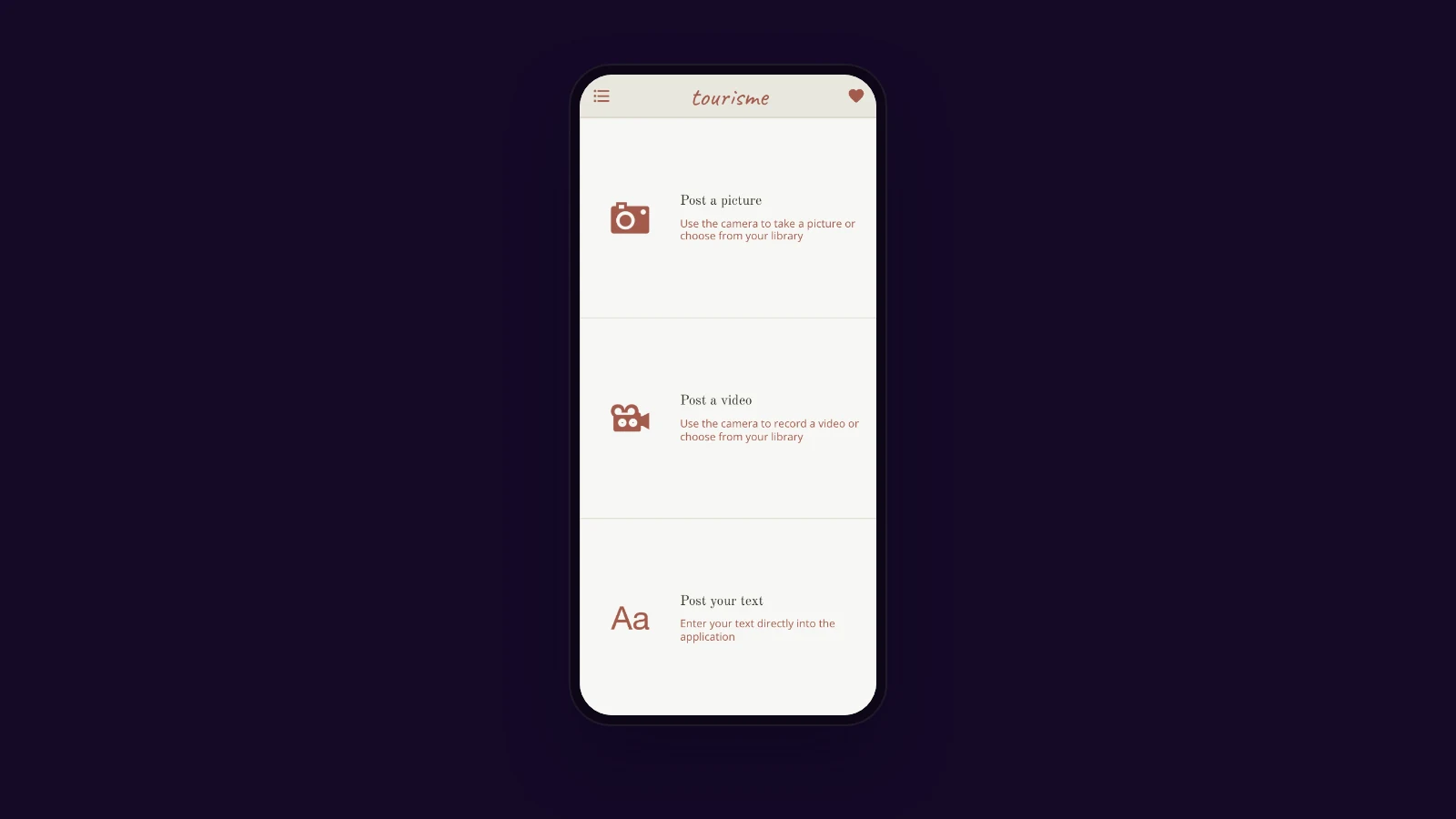
The submissions section lets visitors send a photo, a video or a text from the app. You receive pictures of your area taken by people who love it, ready to feed your social media.
Reach visitors with one message
“Tonight at 9 pm: fireworks at the harbour.” You write these two lines, and the notification lands on the screen of everyone who installed the app. Right away, or on the date you choose. Notifications are unlimited on every plan.
To promote the app, the back office gives you a QR code. Put it on the desk, on your posters, in partner hotels and campsites: visitors scan it, and your destination is on their phone.
Who keeps the tourism app alive?
The office team, with no technical skills. Adding a place means writing its name, typing its address and choosing a photo. The pin places itself on the map.
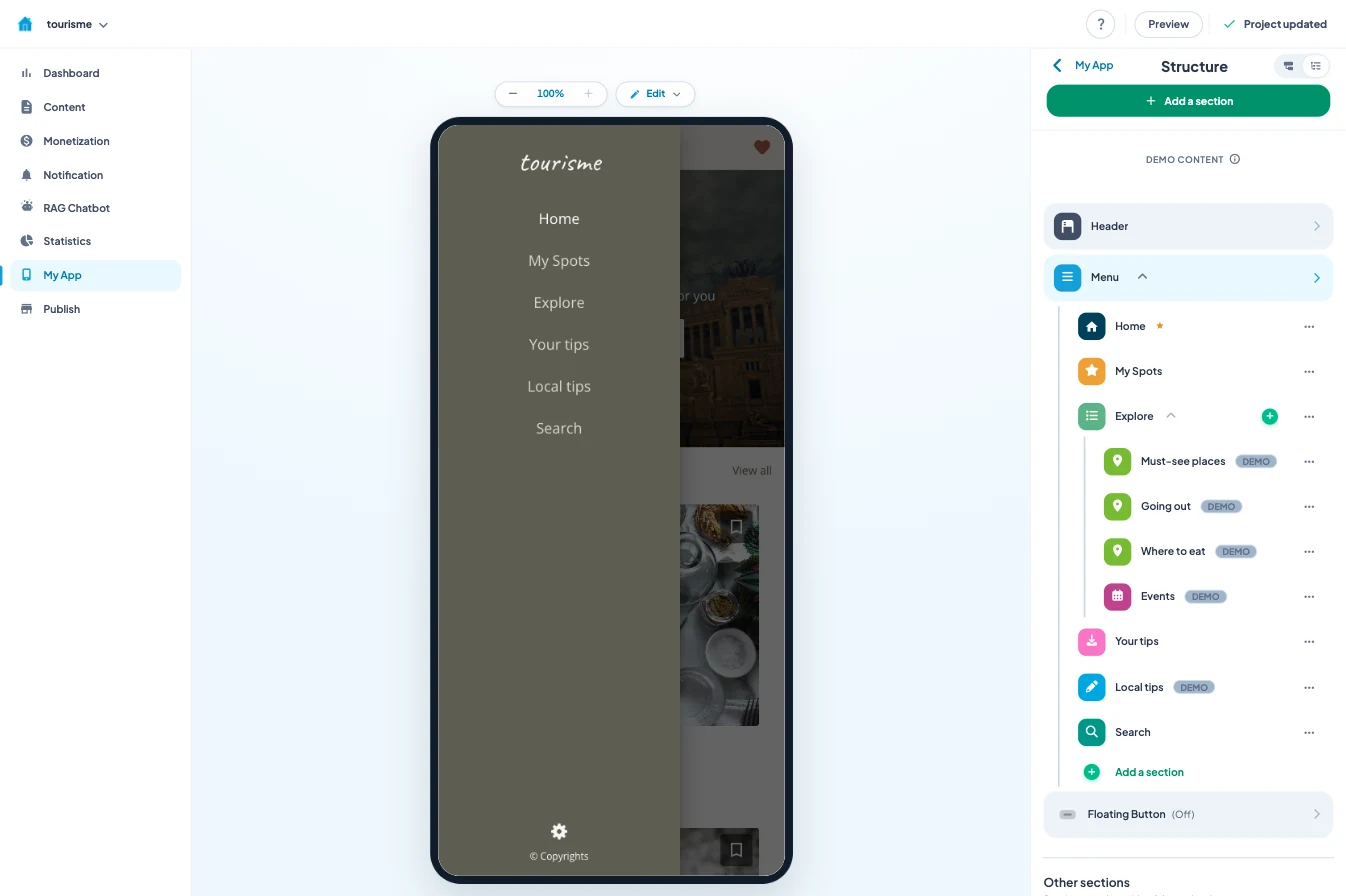
Sections are arranged with the mouse: one for must-see places, one for nights out, one for restaurants, and the calendar next to them. The live preview shows the result in a phone as you work.
The AI writing assistant helps you write a place description or a tip. You can also manage the app from ChatGPT or Claude, from the very first plan. The documentation is built into the back office, in 16 languages, and support is included.
The easiest way to start: twenty well-chosen places and the month’s calendar. You add more as the season goes on.
How much does a tourism app cost
A custom-built tourism app quickly runs into tens of thousands of euros, often through a public tender. I explain why in the article on the cost of a mobile app.
With Maymoune, you start from a ready-made template, and every feature is included in each of the three plans:
- Starter, €19 a month: your web app, installed from a link or a QR code.
- Ultra, €59 a month: the same, plus the iPhone, iPad and Android app on the stores.
- Ultra lifetime, €2,999: a one-time payment, with publishing on the App Store and Google Play included.
For a destination, I recommend starting with the web app: a passing visitor scans the QR code and opens it at once, with nothing to download. The article on the web app or the stores helps you choose when to take the next step.
The three plans are detailed on the pricing page.
Maymoune Apps
Your destination in every visitor’s pocket
Three plans, every feature included, no commitment.
✓ Places, map and calendar
✓ Unlimited notifications
✓ Web, iPhone and Android app
✓ Support included
To go further: a destination also lives through its restaurants and its shops, which can have their own app. For local community life, read the article on a parish app. And to see other templates, browse the app examples or the frequently asked questions.
Frequently asked questions
How much does an app for a tourist office cost?
€19 a month for the web app, €59 a month with the iPhone and Android apps, or €2,999 once and for all. Every feature is included in all three plans. Details are on the pricing page.
Do visitors have to download the app?
With the web app, they scan a QR code and open it at once, then can add it to their home screen. With the Ultra plan, they also find it on the App Store and Google Play.
Can places be shown on a map?
Yes. Each place has its address and its pin on the map, with a photo, opening hours and buttons to call or email.
Can we sell tickets or a city pass in the app?
Each event can carry a link to your ticketing. And the built-in shop, included in every plan, lets you sell a pass, a guided tour or local products directly.
Can visitors share their photos?
Yes, with the submissions section: they send a photo, a video or a text from the app, and you receive them directly.
Does the app carry our destination’s name?
Yes. It is in your name, with your logo and colors, and you can connect it to your own domain name.
Up next
 News of Maymoune
 What to post in your app: 30 content and message ideas
A lively app brings your customers back. 30 concrete content and notification ideas, sorted by trade, and a simple rhythm to keep…
4 min read6 Oct 2026 News of Maymoune
 Build a mobile app in 7 steps, without coding
Pick a template, organise sections, brand it, fill it, test, publish on the web then on the stores: the 7 steps to…
4 min read6 Oct 2026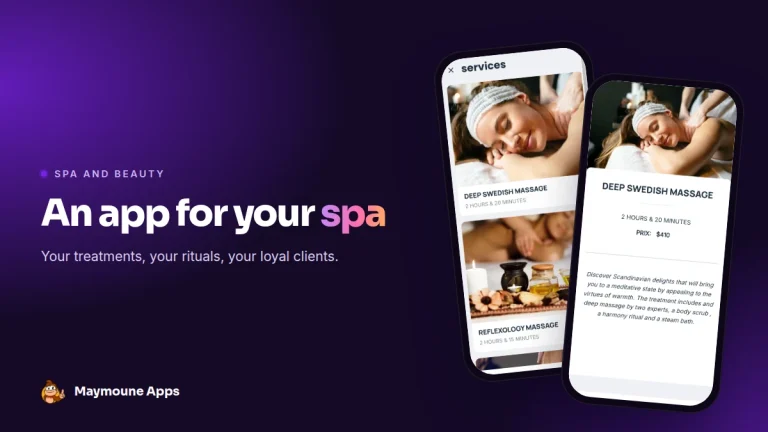 News of Maymoune
 An app for your spa or beauty salon: treatments, rituals and bookings
Your treatment menu with length and price, your rituals, online booking, a gift voucher request and a message when a slot opens…
4 min read5 Oct 2026