 Maymoune
Create a mobile app for your parish or church
Sermons to listen again, the Mass schedule, prayer requests and announcements sent in one message: what goes into a parish app, a real demo, and what it costs.
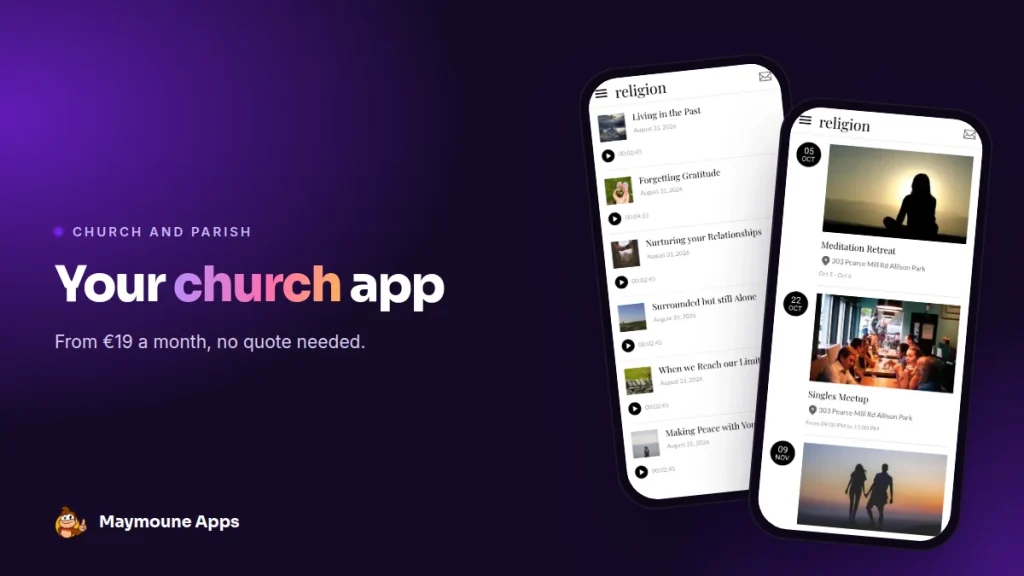
A parish app brings together what your community looks for every week: service times, teachings, upcoming gatherings. You build it without coding, keep it up to date from your phone, and it starts at €19 a month.
Sunday, end of Mass. The announcements are read out: the Bible study group is moving to another day, the parish fair needs volunteers, registration for the May pilgrimage is open. Everyone in the pews remembers one of them. Sometimes two.
On Monday, the parish newsletter goes around, the group chat fills up, the website waits for an update. The information is there. It deserves to live in one place, in every parishioner’s pocket.
That is exactly what a parish app does. I’ll show you what it looks like with a real demo, what goes into it, and what it costs.
Why create an app for your parish
A parish lives at the pace of the week. The people who attend need three things: to know when, to know what, and to stay connected between two services.
The app covers all three. Service times and the calendar are always up to date. Sermons and teachings can be heard again whenever people like. And when something changes, a message lands directly on everyone’s screen.
It speaks to every generation. Young families install it from their phone. Older parishioners scan a QR code printed in the newsletter, then find it on their home screen like any other app.
Everything I describe here works for a Catholic parish, a Protestant or evangelical church, a temple, and any faith community.
What goes into a church app
Here is the “religion” demo I prepared. It is a starting template: you replace the texts, photos and colors with your own, and it becomes your parish app.
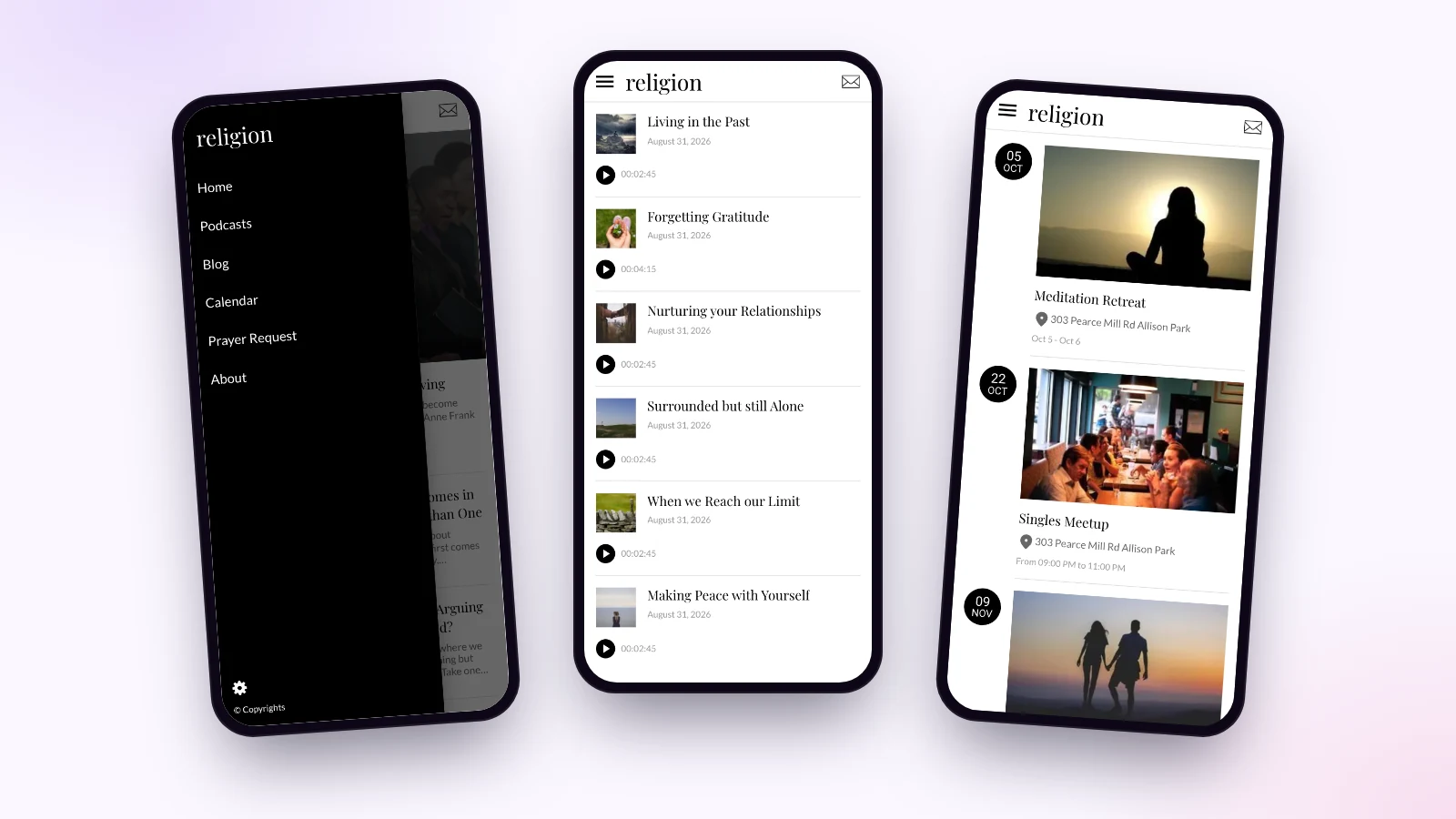
Sermons and teachings to listen again
The Podcasts section lists each recording with its date and length, and the player is built in. A parishioner who is ill, travelling or simply curious can listen to Sunday’s sermon whenever they want.
Do you film your services? Connect your YouTube channel: your videos appear in the app, with nothing to copy over.
The parish calendar
Masses, retreats, vigils, youth meetings: each gathering has its date, its times and its location on a map. You can add a button to call, a button to email, and a registration link for the pilgrimage.
Prayer requests and sign-ups
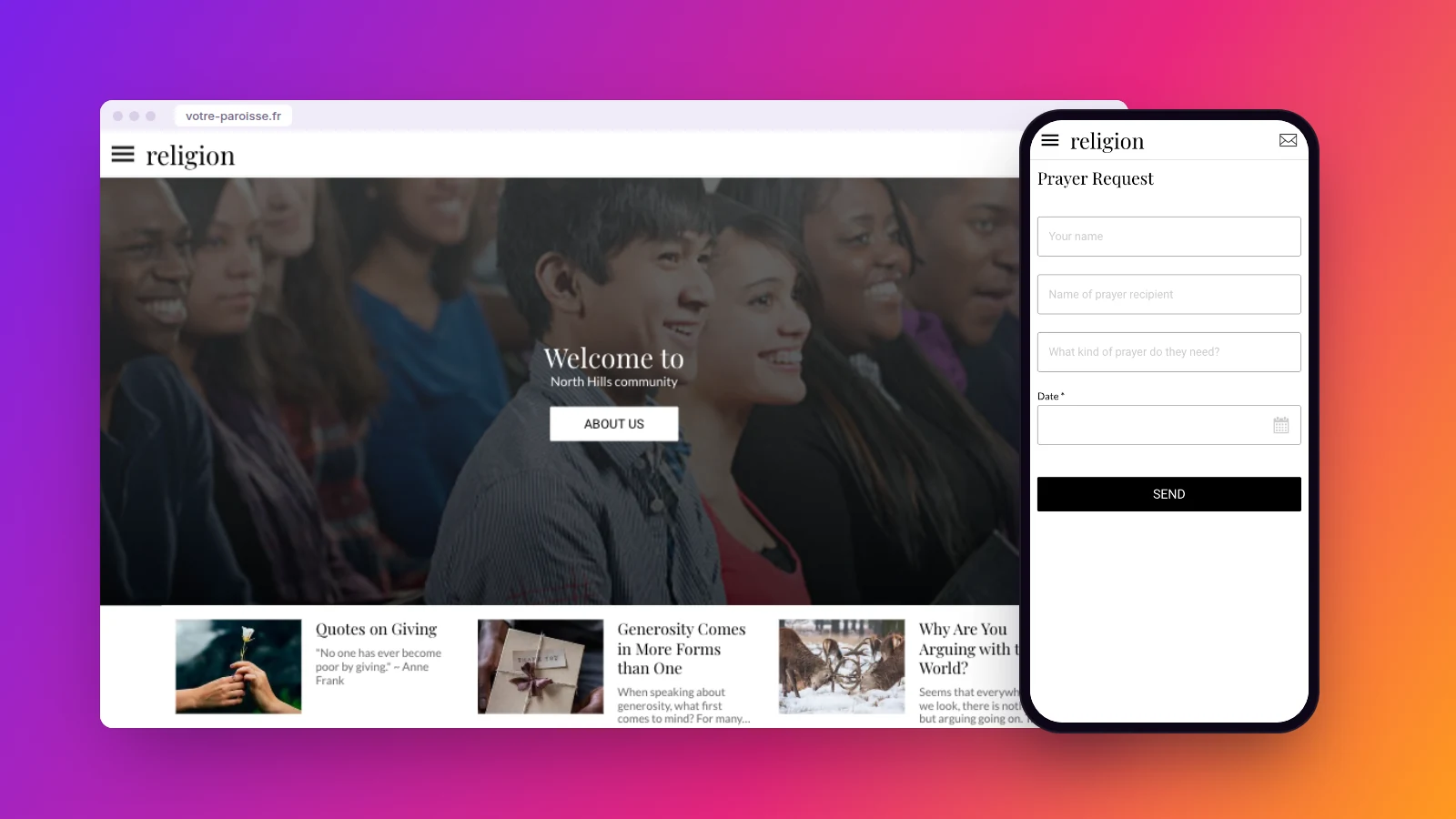
A form is all it takes: the name, the intention, the date. The request comes straight to you. The same idea works for Sunday school registration, a baptism request or volunteering.
Reflections, news and service times
An articles section holds the pastor’s letter, a weekly reflection or the story of the parish celebration. An “About” page gives service times, the address and the office contact.
Reach the whole community with one message
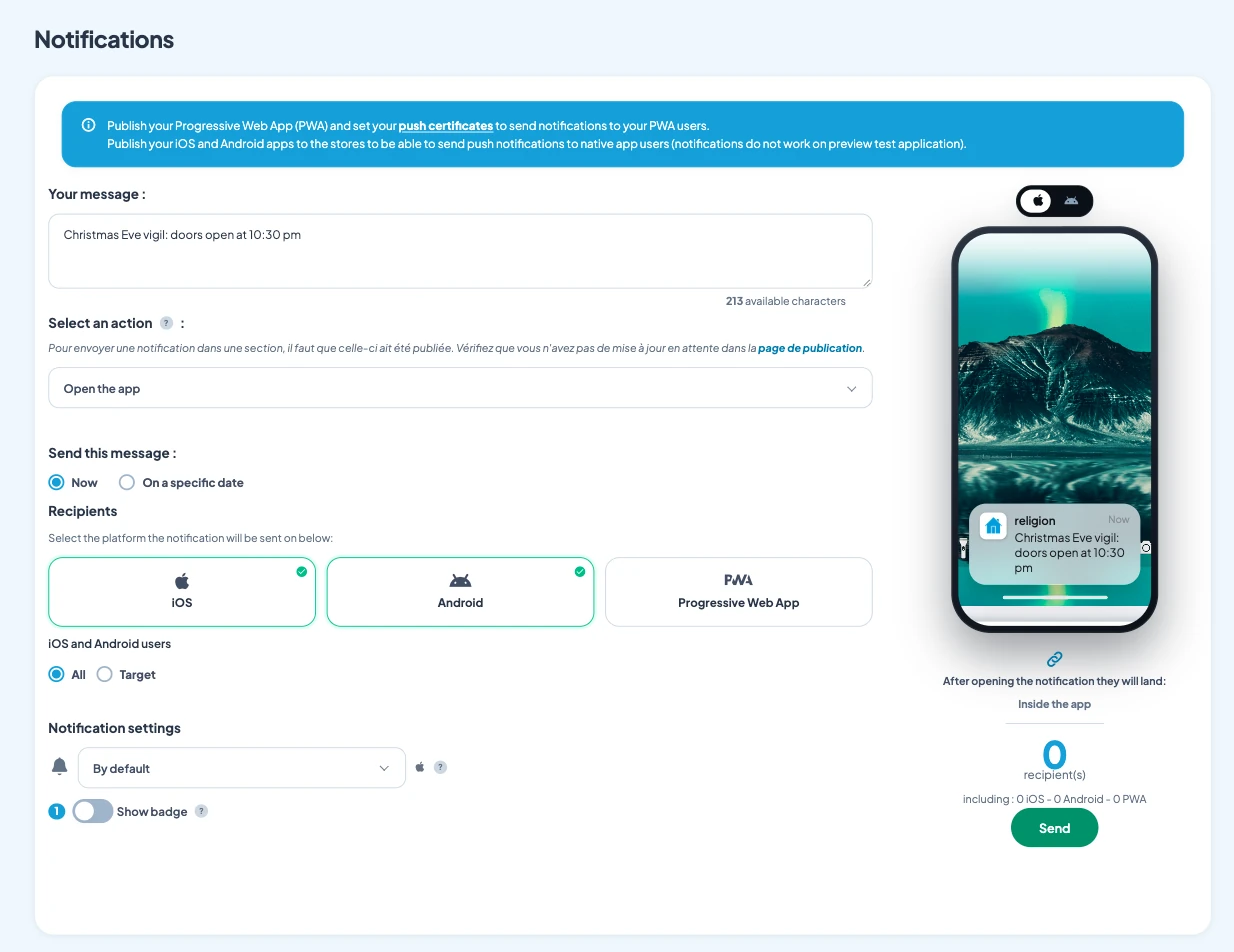
This is the feature parishes adopt fastest. You write two lines, for example “Christmas Eve vigil: doors open at 10:30 pm”, and the notification lands on the screen of everyone who installed the app.
You choose who receives it and when: right away, or on a specific date. The back office shows you the exact number of recipients before sending. Notifications are unlimited on every plan.
The announced gathering is created in the same back office, with its photo, address and buttons. It appears in the app’s calendar right away.
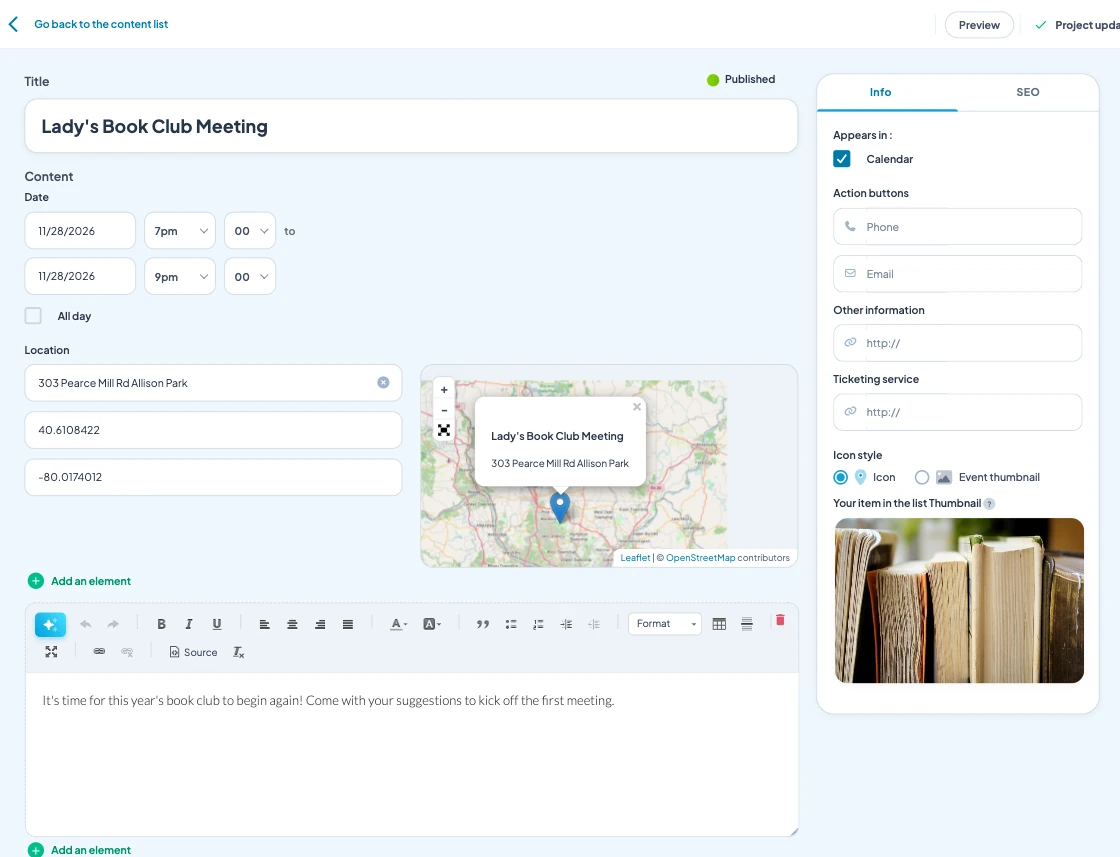
Who keeps the parish app alive?
Often, it is the parish office or a volunteer. No coding is needed: they write a text, add a photo, and it is online. From a computer or from a phone.
Sections are arranged with the mouse in the back office. What you see on the right is the app’s menu: you add one, you move it, and the preview phone follows.
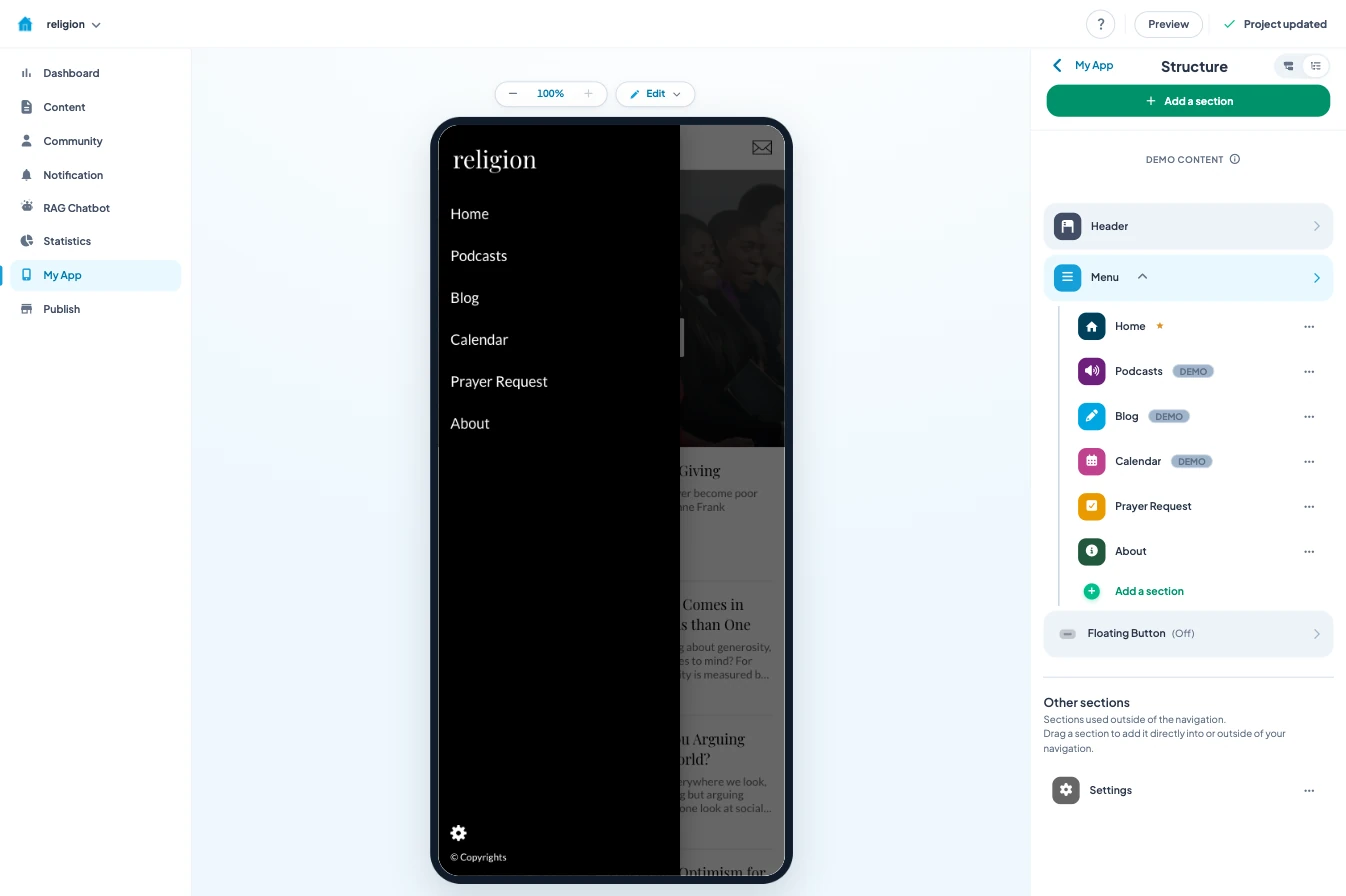
The AI writing assistant helps shape an announcement or a summary. And if you already use ChatGPT or Claude, you can manage the app directly from ChatGPT or Claude, from the very first plan.
For questions, the documentation is built into the back office, in 16 languages. An AI assistant answers live, and support is included.
An app lives on its content. The easiest way is a fixed routine: Sunday’s sermon online on Monday, the week’s announcements on Tuesday. Ten minutes is enough, and the community quickly gets into the habit of coming back.
How much does a parish app cost
A custom app built by an agency quickly runs into tens of thousands of euros. I explain why in the article on the cost of a mobile app.
With Maymoune, you start from a ready-made template, and every feature is included in each of the three plans:
- Starter, €19 a month: your web app, installed from a link or a QR code.
- Ultra, €59 a month: the same, plus the iPhone, iPad and Android app on the stores.
- Ultra lifetime, €2,999: a one-time payment, with publishing on the App Store and Google Play included.
My advice for a parish: start with the web app. Print the QR code in the newsletter and at the church entrance. Once the community has adopted it, move to the stores. Apple and Google will then each ask for a developer account in the parish’s name.
The three plans are detailed on the pricing page.
Maymoune Apps
Your parish in every parishioner’s pocket
Three plans, every feature included, no commitment.
✓ Teachings, calendar and forms
✓ Unlimited notifications
✓ Web, iPhone and Android app
✓ Support included
To go further: a parish is also a community life, and the article on an association’s app will give you more ideas. If you already record your sermons, read the one on a podcast app. And to see other templates, browse the app examples or check the frequently asked questions.
Frequently asked questions
How much does an app for a parish cost?
€19 a month for the web app, €59 a month with the iPhone and Android apps, or €2,999 once and for all. Every feature is included in all three plans. Details are on the pricing page.
Do parishioners have to download the app?
With the web app, they scan a QR code or open a link, then add it to their home screen in two taps. With the Ultra plan, they also find it on the App Store and Google Play.
Can we share filmed services in the app?
Yes. You connect your YouTube channel and the videos you publish there appear in the app. Audio recordings go into the Podcasts section.
Who can update the parish app?
You, or the person in charge of communication. Everything is done from the back office, on a computer or a phone, without coding. The documentation and an AI assistant answer questions there.
Can we receive prayer requests or sign-ups?
Yes, with a form you build yourself: prayer requests, Sunday school registration, baptism or wedding requests, volunteer offers.
Can the app carry our parish’s name?
Yes. The app is in your name, with your logo and colors, and you can connect it to your own domain name.
Up next
 News of Maymoune
 What to post in your app: 30 content and message ideas
A lively app brings your customers back. 30 concrete content and notification ideas, sorted by trade, and a simple rhythm to keep…
4 min read6 Oct 2026 News of Maymoune
 Build a mobile app in 7 steps, without coding
Pick a template, organise sections, brand it, fill it, test, publish on the web then on the stores: the 7 steps to…
4 min read6 Oct 2026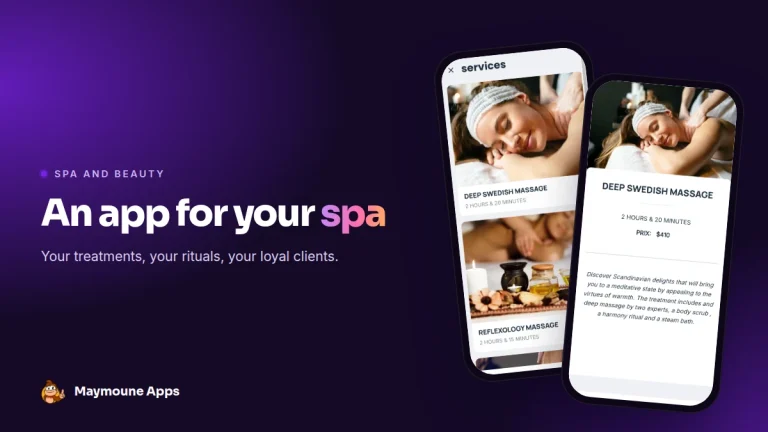 News of Maymoune
 An app for your spa or beauty salon: treatments, rituals and bookings
Your treatment menu with length and price, your rituals, online booking, a gift voucher request and a message when a slot opens…
4 min read5 Oct 2026