 Maymoune
Create a mobile app for your school or campus
News, calendar, campus map, contacts and messages to families: what an app brings to a school, a secondary school or a campus, with a real demo and its price.
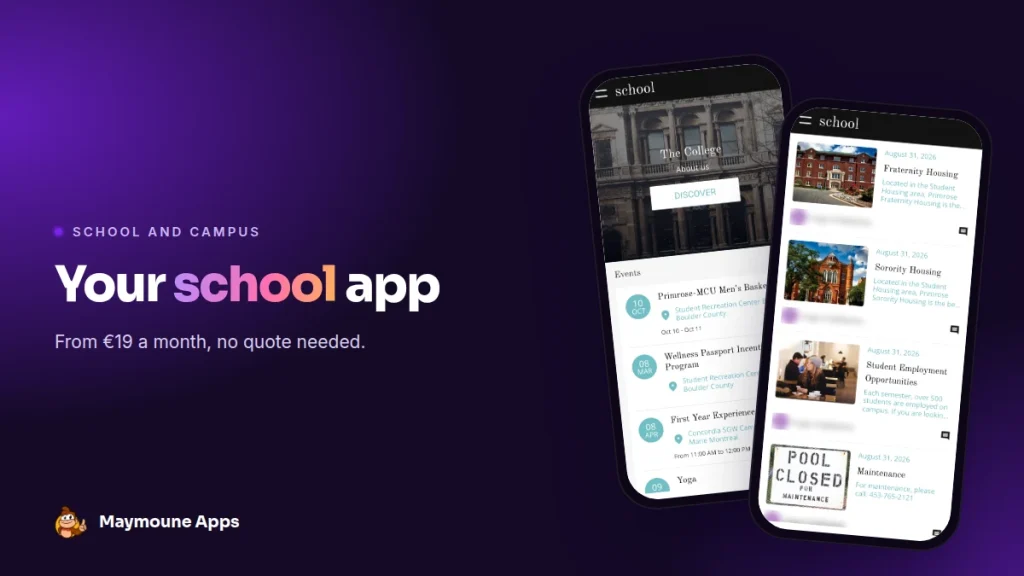
A school app brings together what families, students and staff look for every week: the calendar, the news, the contacts. You keep it up to date from your phone, and it starts at €19 a month.
Monday morning. A note in the homework diary, an email on the school messaging system, a poster at the entrance, a message in the parents’ group. Thursday’s trip has a new time, and everyone learns it through a different channel.
An app brings it all together. I’ll show you what it looks like, with a real demo, what goes into it and what it costs.
Why an app for your school
A school speaks to three audiences: families, students, and future applicants. All three want the same thing: clear, up-to-date information found in seconds.
The app gives it to them, and it alerts everyone with one message when something changes. It also polishes your image: a family discovering the school finds your app under your name, in your colors.
Everything below works for a primary school, a secondary school, a campus, a private school, a language school or a nursery.
What goes into a school app
Here is the “school” demo I prepared, based on a campus. It is a starting template: you replace the texts, photos and colors with those of your school.
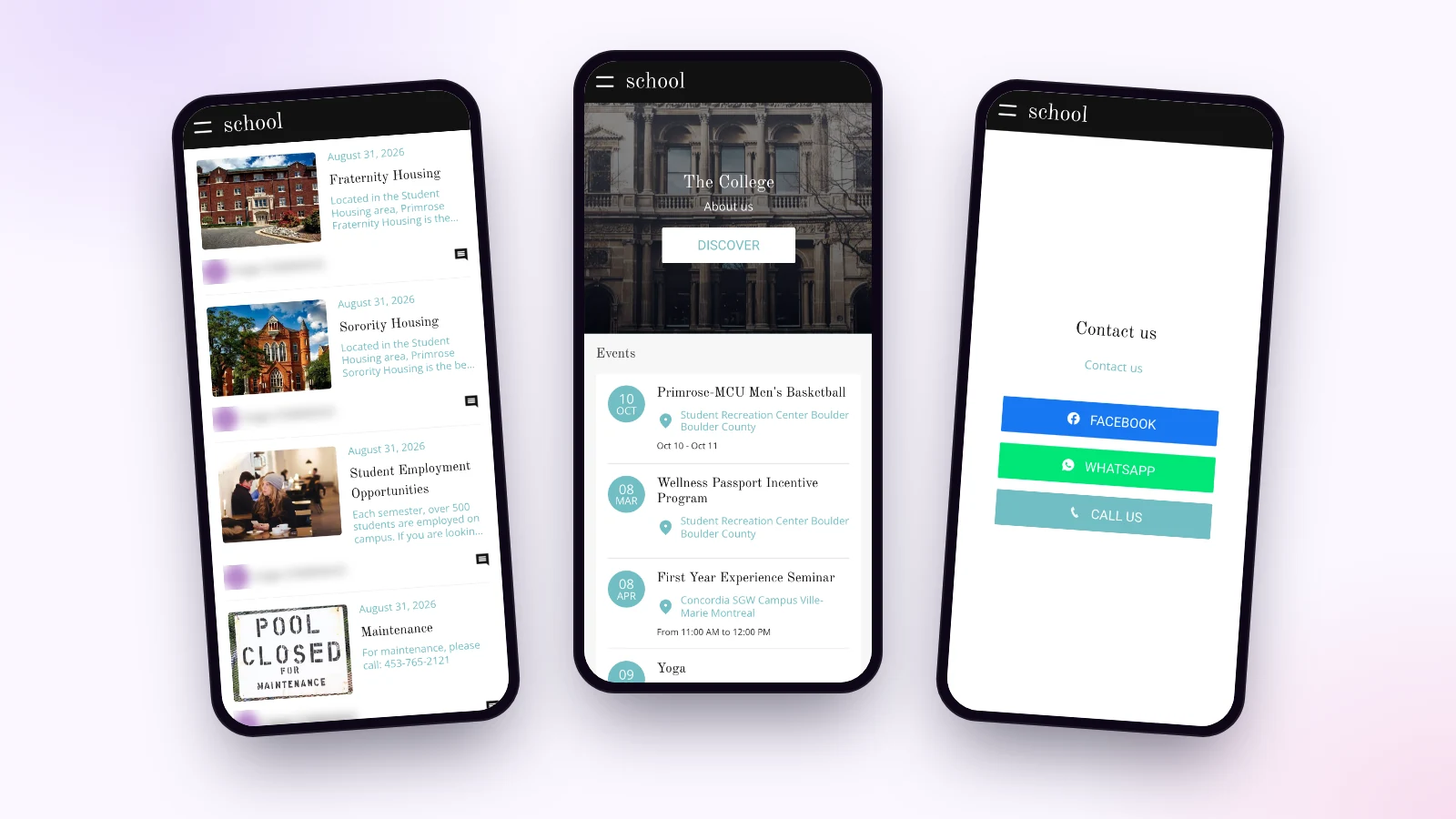
School news
The head’s letter, the trip report, the tournament results, practical canteen info: each piece of news has its photo and text, and reads in a moment.
The school calendar
Meetings, trips, exams, open days, the end-of-year show: each date has its time and place, on a map. The calendar appears on the home screen, so the coming week stands out.
Map and contacts
A map locates the buildings, the gym, the canteen, the visitors’ entrance. A contact page offers buttons to call the office, write on WhatsApp or visit your Facebook page.
Members-only areas
Each section is open to everyone, or reserved for signed-in members. Families see class documents, the public sees the school presentation and open days. A form collects enrolment requests.
Reach families with one message
“Thursday’s trip: meet at 8 am at the gate.” You write these two lines, and the notification lands on the screen of every family who installed the app. Right away, or on the date you choose. Notifications are unlimited on every plan.
I explain how to write them well in the article on push notifications.
Who keeps the school app alive?
The office, the head or a teacher, with no technical skills. Publishing news means writing a title, a text and adding a photo. Sections are arranged with the mouse.
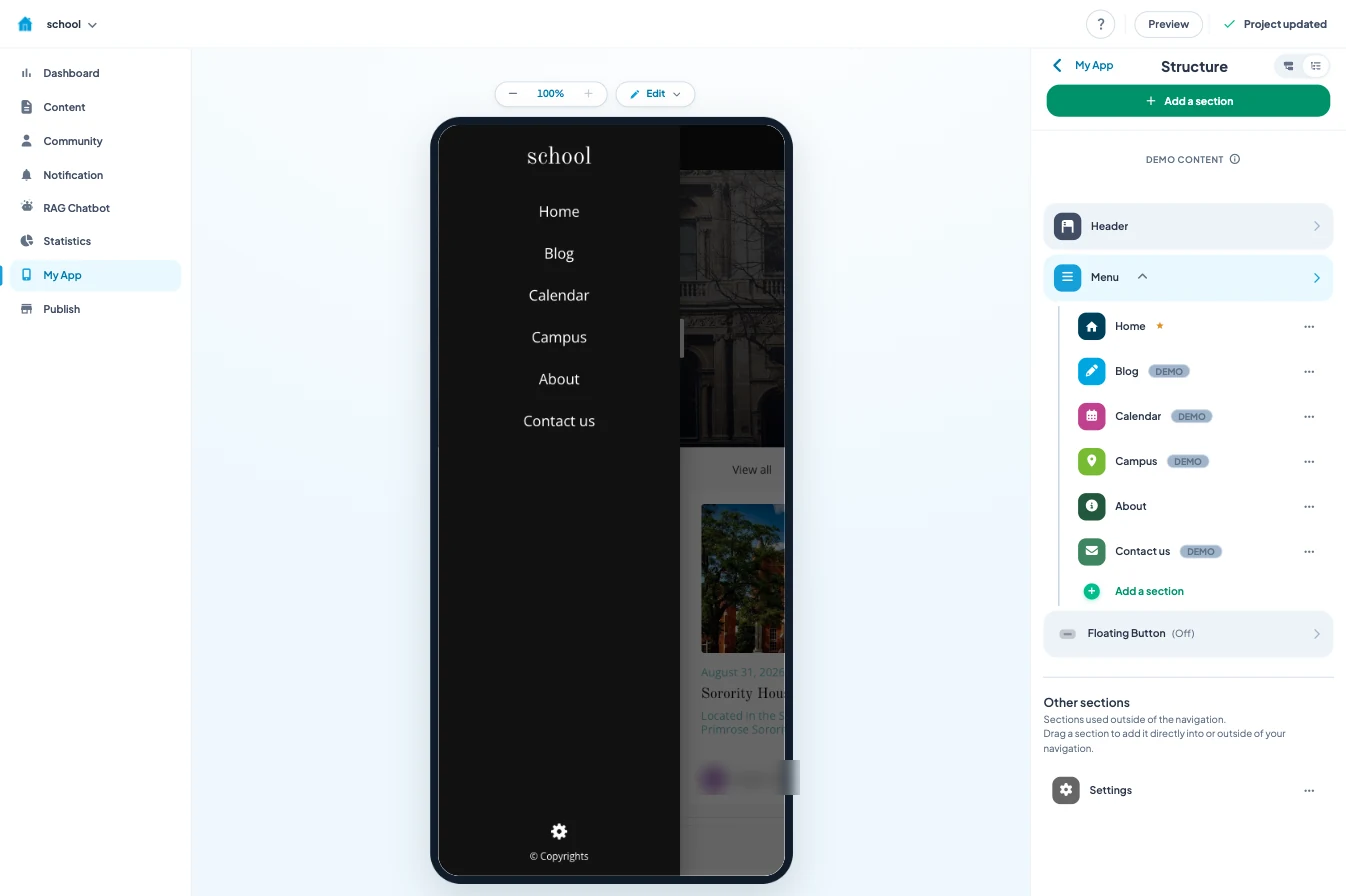
The AI writing assistant helps shape an announcement, and the AI extension builder creates revision quizzes in one sentence. The documentation is built into the back office, in 16 languages, and support is included.
The easiest way to start: the term calendar and the contacts. News follows, at the pace of school life.
How much does a school app cost
With Maymoune, you start from a ready-made template, and every feature is included in each of the three plans:
- Starter, €19 a month: your web app, installed from a link or a QR code.
- Ultra, €59 a month: the same, plus the iPhone, iPad and Android app on the stores.
- Ultra lifetime, €2,999: a one-time payment, with publishing on the App Store and Google Play included.
My advice: slip the web app’s QR code into the back-to-school pack. Families install it on day one, and the habit is set. The article on the web app or the stores helps you choose what comes next. The plans are detailed on the pricing page.
Maymoune Apps
Your school in every family’s pocket
Three plans, every feature included, no commitment.
✓ News, calendar and map
✓ Unlimited notifications
✓ Web, iPhone and Android app
✓ Support included
To go further: a school often has a parents’ association, and the article on an association’s app will give you ideas. For adult training, read the one on a training provider. And to see other templates, browse the app examples or the frequently asked questions.
Frequently asked questions
How much does an app for a school cost?
€19 a month for the web app, €59 a month with the iPhone and Android apps, or €2,999 once and for all. Every feature is included in all three plans. Details are on the pricing page.
Do families have to download the app?
With the web app, they scan a QR code and add it to their home screen in two taps. With the Ultra plan, they also find it on the App Store and Google Play.
Can some sections be reserved for families?
Yes. Each section is open to everyone or reserved for signed-in members, with a simple setting in the back office.
Can we receive enrolment requests?
Yes, with a form you build yourself: enrolment requests, visit bookings, activity sign-ups.
Does the app carry our school’s name?
Yes. It is in your name, with your logo and colors, and you can connect it to your own domain name.
Up next
 News of Maymoune
 Getting your app discovered: store optimisation and Google search
Name, keywords, screenshots, reviews, QR code: how to get your app found on the App Store, Google Play and in Google’s results.
3 min read18 Oct 2026 News of Maymoune
 Making money with your app: 6 models that work for a business
Online sales, bookings, subscriptions, advertising, loyalty: the models that make an app genuinely profitable, and which one to choose for your business.
4 min read18 Oct 2026 News of Maymoune
 Agency, freelancer or no-code tool: how to choose to build your app
Price, timelines, maintenance, ownership: an honest comparison between an agency, a freelance developer and a no-code tool for building a mobile app.
4 min read17 Oct 2026