 Maymoune
Mobile app for a training organization
A course that lives in an online portal opened on a computer is a course that gets abandoned. An app puts modules, reminders, and the community right into your learners’ pockets, boosting engagement rates. Here is what it…
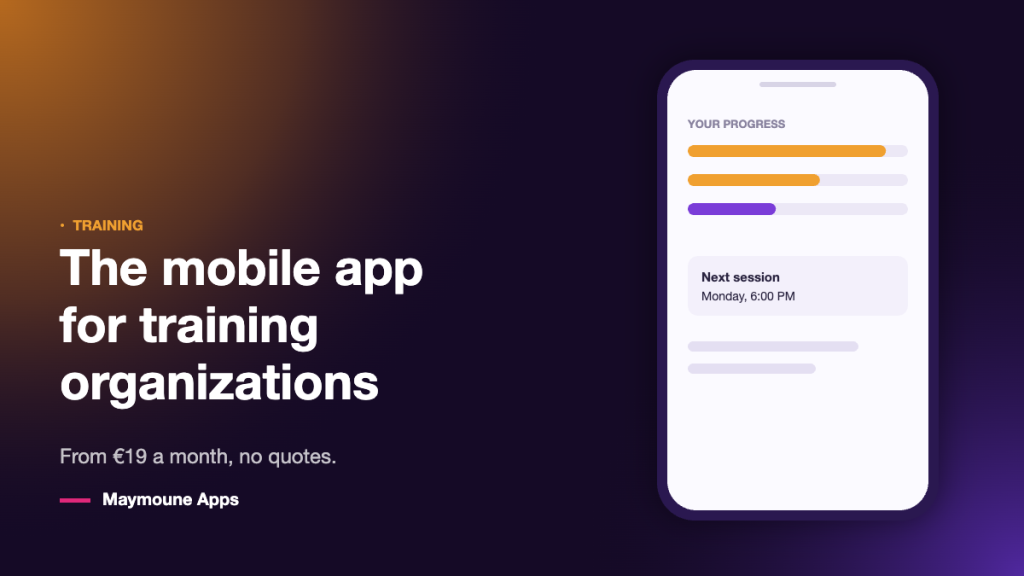
A course that lives in an online portal opened on a computer is a course that gets abandoned. An app puts modules, reminders, and the community right into your learners’ pockets, boosting engagement rates. Here is what it changes, how it integrates, its cost, and its limitations.
You sold twelve spots. Nine people open the first module, five reach the third, two finish. Your content isn’t the problem : it’s the path to access it. A forgotten login to track down, a website to open on a computer, one tab among twenty.
Yet your learners check their phones forty times a day. The question isn’t about producing more content; it’s about putting it where they are.
Table of contents
The real problem is not the content
Three obstacles recur in every organization, regardless of the subject taught.
- Access — a forgotten password is enough to stop a learner. They won’t write to you to ask for it again : they will drop out.
- The pace — without reminders, the training slips to the following week, then to the next month.
- Loneliness — learning alone in front of a screen is difficult. Without a group or any sign of life, dropping out is the natural slope.
A learner who doesn’t finish doesn’t recommend, doesn’t provide a testimonial, and doesn’t buy again. It silently doubles your acquisition cost.
What the app changes
Access becomes a single gesture. One tap on the icon, and the learner is already logged in. No more passwords to retrieve, no more computer to turn on : the module is watched on the train.
Reminders replace follow-ups. “Module 3 available”, “your session starts tomorrow”, “you have one exercise left” : a scheduled notification does the work that nobody has the time to do manually.
Short formats become possible again. A six-minute video, a worksheet, an audio track to listen to while walking. On a phone, this format gets consumed ; on a computer, it sits waiting.
The cohort stays together. A section per session, announcements, documents, live events : the group exists in a dedicated space, and it is not hosted on a social network that decides on your behalf who sees what.
The screens that matter for an organization
- My courses — where the learner picks up right where they left off.
- The syllabus — modules, durations, next step. Progress must be clearly visible.
- Resources — worksheets, templates, replays, downloadable documents.
- The schedule — live sessions, workshops, exam dates.
- The catalog — your other training courses, with direct purchasing. That’s where the second sale happens.
Trainers already have theirs, built on this model : Michael Polito and Akasha Akademy are among those whose app you can open today.
Connect your courses or host them ?
Two situations, two answers.
You already have a course platform. It connects seamlessly : your modules, enrolled students, and their progress continue to live right where they are, and the app becomes the mobile gateway. You don’t move anything. Full details are on the e-learning mobile app page.
You don’t have one yet. You create your content directly in the back office : videos, worksheets, audio, articles, sections by session. And the built-in AI writes summaries, module descriptions, and translations ; you review, you publish.
How much it costs
- €19 per month — your PWA web app. Your learners install it from the link sent upon registration.
- €59 per month — the same, plus the iPhone and Android apps published on the App Store and Google Play. This is the plan that makes the difference when selling to businesses : the store listing reassures procurement departments.
- €2,999 one-time — the complete plan, for life, with no subscription.
Compared to the cost of a single training seat, the annual subscription is often lower. In contrast, custom development costs tens of thousands of euros : see the article on the cost of a mobile app. See the three plans.
What an app will not do
It does not replace a full course platform. Conditional learning paths, graded assessments, certificates, certification requirements : if your business relies on these, keep your tool and connect the app to it. It is the front door, not the engine.
It won’t fill your sessions either. It improves what happens after enrollment — participation, satisfaction, repeat purchases. Making sales remains your job.
Finally, an empty app discourages more than it helps. Wait until you have at least one complete learning path to put in it before opening it to your learners.
Next step
Open an existing training app online and follow a learner’s journey: find a course, resume a module, download a worksheet. Count the steps, then compare with what your current enrollees experience today.
Frequently asked questions
How much does a mobile training app cost?
€19 per month for the web app, €59 per month including the iPhone and Android apps published on app stores, or a one-time payment of €2,999 for the full lifetime plan. The price does not depend on the number of learners or modules.
Can I keep my current course platform?
Yes, this is the most common case. Your courses and enrolled learners stay where they are, and the app becomes the mobile gateway. You don’t have to move anything and you don’t have to re-enter anything.
Can my learners take courses offline ?
Content that has already been viewed remains accessible, and the app opens without an error page. However, playing a new video or saving progress requires an internet connection.
Can we sell training courses within the app ?
Yes, the built-in shop is included in all three plans : seats, sessions, pathway access, additional resources. This is often where the second sale to a satisfied learner takes place.
Is it suitable for a certified organization ?
The app can carry content, schedule, and communication, but it does not replace the tool that manages your graded pathways, certificates, and certification requirements. Keep it and connect the app to it.
Can we have a section per session or cohort ?
Yes, and it is the most commonly used structure : one section per cohort, with its schedule, resources, and announcements. Each learner goes directly to theirs.
Do you need technical skills to keep it up to date ?
No. Publishing a video, adding a record, or scheduling a notification is done from the back office, whose documentation is translated into 16 languages ; an assistant answers questions there and human support takes over.
Up next
 News of Maymoune
 An app for a wedding planner or wedding venue
Your services in photos, the day’s programme, guest information and quote requests: the app for a wedding planner, an estate or a…
3 min read26 Oct 2026 News of Maymoune
 A museum app: tours, audio guide and exhibitions
The visitor tour, the audio guide, exhibitions, opening hours and messages to visitors: the app for a museum, a castle or a…
3 min read26 Oct 2026 News of Maymoune
 A library app: events, new arrivals and services
New arrivals, the events calendar, opening hours, online services and messages to readers: the app for a public library or media library,…
3 min read25 Oct 2026