 Maymoune
Build games and tools inside your app with AI
A quiz, a timer, a converter, a breathing coach: you describe the tool in one sentence, the AI builds it inside your app. How it works, with the real screens.
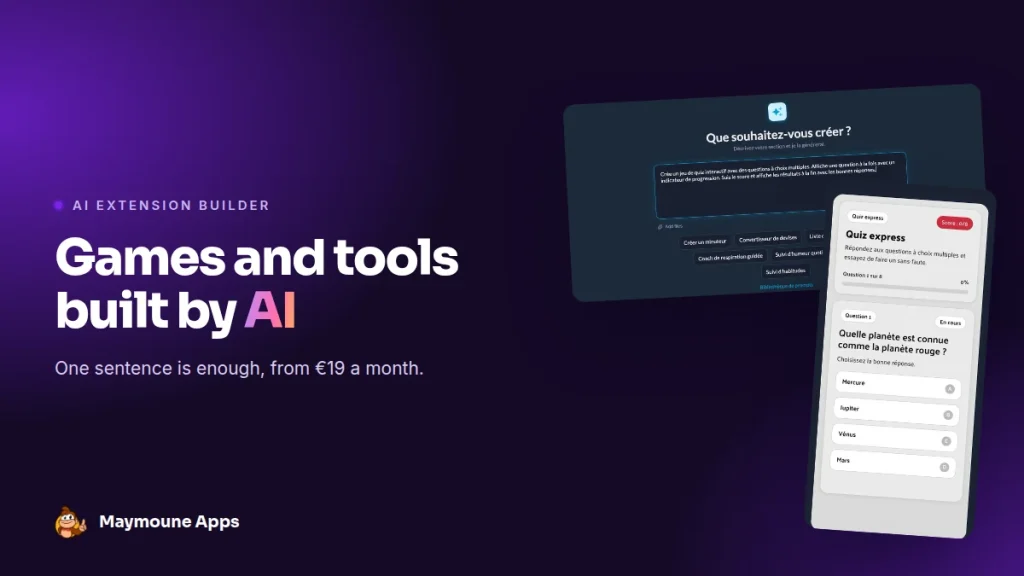
The AI extension builder creates inside your app whatever you describe: a game, a tool, an interaction. You code nothing, you install nothing, and you can start again as many times as you like.
You have had an idea for a while. A quiz for your customers, a small calculator to estimate a quote, a timer for your classes. Until now, that idea meant a developer, a specification, and a quote.
Today, it fits in one sentence. You write it, and moments later the tool runs in the preview phone. I’ll show you how, with the real back office screens (shown here in their French version).
What the AI extension builder does
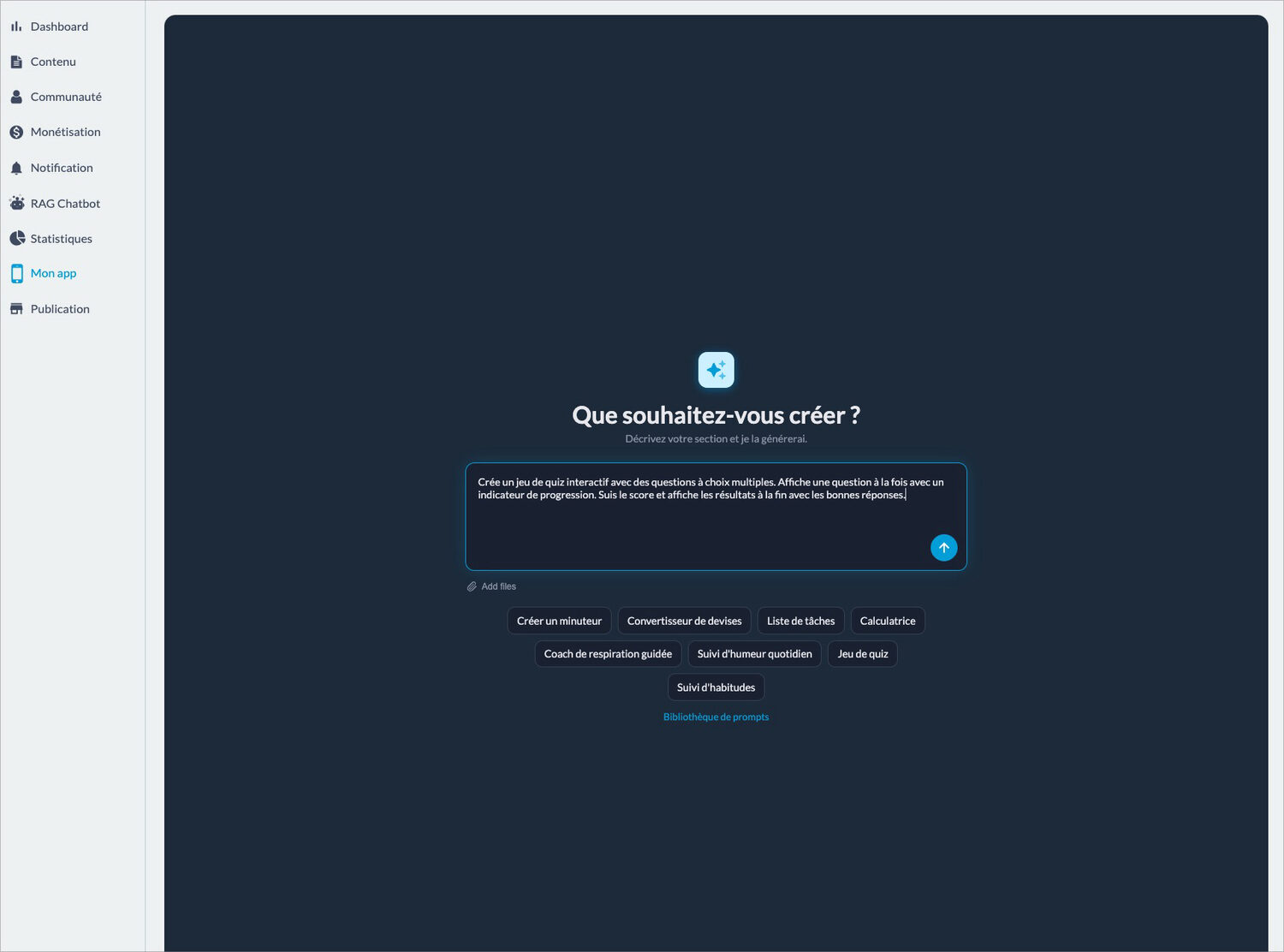
In the back office, you add a “Create with AI” section. A screen simply asks what you want to create. You describe the tool in your own words, as you would explain it to someone.
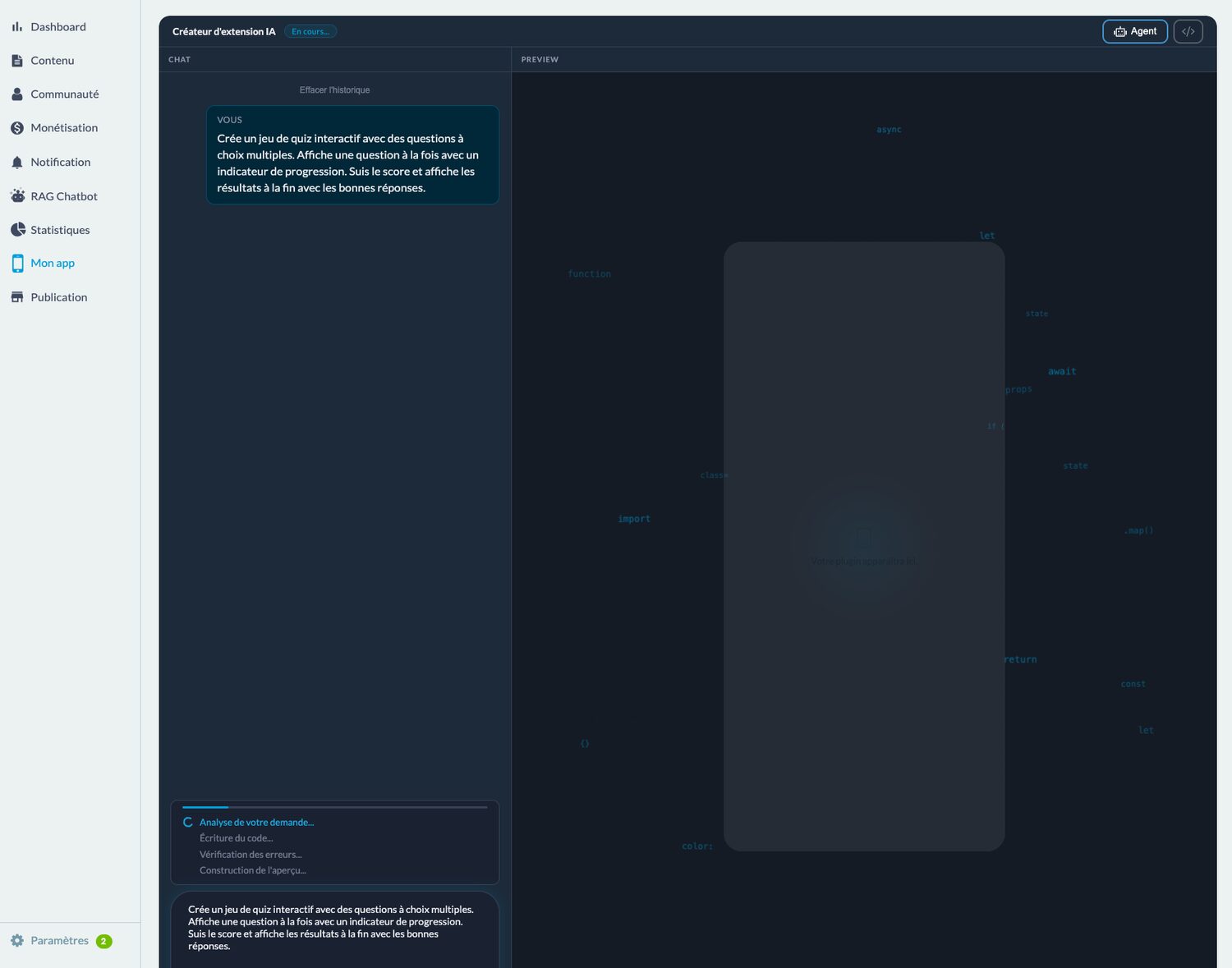
The AI then takes over, and you follow each step on screen: it analyses your request, writes the code, checks for errors, then builds the preview. You watch, there is nothing to do.
What you can build with AI
The screen suggests starter ideas: a timer, a currency converter, a to-do list, a calculator, a guided breathing coach, a mood tracker, a quiz game, a habit tracker. A library of ready-made requests gives you more.
The most interesting part is what you make of them for your business:
- A tourist office: a quiz on the town’s history, and a currency converter for foreign visitors.
- A coach or a gym: a workout timer, and a habit tracker to stick to goals.
- A wellness practitioner: a guided breathing coach, and a daily mood tracker.
- A school or training provider: revision quizzes, chapter by chapter.
- A tradesperson: a calculator that estimates an area or a quantity of materials.
These small tools give people a reason to reopen the app, even when you have nothing new to announce. That is what keeps it alive day to day.
Adjust until it is right
Once the tool is ready, you test it directly in the preview phone. The quiz plays, the timer runs, the calculator calculates.
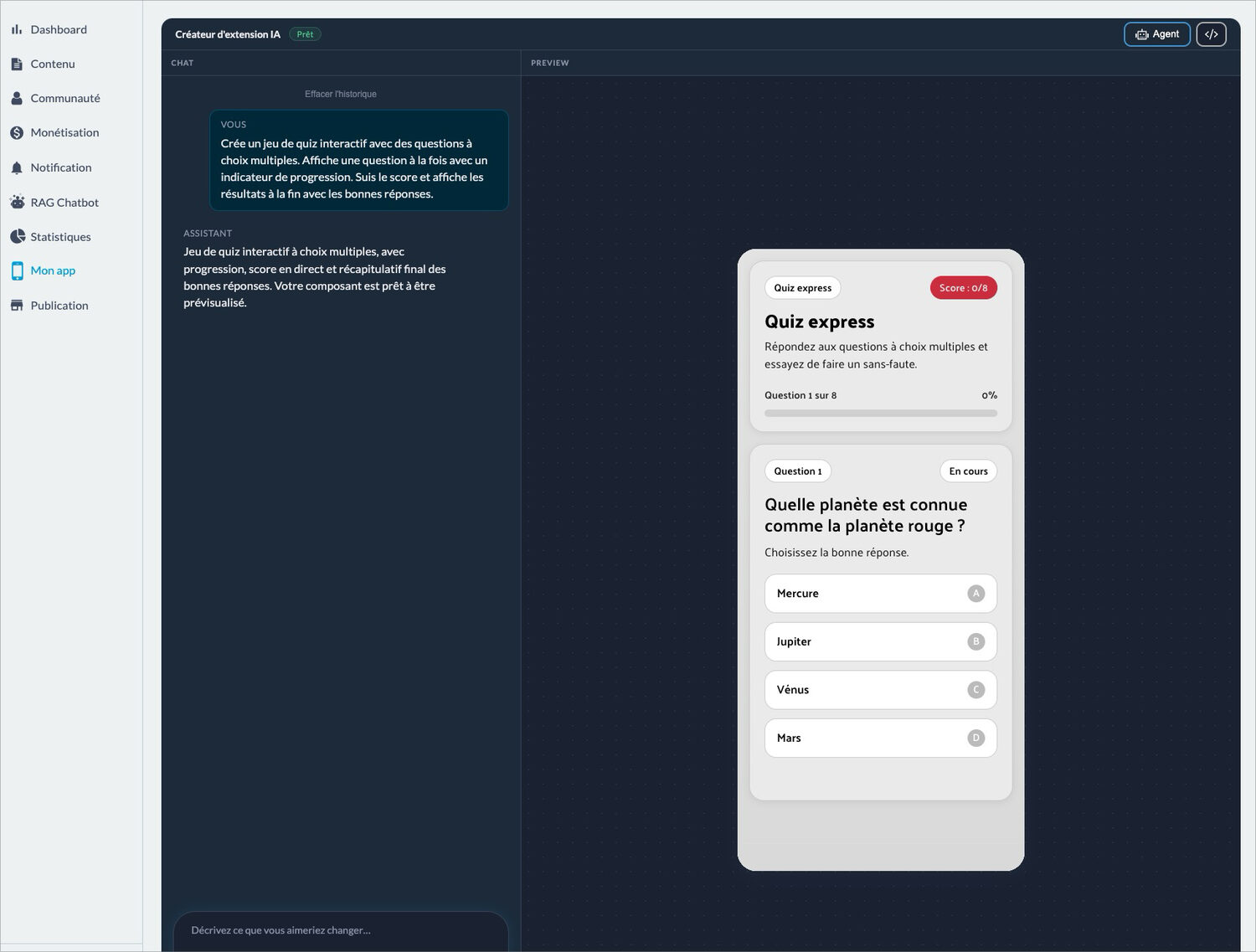
Something you don’t like? You write what you would like to change: “use my logo colors”, “add five questions”, “show the score in large type”. The AI gets back to work. When the result suits you, you place the tool in your app’s menu, and move on to the next idea.
What works best: one precise request, one feature at a time. You get a clean tool, which you then enrich in small steps.
Maymoune’s other AI features
The extension builder is not alone. The AI writing assistant writes your articles, product pages and announcements. An AI assistant answers your questions in the back office. And you can manage the app from ChatGPT or Claude, to publish or send a notification in one sentence.
How much does the AI extension builder cost
Nothing extra. With Maymoune, every feature is included in each of the three plans, and the only difference is where your app is published:
- Starter, €19 a month: your web app.
- Ultra, €59 a month: the same, plus the iPhone, iPad and Android app on the stores.
- Ultra lifetime, €2,999: a one-time payment, with publishing on the App Store and Google Play included.
A custom tool ordered from a developer is paid for every time. I explain what an app built from scratch costs in the article on the cost of a mobile app. The plans are detailed on the pricing page.
Maymoune Apps
Your ideas become tools, in one sentence
Three plans, every feature included, no commitment.
✓ AI extension builder
✓ AI writing assistant
✓ Managed from ChatGPT or Claude
✓ Support included
To go further: a quiz works wonders in a tourist office app or in that of a training provider, and a timer in that of a gym. Other questions are answered in the frequently asked questions.
Frequently asked questions
How much does the AI extension builder cost?
Nothing extra: it is included in all three plans, from €19 a month. Details are on the pricing page.
Do I need to know how to code to build a tool with AI?
No. You describe what you want in your own words, the AI writes and checks the code, and you test the result in the preview.
What tools can be built?
Games, quizzes, timers, calculators, converters, to-do lists, habit or mood trackers, a breathing coach, and anything you can describe.
Can the tool be changed after it is built?
Yes. You write what you would like to change, and the AI gets back to work until the result suits you.
How many tools can be built?
As many as you like. Each tool then goes into your app’s menu, like a section.
Up next
 News of Maymoune
 What to post in your app: 30 content and message ideas
A lively app brings your customers back. 30 concrete content and notification ideas, sorted by trade, and a simple rhythm to keep…
4 min read6 Oct 2026 News of Maymoune
 Build a mobile app in 7 steps, without coding
Pick a template, organise sections, brand it, fill it, test, publish on the web then on the stores: the 7 steps to…
4 min read6 Oct 2026 News of Maymoune
 An app for your spa or beauty salon: treatments, rituals and bookings
Your treatment menu with length and price, your rituals, online booking, a gift voucher request and a message when a slot opens…
4 min read5 Oct 2026