 Maymoune
Build a mobile app in 7 steps, without coding
Pick a template, organise sections, brand it, fill it, test, publish on the web then on the stores: the 7 steps to build your app, with the real back office screens.
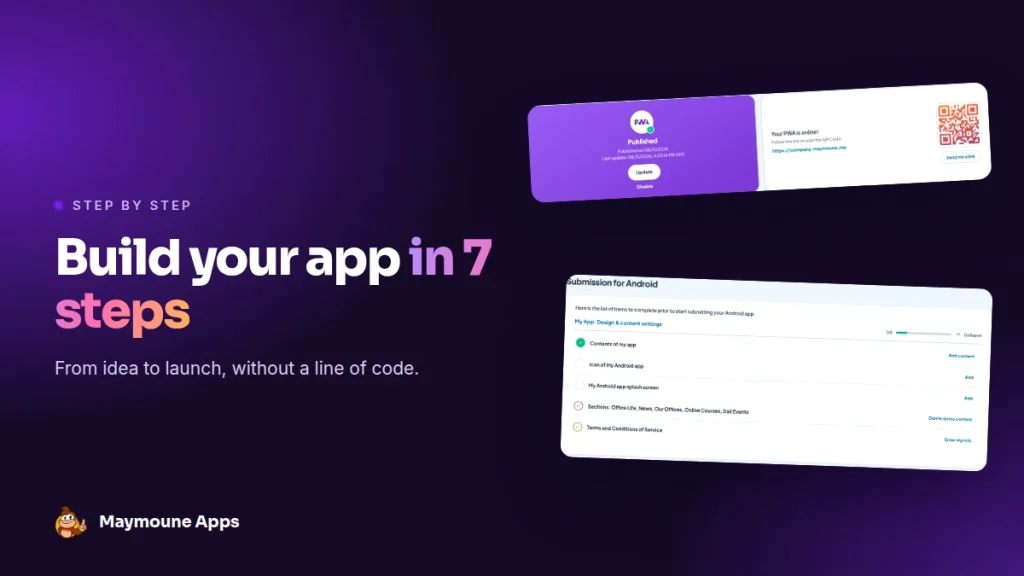
Building an app takes neither a developer nor six months of work. With Maymoune, you start from a demo, adapt it, and it is online within the week. Here is the path, step by step, with the screens you will see.
Many shop owners and associations put off their app because they picture a heavy project: specifications, an agency, a five-figure budget. In reality, most of it is done in a few evenings.
Grab a coffee, and follow the seven steps.
Step 1: pick a template
You never start from a blank page. Restaurant, shop, association, parish, school, practice, event: each trade has its demo, already filled in. You pick the one closest to your business, and keep what is useful.
All demos are on the examples page: open them on your phone to get a feel.
Step 2: organise the sections
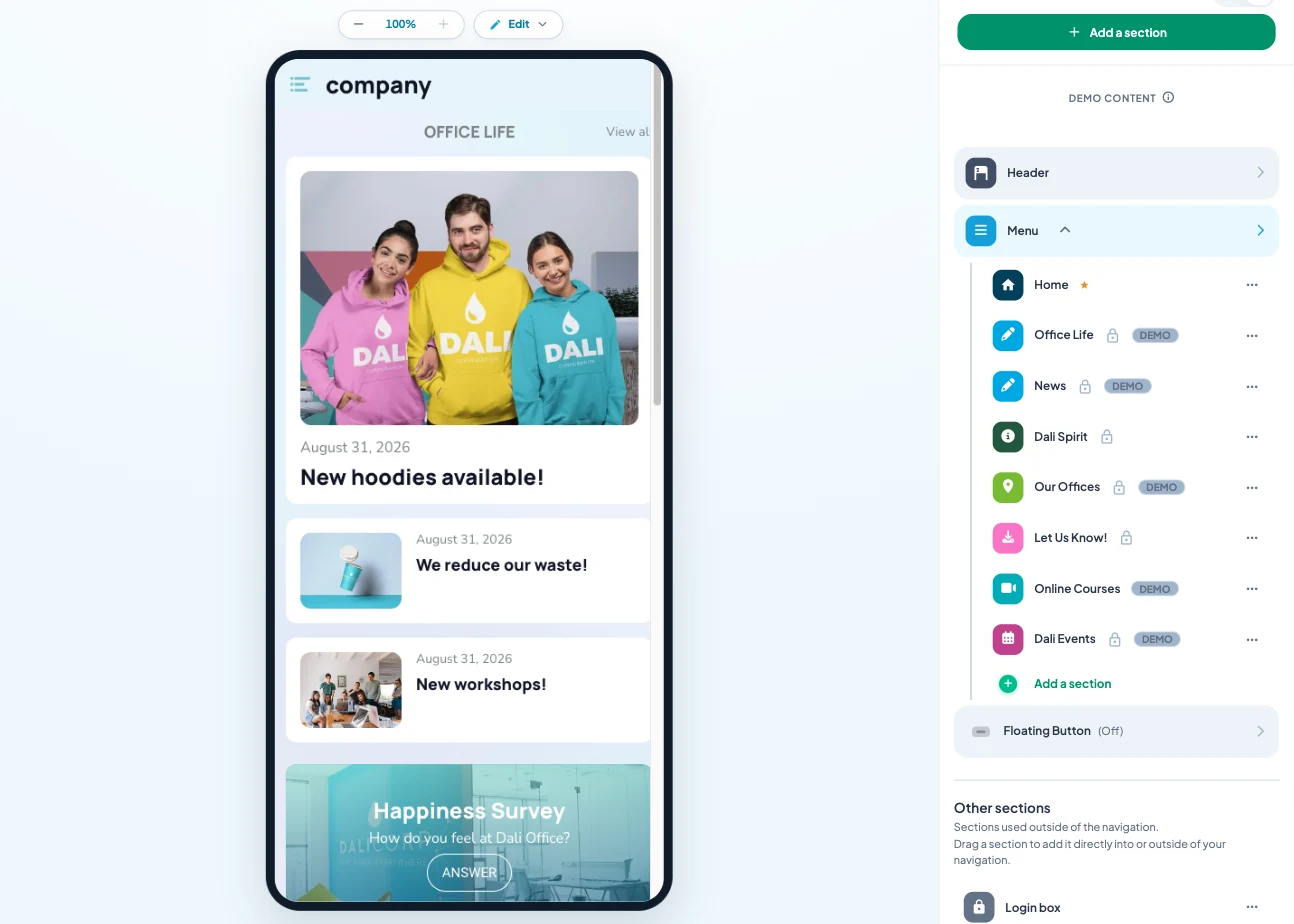
The Structure screen shows your app on the left and its menu on the right. You add a section, remove one, change the order by drag and drop. Five to eight sections are enough to start.
Step 3: brand it
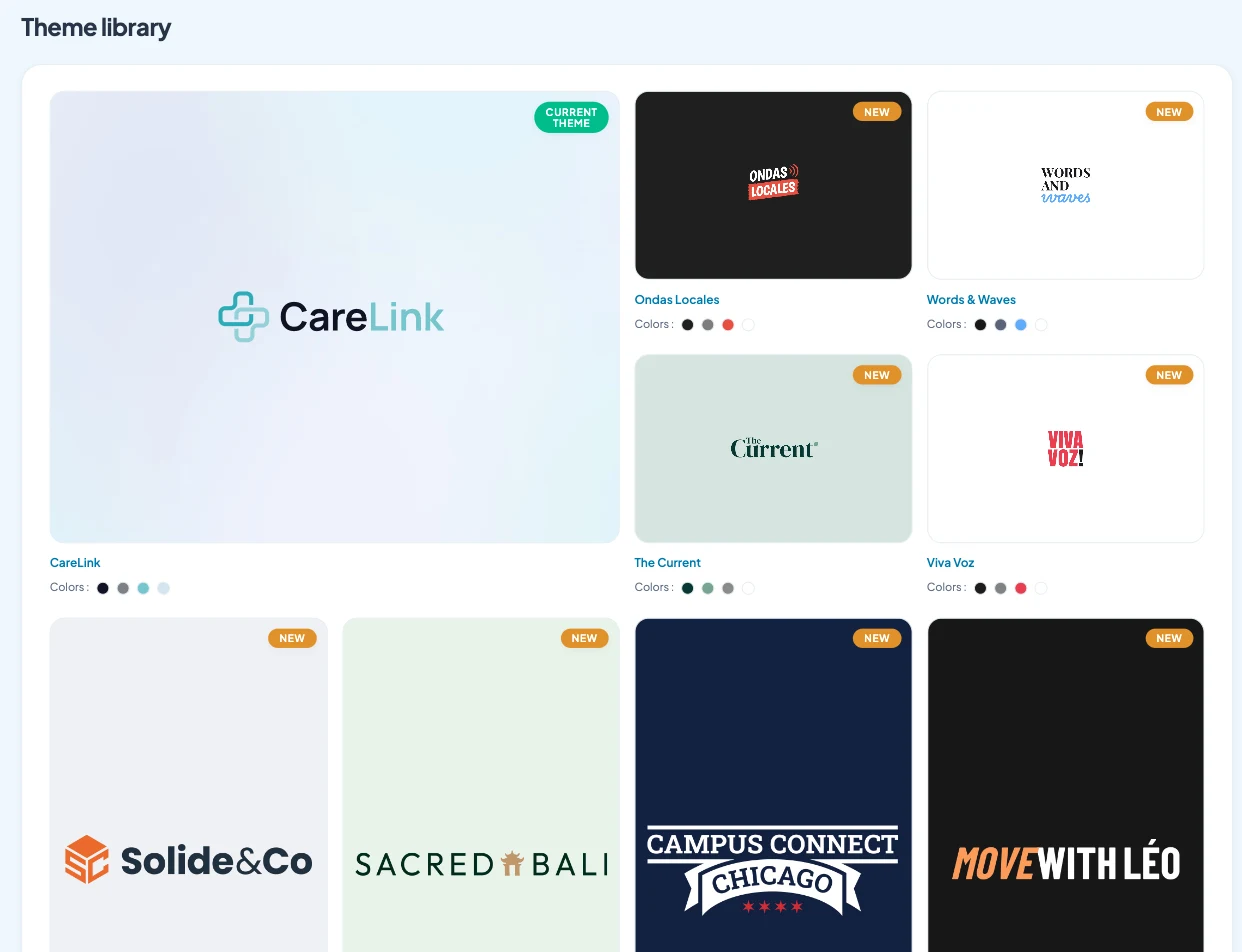
A starting theme, then your logo, colors, fonts, icon and launch screen. The details are in the article on an app that looks like you.
Step 4: fill the content
Replace the demo content with yours: products, articles, events, photos. And connect what already exists, your WordPress site, YouTube channel or Instagram, so you retype nothing.
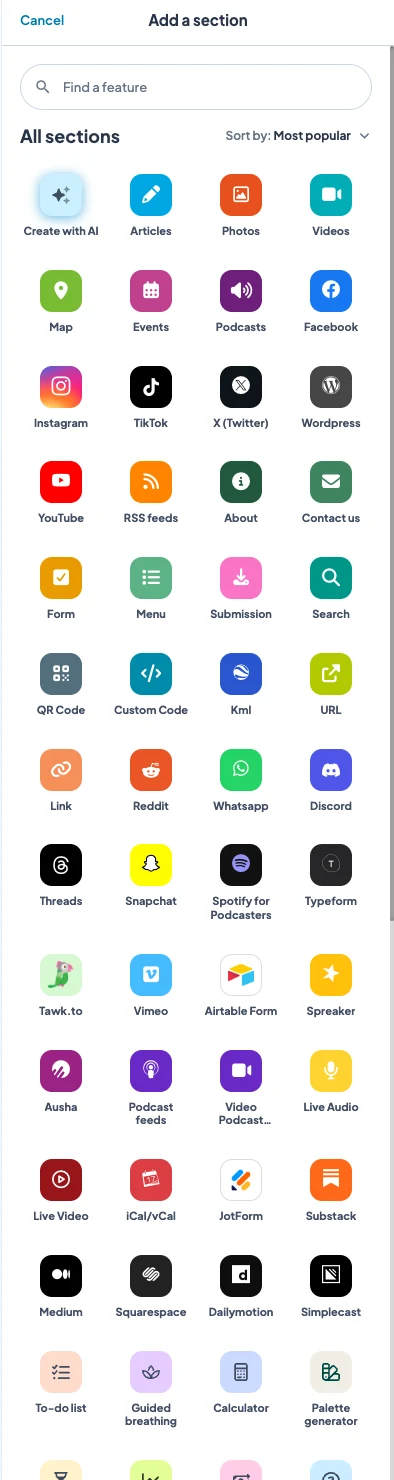
The writing AI helps with your texts, and you can even control the app from ChatGPT or Claude.
Step 5: test
The Preview button at the top of the back office opens your app as your customers will see it. Go through each section on your phone, then show it to two or three people you trust. Their first questions will tell you what is missing.
Step 6: publish on the web
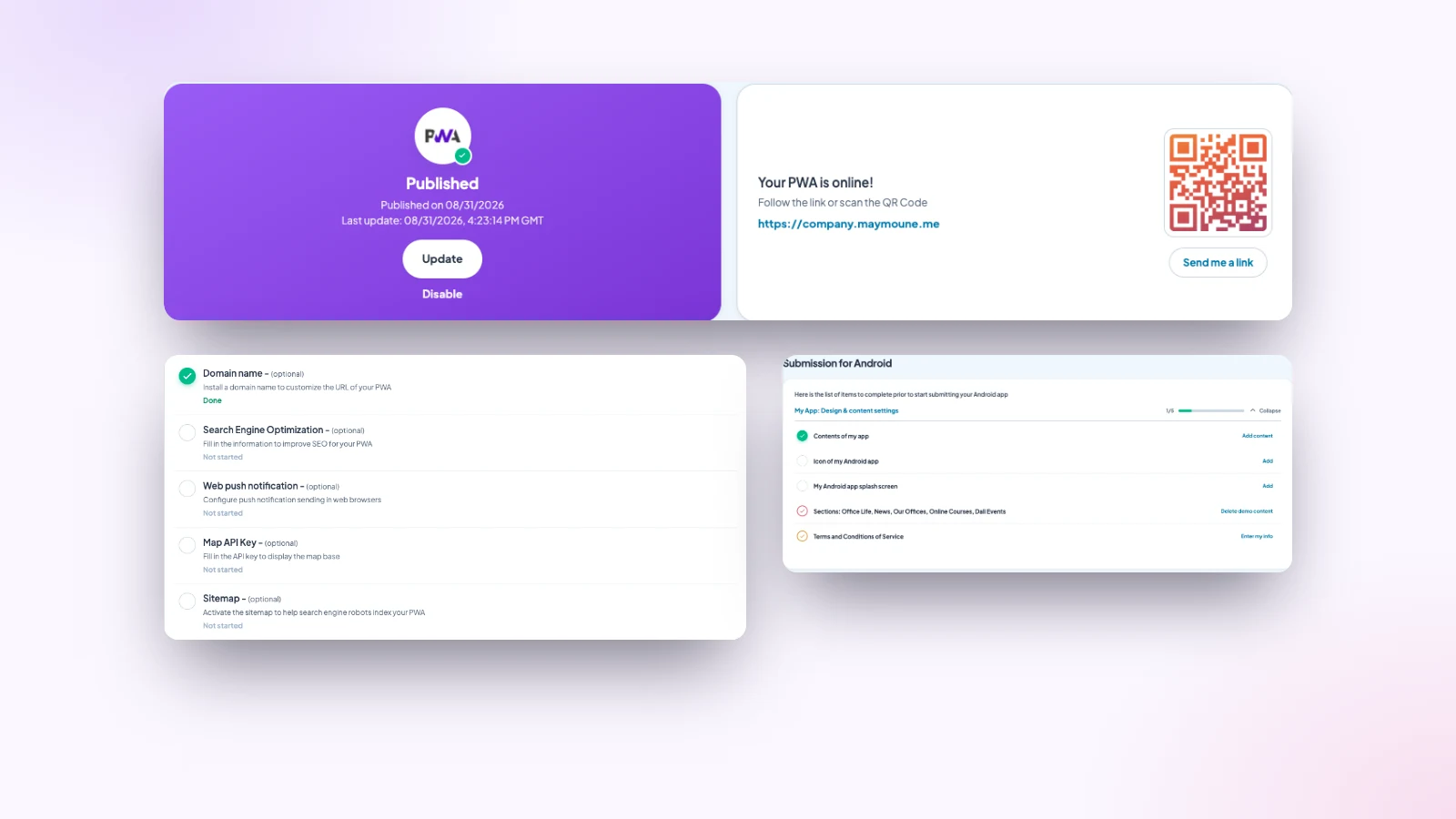
Your web app is the first to go live. It opens from a link or a QR code, and customers add it to their home screen. The publishing page guides you through the useful settings: your domain name, SEO, browser notifications, and the sitemap for search engines.
Step 7: publish on the stores
With the Ultra plan, your app also goes on the App Store and Google Play. The back office gives you the checklist: the icon, the launch screen, the terms of use, and removing the demo content. Each ticked item brings you closer to launch.
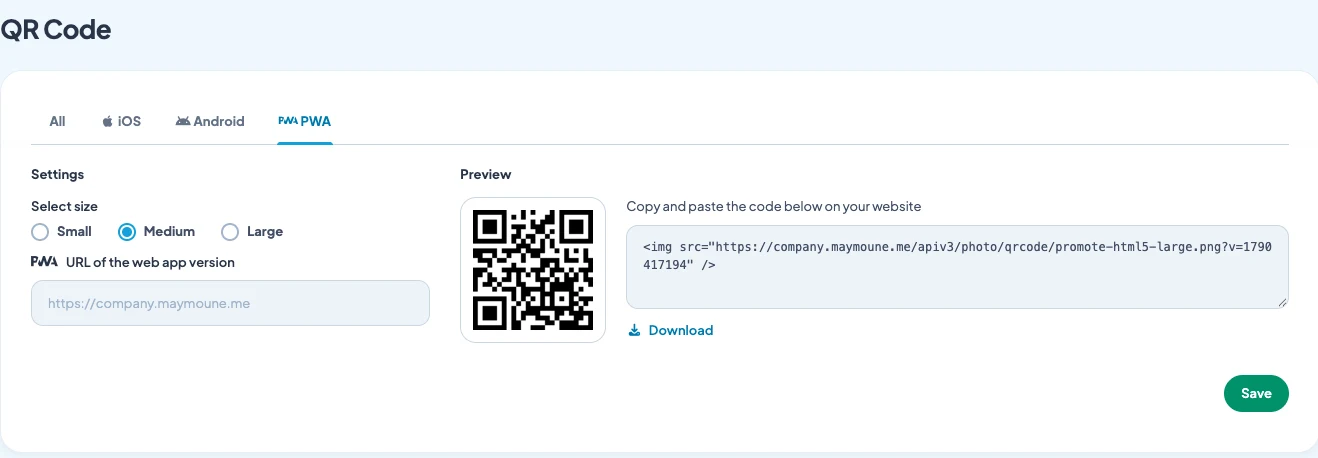
Then spread the word: a QR code on the counter, a message to your contacts, a link on your social networks. The good habits are in the article on getting your app installed.
How long does it take
- Steps 1 to 3: one evening.
- Step 4: a few hours to a few days, depending on how much content you have.
- Steps 5 and 6: one hour.
- Step 7: the Apple and Google review time, usually a few days.
My advice: publish the web app as soon as the essentials are ready, without waiting for perfection. You will improve it every week, and your customers will see the news arrive.
How much does it cost
- Starter, €19 a month: your web app, installed from a link or a QR code.
- Ultra, €59 a month: the same, plus the iPhone, iPad and Android app on the stores.
- Ultra lifetime, €2,999: a one-time payment, with publishing on the App Store and Google Play included.
Every feature is included in all three plans. Details are on the pricing page, and the full budget in the article on the cost of an app.
Maymoune Apps
Your app online this week
Three plans, every feature included, no commitment.
✓ Ready-to-adapt demos
✓ Web, iPhone and Android publishing
✓ Unlimited notifications
✓ Support included
To go further: the difference between a web app and a store app is explained in the article PWA or mobile app, and the first messages to send in the one on push notifications. Other questions are answered in the FAQ.
Frequently asked questions
Do I need to code to build an app?
No. Everything happens in the back office, with clicks and drag and drop. You start from a demo already filled in and adapt it.
How long does it take to build an app?
One evening for structure and branding, a few hours to a few days for content. The web app can be online within the week.
Can I publish on the App Store and Google Play?
Yes, with the Ultra or Ultra lifetime plan. The back office gives you the checklist of what to prepare before publishing. Details are on the pricing page.
Can I change the app after it is published?
Yes. You change content, sections or colors at any time, and publish the update from the back office.
Can I get help to get started?
Yes. Support is included, and you can book a call to talk it through.
Up next
 News of Maymoune
 What to post in your app: 30 content and message ideas
A lively app brings your customers back. 30 concrete content and notification ideas, sorted by trade, and a simple rhythm to keep…
4 min read6 Oct 2026 News of Maymoune
 An app for your spa or beauty salon: treatments, rituals and bookings
Your treatment menu with length and price, your rituals, online booking, a gift voucher request and a message when a slot opens…
4 min read5 Oct 2026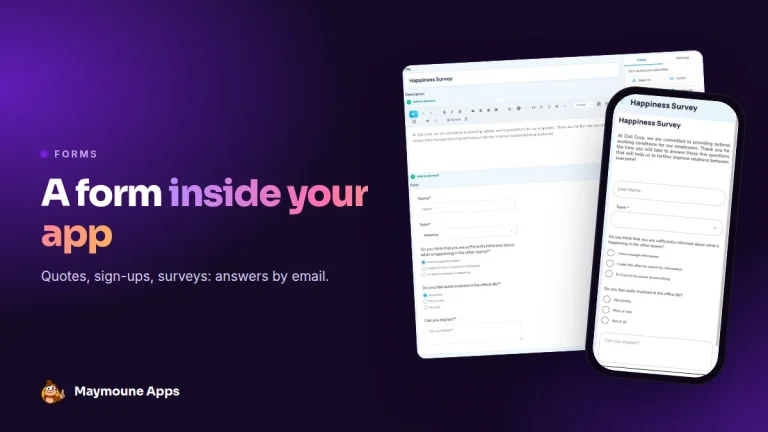 News of Maymoune
 Create a form in your app: quotes, sign-ups, surveys
A quote request with a photo, a workshop sign-up, a satisfaction survey: the form is built in a few clicks and answers…
3 min read5 Oct 2026