 Maymoune
A members area in your app: login, profiles and private content
Sections for members only, open or invitation-only sign-up, custom profiles and even a paid subscription: the members area of your app, and its price.
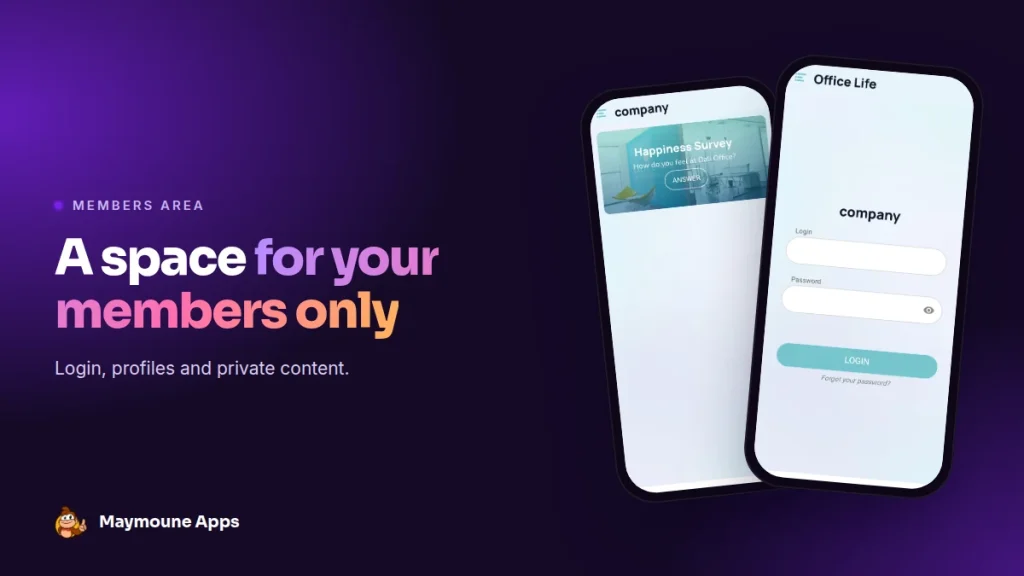
A members area is a part of your app that only your members see. Your members, students, loyal customers or team log in, and everyone else sees the shop window. It’s all included from €19 a month.
You teach classes, run a club, manage a charity or a team. Some things are for everyone: who you are, your opening hours, your news. Others are for members only: class videos, the internal schedule, documents, negotiated prices.
Putting both in the same app, with a front door, is what a members area does. Here I show you how it’s set up, with the real screens of our back office.
Who a members area is for
- A club or an association: the training calendar, meeting notes, photos for members only.
- A training organization or a coach: class videos and materials, visible once signed up.
- A company: internal life, procedures, announcements for staff.
- A shop: a loyal customer club, with offers you don’t show to everyone.
The idea is the same everywhere: a public shop window to spark interest, a private space to reward those who come in.
Choose what is public and what is private
Each section of your app has its own switch. On, it’s visible to everyone. Off, it asks for a login. You decide section by section, and you change your mind whenever you want.
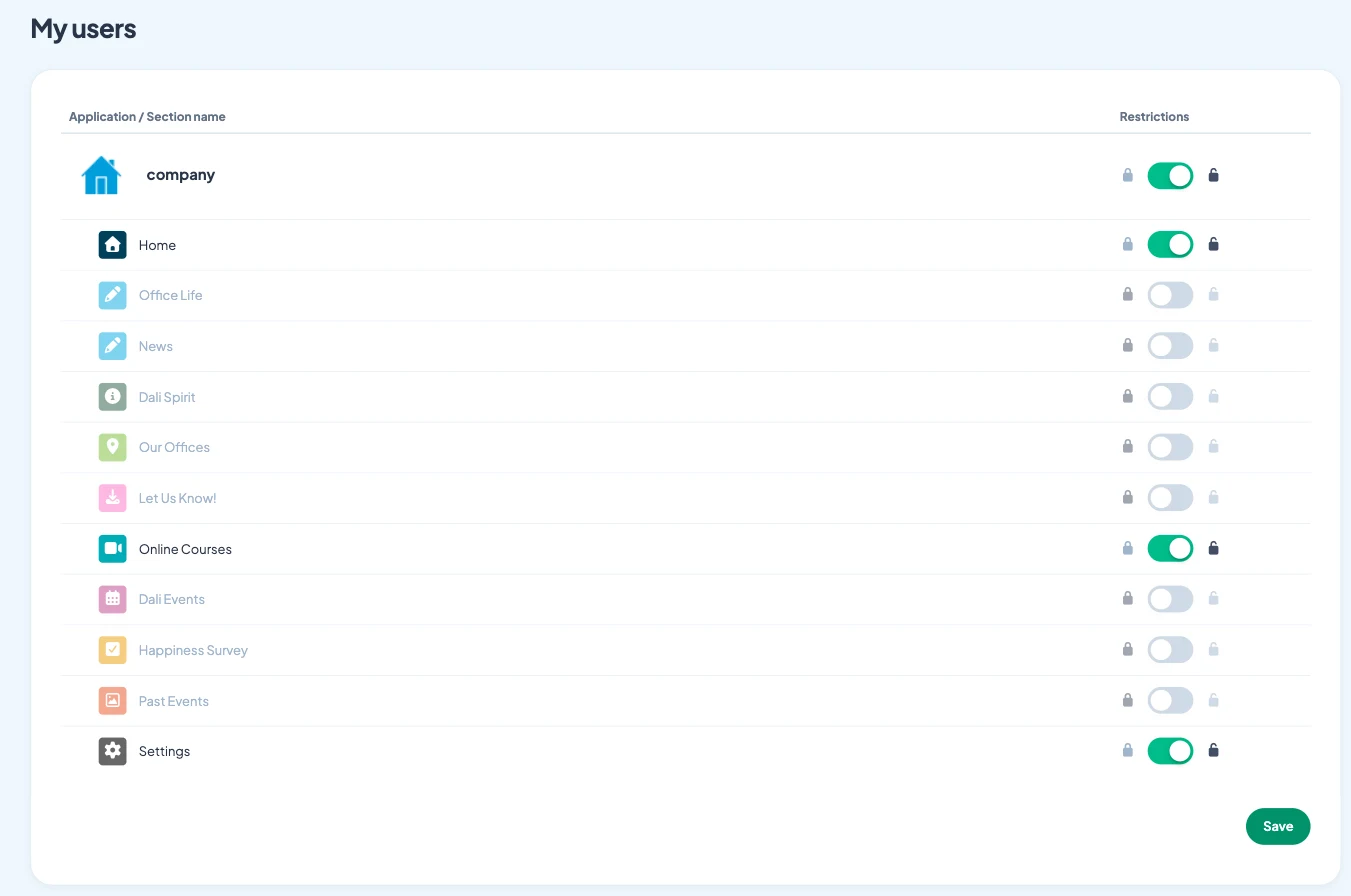
In the example above, the home page, online courses and settings are public. Office life, internal news, events and the survey are for the team only.
Who can come in: open sign-up or invitation only
The second setting is the most important one: who is allowed to create an account.
- Open sign-up: anyone creates an account from the app, after accepting your terms of service.
- Invitation only: you add your members yourself, one by one or by importing your list. Nobody else can get in.
- Email validation: new members confirm their address before accessing the area. No more fake accounts.
- Access without an account: you can also let everyone browse the app, and only ask for a login on private sections.
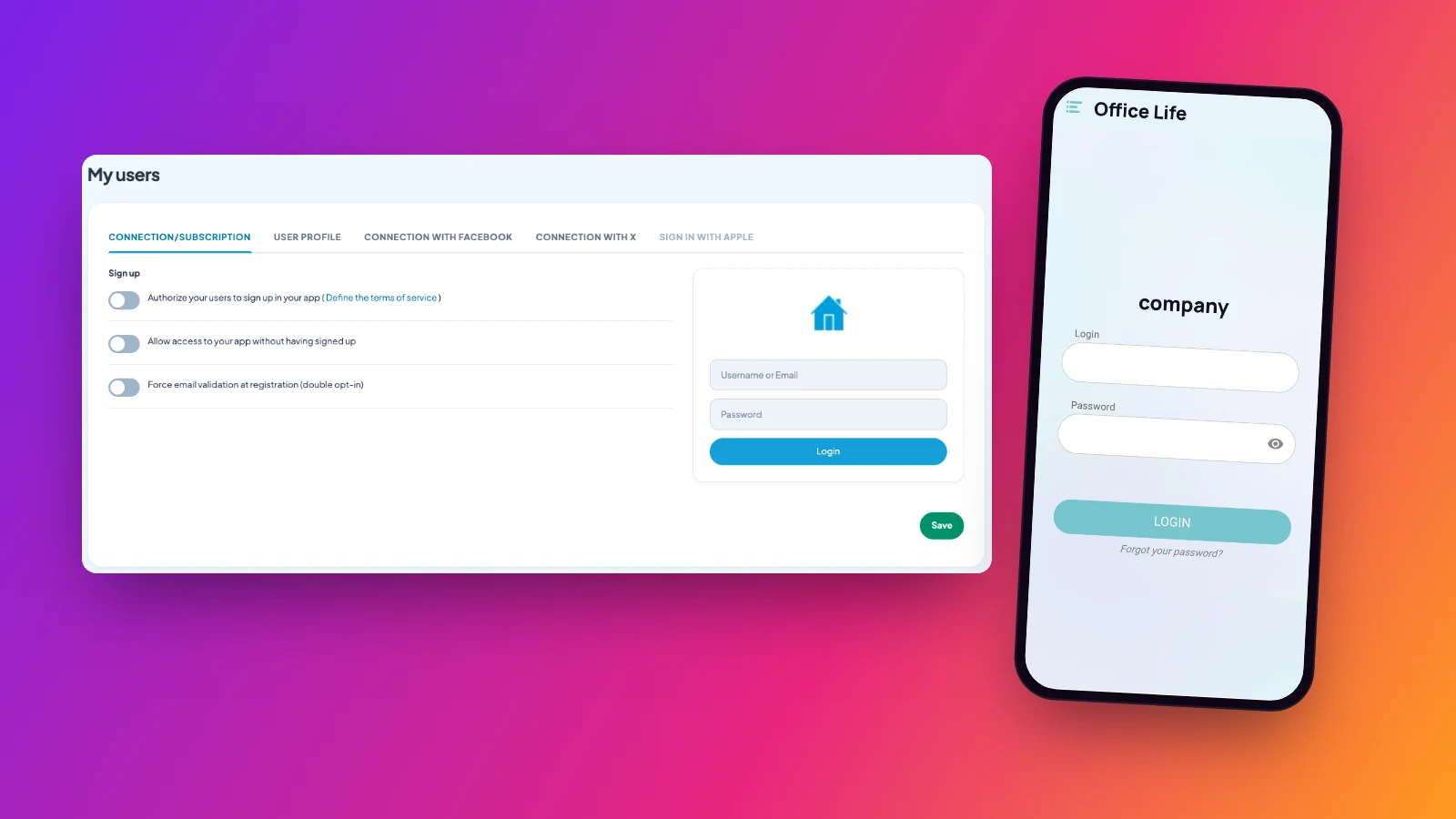
Your members can also log in with their Apple, Facebook or X account, without remembering yet another password.
Profiles that fit your community
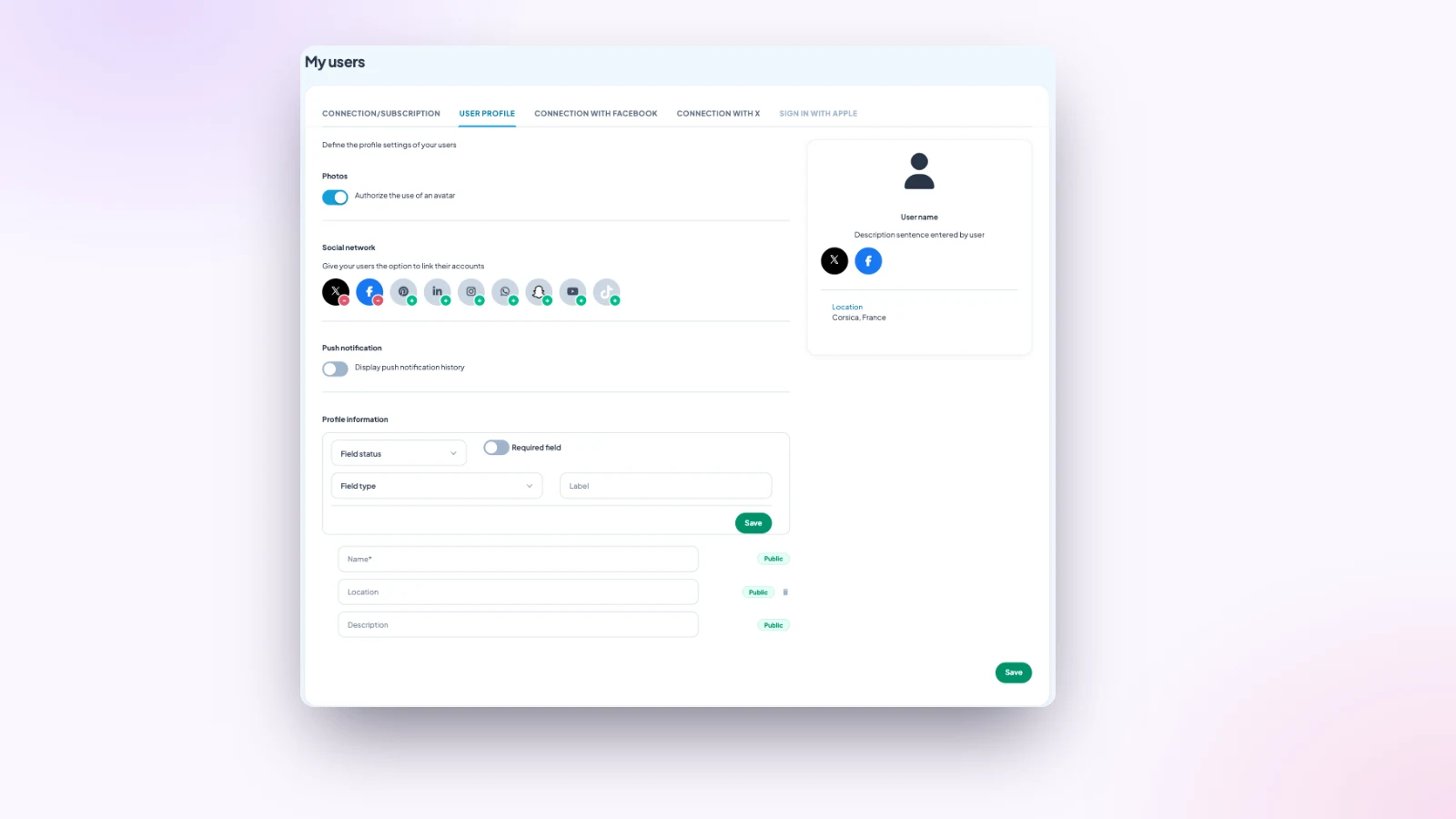
Each member has a profile. You choose what it contains: a photo, a name, a city, a short bio, and any fields you want to add, such as a level, a class year or a membership number.
Each field can be required or optional. Your members can also link their networks: Instagram, LinkedIn, WhatsApp, YouTube, TikTok and more.
Sell access with a subscription
Want to charge for access to your content, such as monthly classes or recipes? A subscription extension, included, lets you sell a subscription right inside the app, with Apple and Google payments.
It works in apps published on the App Store and Google Play, so with the Ultra plan. It then replaces the classic login: it’s one or the other, depending on your project.
Keep the members area alive
An empty private space drives people away. Three simple habits keep it alive:
- Publish one members-only piece every week, even a short one: a video, meeting notes, a tip.
- Tell your members with a notification when it arrives: “New video in your members area”.
- Show a preview in the public part, to make those who haven’t signed up yet want to join.
To collect membership requests, add a form to the public part: you get each request by email, and you create the account.
How much does an app with a members area cost
At Maymoune, the members area is included in all three plans, with no extra charge based on the number of members:
- Starter, €19 a month: your web app, installed from a link or a QR code.
- Ultra, €59 a month: the same, plus the iPhone, iPad and Android app on the stores.
- Ultra lifetime, €2,999: a one-time payment, with publishing on the App Store and Google Play included.
My advice: start with just one private section, the one your members ask for most. You’ll open the others later. Plan details are on the pricing page.
Maymoune Apps
A space just for your members
Three plans, every feature included, no commitment.
✓ Public or private sections
✓ Open sign-up or invitation only
✓ Unlimited notifications
✓ Support included
To go further: a staff-only area is covered in the article on the internal communication app, class videos in the one on a yoga studio app, and members in the one on an association app. Other questions are answered in the FAQ.
Frequently asked questions
Can part of the app be reserved for members?
Yes. Each section can be public or reserved for logged-in members, and you change this setting whenever you want.
Can we choose who is allowed to sign up?
Yes. Sign-up can be open, with email validation, or closed: you then add your members yourself, or import their list.
Can we charge for access to content?
Yes, with the subscription extension, included. Payment goes through Apple and Google, in apps published on the stores, so with the Ultra plan.
Can members log in with Apple or Facebook?
Yes. On top of email and password, login with Apple, Facebook or X can be offered.
How much does an app with a members area cost?
€19 a month for the web app, €59 a month with the iPhone and Android apps, or €2,999 once and for all. The price does not depend on the number of members. Details are on the pricing page.
Up next
 News of Maymoune
 Getting your app discovered: store optimisation and Google search
Name, keywords, screenshots, reviews, QR code: how to get your app found on the App Store, Google Play and in Google’s results.
3 min read18 Oct 2026 News of Maymoune
 Making money with your app: 6 models that work for a business
Online sales, bookings, subscriptions, advertising, loyalty: the models that make an app genuinely profitable, and which one to choose for your business.
4 min read18 Oct 2026 News of Maymoune
 Agency, freelancer or no-code tool: how to choose to build your app
Price, timelines, maintenance, ownership: an honest comparison between an agency, a freelance developer and a no-code tool for building a mobile app.
4 min read17 Oct 2026