 Maymoune
An internal communication app for your company
Company news, office life, video training, a mood survey and notifications: an app reserved for your employees, a real demo and its price.
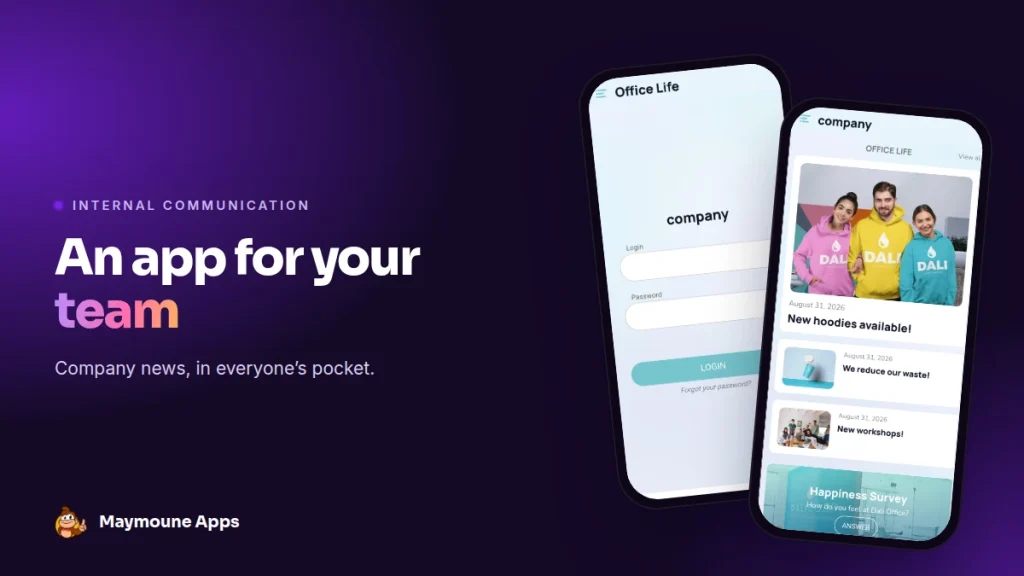
An internal app gathers everything your teams need to know in one place. It opens with a login, reads on everyone’s phone, and starts at €19 a month.
Monday morning. You send the email about the new leave process to 80 people. By Wednesday, half of them are still asking about it at the coffee machine. The email sank under 40 others.
With an internal app, the news arrives as a notification, stays filed in its section, and everyone finds it when they need it. I’ll show you what it looks like, with a real demo, and what it costs.
Why an internal app
All your team members have a phone, but not all of them have a computer or a work email address. In a shop, a workshop, on a building site or on the road, the app reaches them where they are.
It also replaces the notice board, the overflowing WhatsApp group and the welcome PDF nobody rereads. One place for news, documents and events.
Everything below works for a small business, a chain of stores, a multi-site group, a franchise or a department of a large company.
The screens of an internal app
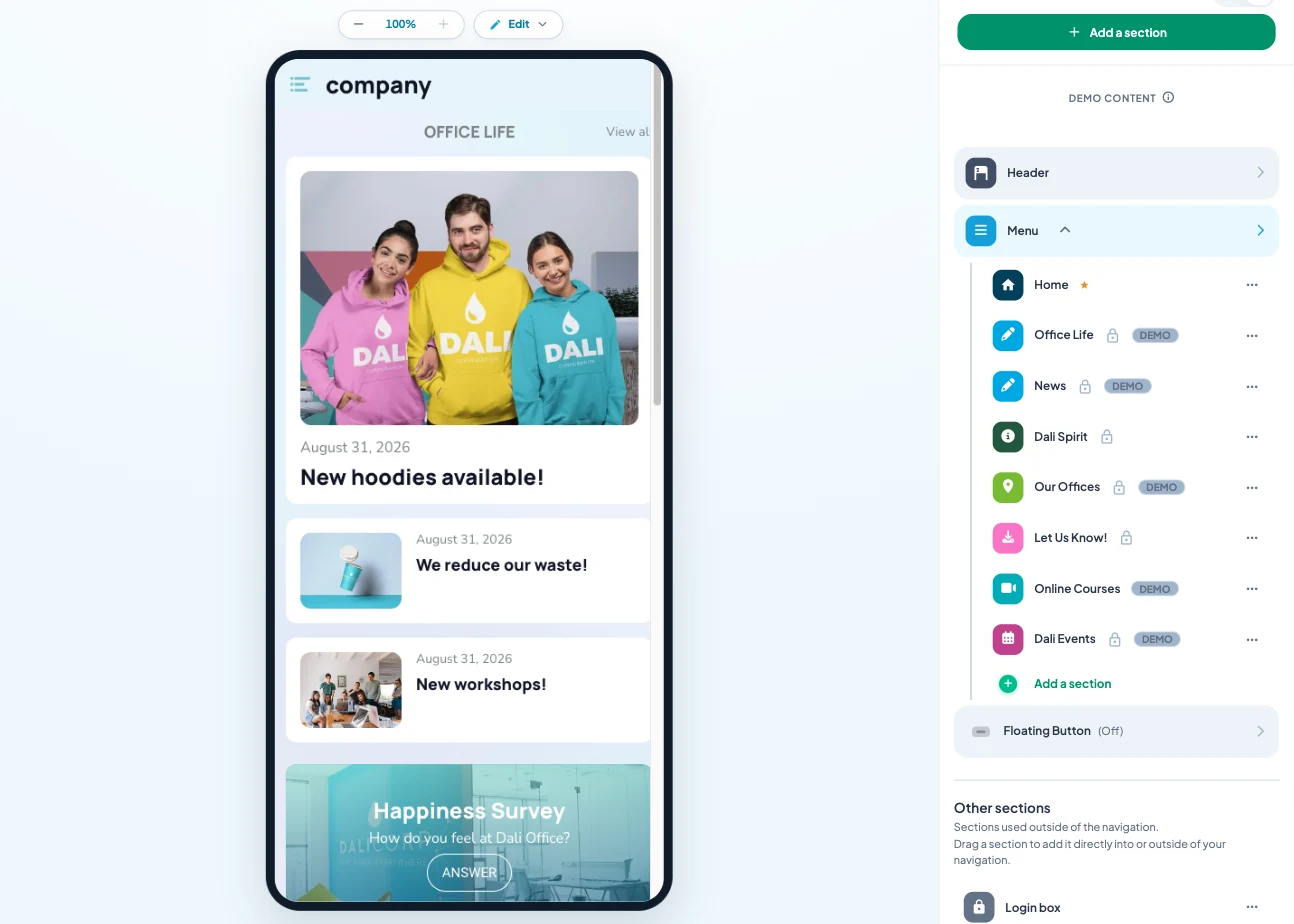
Here is the “company” demo I prepared, for a fictional business. It is a starting template: you replace the sections, texts and photos with your own.
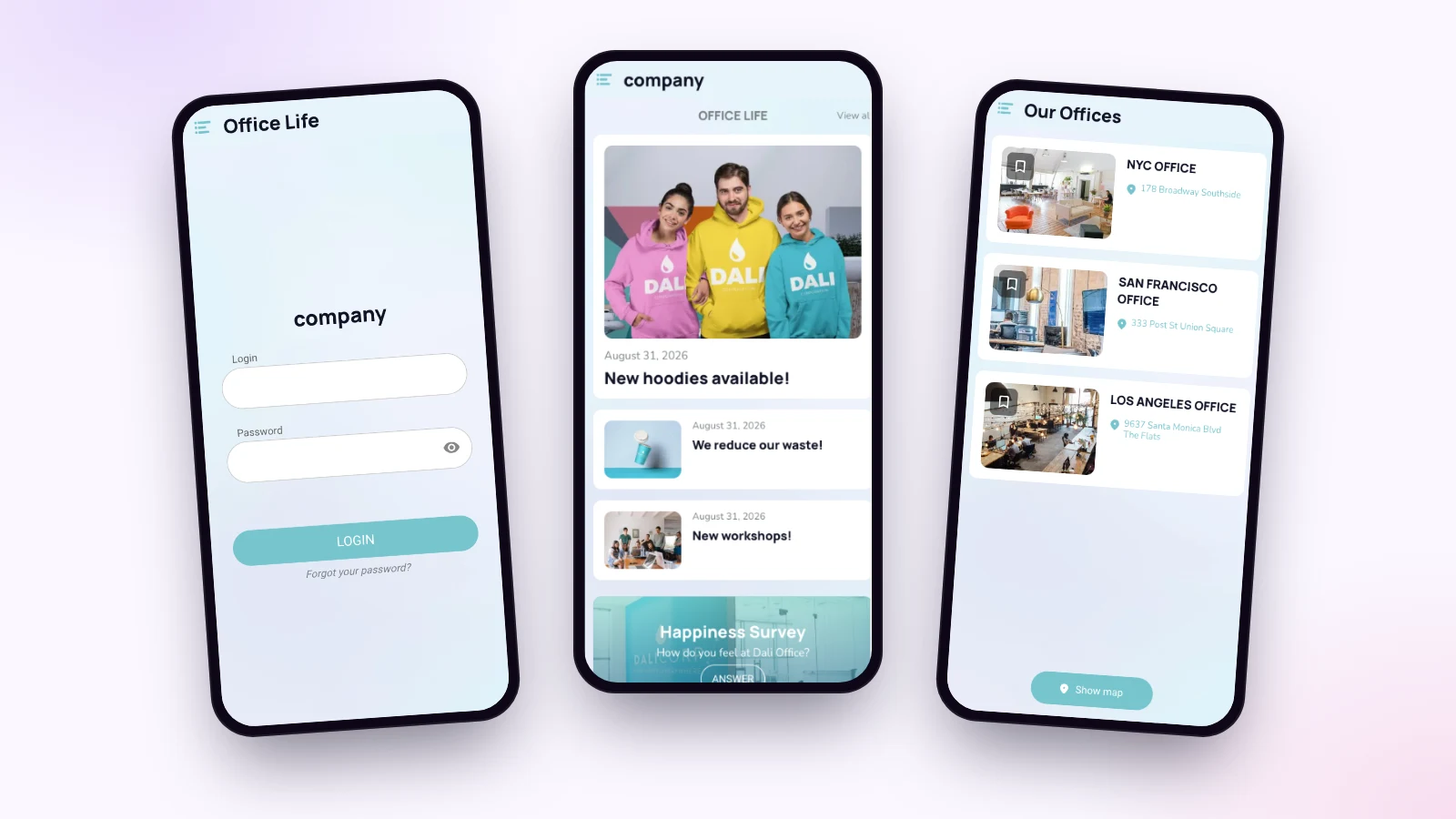
The login
A username and a password, and the employee is in. There is no sign-up button: you create the accounts, one by one or by importing your list.
News and office life
Two article sections: announcements from management on one side, team life on the other. A new product, a workshop, a step to cut waste: each piece of news has its photo and its date.
Offices and sites
The list of your sites with their address, and a map in one tap. Handy for a newcomer, a sales rep on the road, or a meeting in another office.
Training, events and survey
The demo also brings together video training, the calendar of internal events, a section where anyone can send a photo, a video or a text, and a “How do you feel at the office?” survey that you build yourself.
Who sees what
Each section is set separately: public, or reserved for signed-in users. In the demo, the home screen and the training are open, and everything else needs an account.
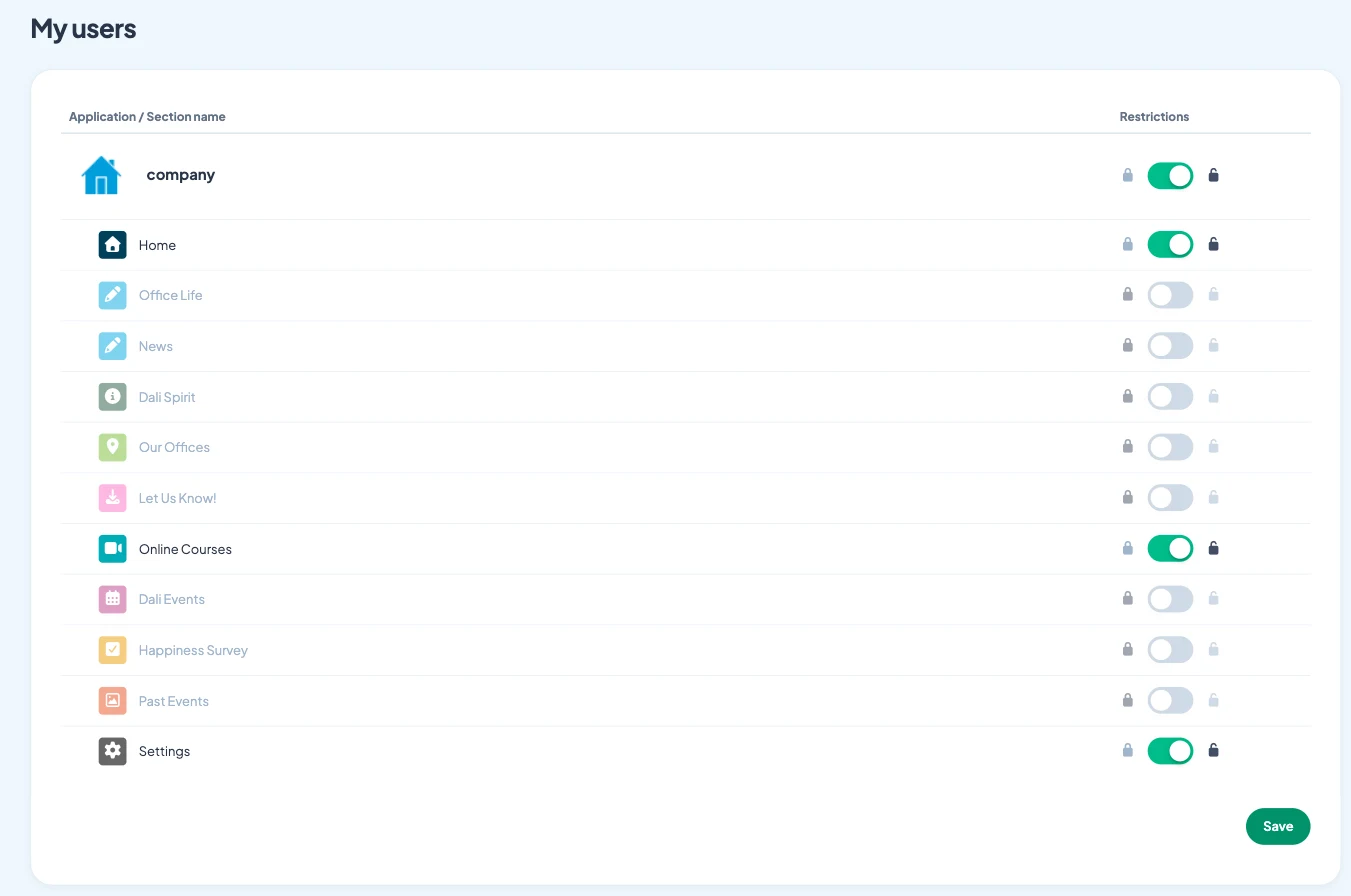
So you can keep a public showcase for future candidates, with your values and job offers, and reserve the rest for your teams. When someone leaves the company, you delete their account and their access stops.
Reach everyone in a minute
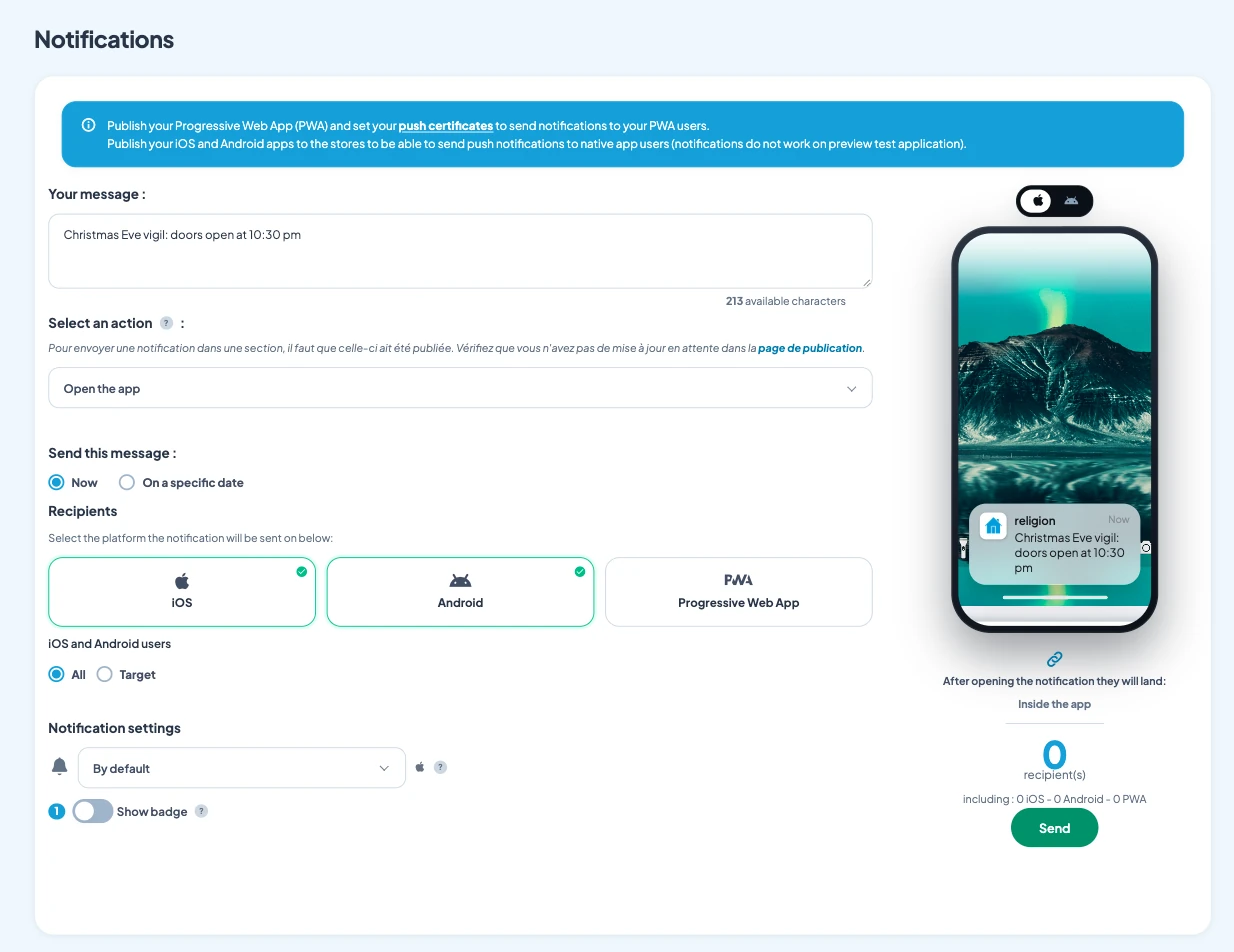
“The car park is closed tomorrow, use the back entrance.” That message goes out in seconds, to the whole company or just part of it. You can also schedule it for 7 am the next day. Notifications are unlimited, in every plan.
Who keeps the internal app alive?
The person in charge of communication or HR, in a few minutes a week. Each section is organised in the back office, and the padlock shows at a glance what is reserved.
The writing AI helps you write a clear announcement, and you can control the app from ChatGPT or Claude. The easiest way to start: a News section, the welcome booklet, and the list of your sites.
How much does an internal app cost
At Maymoune, login and reserved sections are included in all three plans, along with every other feature:
- Starter, €19 a month: your web app, installed from a link or a QR code.
- Ultra, €59 a month: the same, plus the iPhone, iPad and Android app on the stores.
- Ultra lifetime, €2,999: a one-time payment, with publishing on the App Store and Google Play included.
My advice: present the app on each new employee’s first day, with their login and the QR code. They install it in front of you, and they have everything they need for their first week. Plan details are on the pricing page.
Maymoune Apps
The whole company informed, in a minute
Three plans, every feature included, no commitment.
✓ Sections reserved for employees
✓ Accounts created or imported
✓ Unlimited notifications
✓ Support included
To go further: members and volunteers are at the heart of the article on the app for an association, online training in the one on the app for a training organization, and writing messages in the one on push notifications. Other questions are answered in the FAQ.
Frequently asked questions
How much does an internal communication app cost?
€19 a month for the web app, €59 a month with the iPhone and Android apps, or €2,999 once and for all. Login and reserved sections are included in all three plans. Details are on the pricing page.
How do I reserve the app for my employees?
You set each section to public or reserved, then create your employees’ accounts, one by one or by importing a list. Only signed-in users see the reserved sections.
Can I send a message to a single team?
Yes. A notification goes to all users or to some of them, right away or on the date you choose.
Can employees without a computer use it?
Yes. The app installs on their phone, from a link or a QR code, or from the App Store and Google Play with the Ultra plan.
Does the app carry my company’s name?
Yes. It is in your name, with your logo and colors, and you can connect it to your own domain name.
Up next
 News of Maymoune
 What to post in your app: 30 content and message ideas
A lively app brings your customers back. 30 concrete content and notification ideas, sorted by trade, and a simple rhythm to keep…
4 min read6 Oct 2026 News of Maymoune
 Build a mobile app in 7 steps, without coding
Pick a template, organise sections, brand it, fill it, test, publish on the web then on the stores: the 7 steps to…
4 min read6 Oct 2026 News of Maymoune
 An app for your spa or beauty salon: treatments, rituals and bookings
Your treatment menu with length and price, your rituals, online booking, a gift voucher request and a message when a slot opens…
4 min read5 Oct 2026