 Maymoune
Create an app for your clothing store
New collection on display, sizes on every product page, crossed-out sale prices, online payment and a message on launch day: a fashion store app, a real demo and its price.
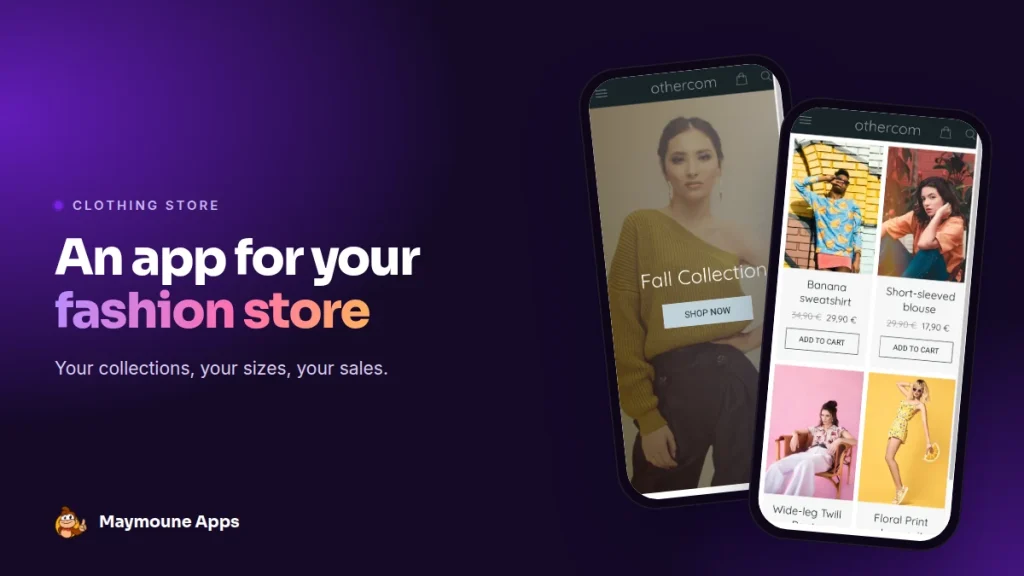
A clothing store app shows your pieces full screen, with their sizes and prices. Your customers order at any hour, and you let them know the day the collection lands. It starts at €19 a month.
First day of the sales, 8 am. Your store opens at 10. A loyal customer is on the train, phone in hand, checking whether the sweater she wanted is finally 30% off.
With your app, she finds it, picks her size and pays before she reaches the office. I’ll show you what it looks like, with a real demo, and what it costs.
Why an app for a clothing store
Fashion runs on collections and sales. An app gives you a direct channel to announce every new arrival, without paying to be seen or waiting for an algorithm to show it.
It also extends your store. The customer who tried on a dress on Saturday can order it in her size on Sunday evening, from her sofa.
Everything below works for a ready-to-wear boutique, a concept store, a designer label, a shoe or accessories shop.
The screens of a fashion app
Here is the “othercom” demo I prepared, built around a clothing store. It is a starting template: you replace the pieces, prices and photos with your own.
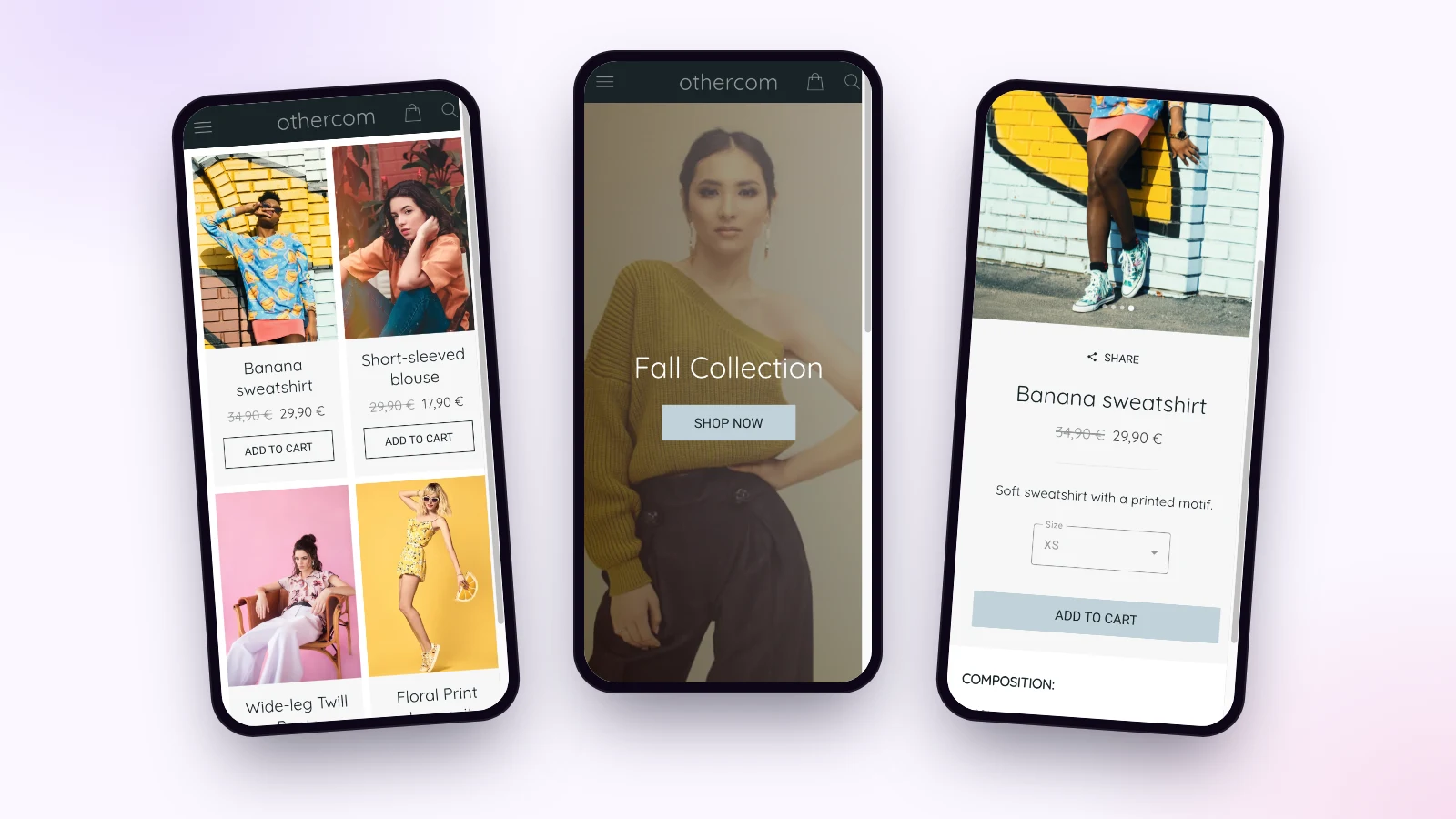
The home screen and the collection
A large photo, the collection name and a button to explore it. The basket and search stay at the top of the screen, within thumb’s reach.
Sales and new arrivals
Each piece goes into one or more collections: New In, Sales, Pants, Shirts. During the sales, the old price shows crossed out next to the new one, and the customer sees the discount at a glance.
The product page and the size
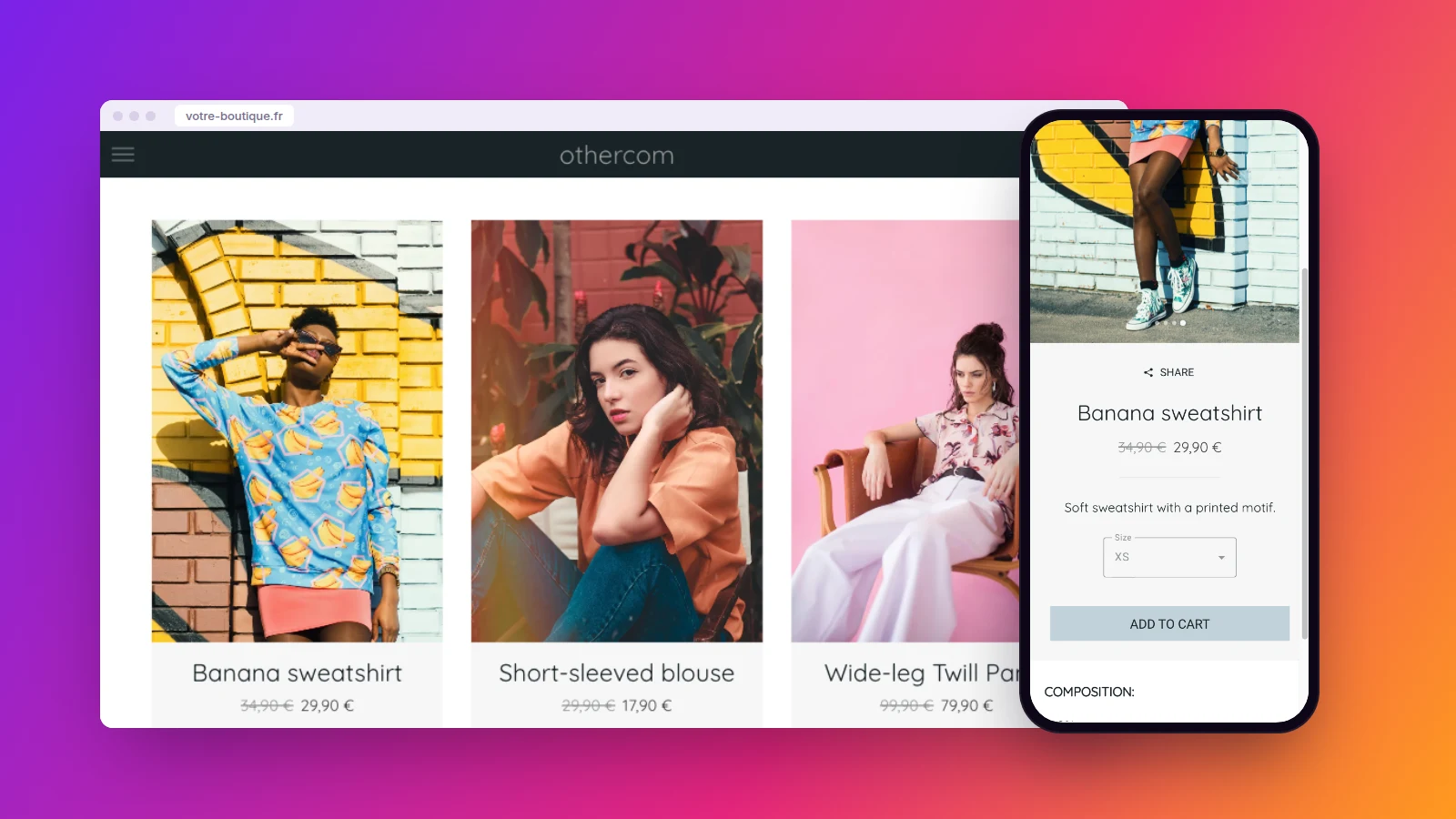
Several photos to swipe through, the price, a short description, the size menu and the add to basket button. Below, the composition and care. The customer shares the page with a friend in one tap.
Sizes, stock and prices in the back office
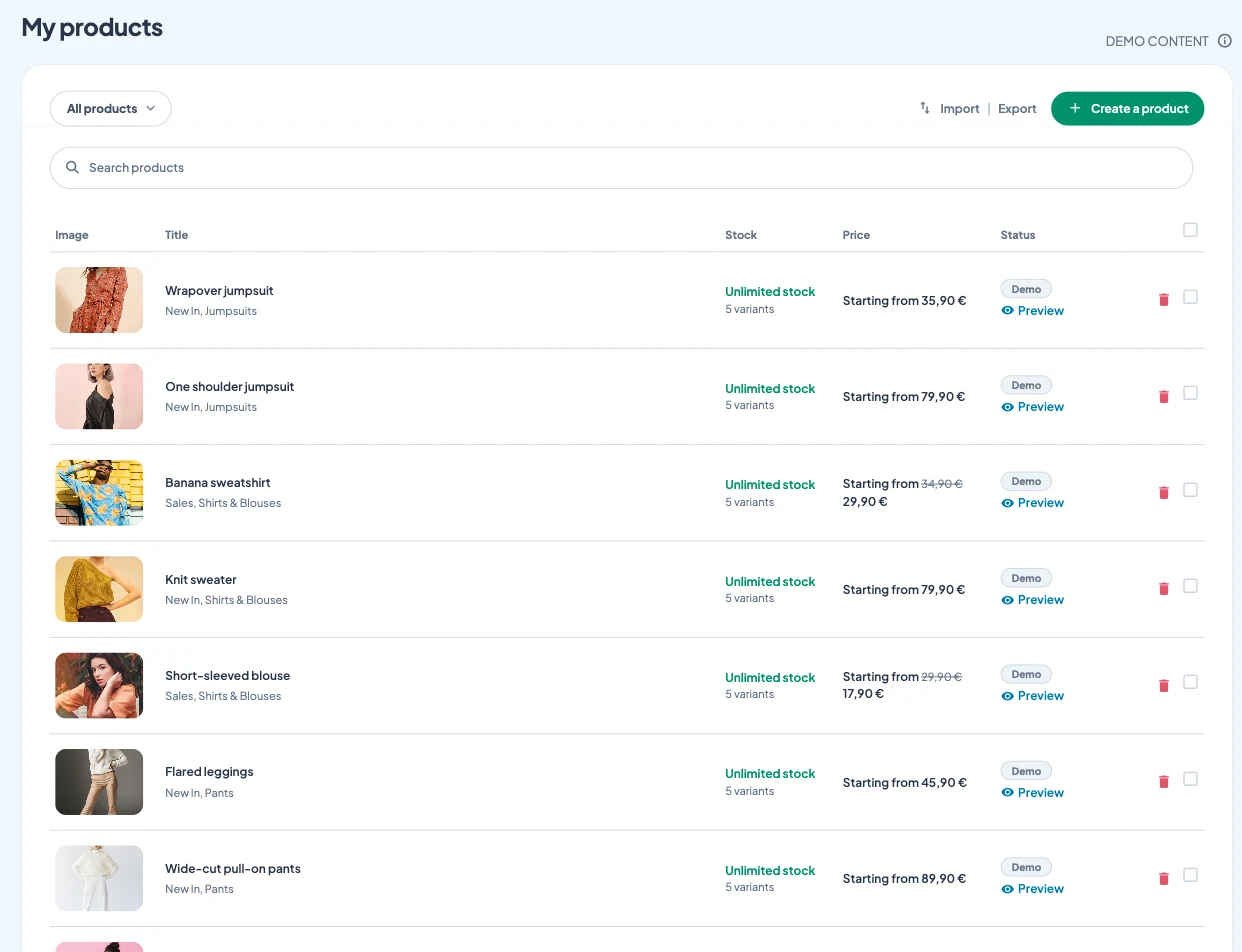
Each size is a variant, with its own price, stock, weight and SKU. Another option, such as color or fabric, is added in one click.
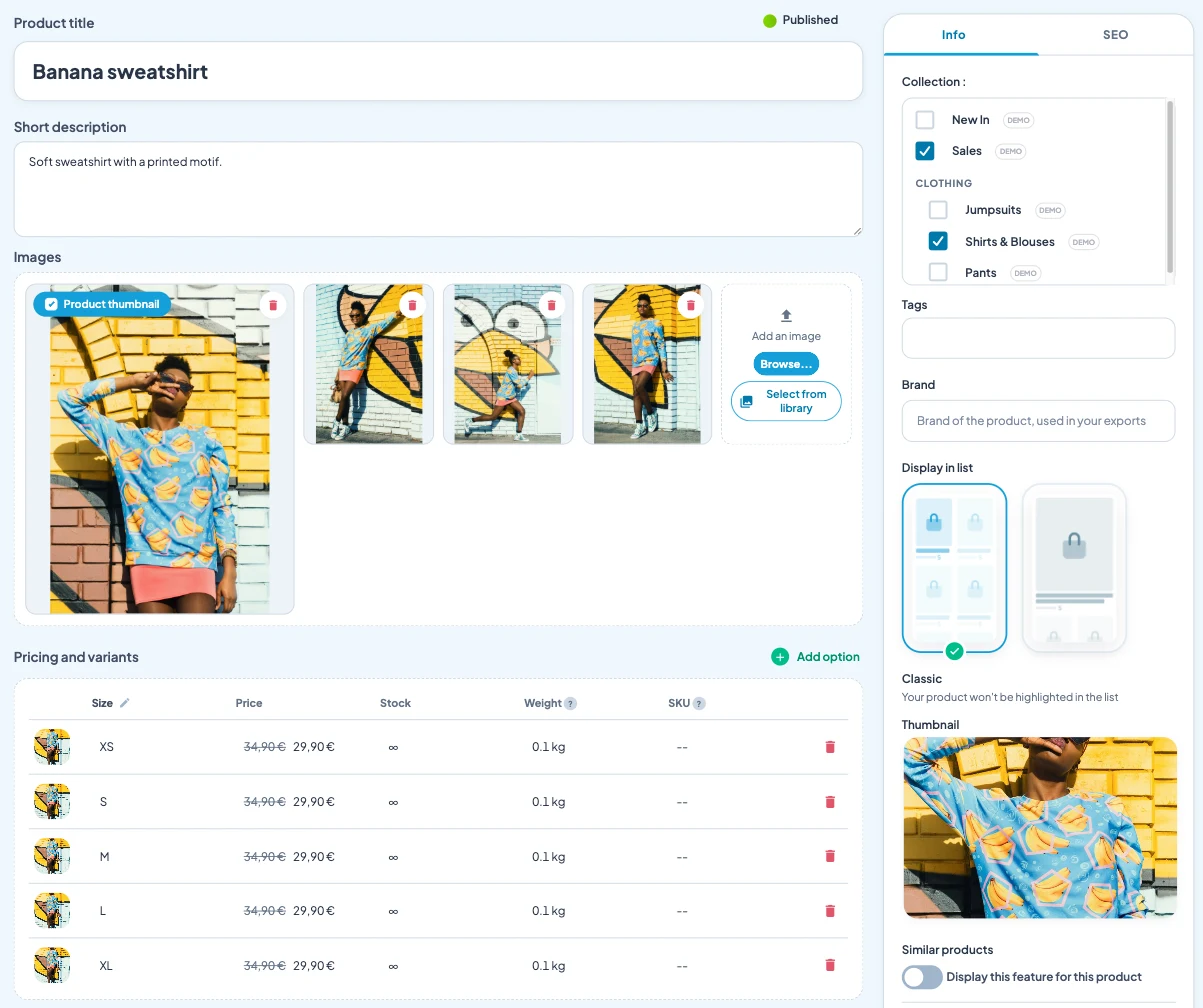
Two handy details for fashion: you can attach a PDF to the product, such as your size guide, and show similar products to suggest another style.
Already have your catalogue in a spreadsheet? The product list can be imported and exported, and you see at a glance the stock and number of variants of each piece.
Announcing the collection and the sales
“The sales are on: up to 40% off the summer collection.” You schedule this message for 8 am on day one, and it reaches your customers’ screens before you open. Notifications are unlimited, in every plan.
You can add a discount code for app customers, with its duration and usage limit. And when a basket is left behind, the back office shows you the abandoned orders from the last 60 days, then the ones that were recovered.
Who keeps the store app alive?
You or a sales assistant, in the morning before opening. A piece arrives: three photos, the price, the sizes, and it is online. The writing AI describes the cut and fabric when words don’t come, and you can control the app from ChatGPT or Claude.
The easiest way to start: your twenty best-sellers, a New In collection, and the launch message already written.
How much does a clothing store app cost
At Maymoune, the online store is included in all three plans, along with every other feature:
- Starter, €19 a month: your web app, installed from a link or a QR code.
- Ultra, €59 a month: the same, plus the iPhone, iPad and Android app on the stores.
- Ultra lifetime, €2,999: a one-time payment, with publishing on the App Store and Google Play included.
My advice: put the QR code in the fitting room. That is where the customer hesitates between two sizes or colors, and has time to install the app. Plan details are on the pricing page.
Maymoune Apps
Your new collection, in their pocket
Three plans, every feature included, no commitment.
✓ Sizes, colors and sales
✓ Card or PayPal payment
✓ Unlimited notifications
✓ Support included
To go further: selling online in general is covered in the article on the app for a store, in-store pickup in the one on the grocery store app, and branding in the one on an app that looks like you. Other questions are answered in the FAQ.
Frequently asked questions
How much does an app for a clothing store cost?
€19 a month for the web app, €59 a month with the iPhone and Android apps, or €2,999 once and for all. The online store is included in all three plans. Details are on the pricing page.
Can I manage sizes and colors?
Yes. Each size or color is a variant, with its own price, stock and SKU. The customer chooses on the product page before adding to the basket.
Can I show sale prices?
Yes. The old price shows crossed out next to the new one, and you put the pieces on sale in a Sales collection.
Can I import my catalogue?
Yes. The product list can be imported and exported from the back office, handy when your catalogue already lives in a spreadsheet.
Does the app carry my store’s name?
Yes. It is in your name, with your logo and colors, and you can connect it to your own domain name.
Up next
 News of Maymoune
 Getting your app discovered: store optimisation and Google search
Name, keywords, screenshots, reviews, QR code: how to get your app found on the App Store, Google Play and in Google’s results.
3 min read18 Oct 2026 News of Maymoune
 Making money with your app: 6 models that work for a business
Online sales, bookings, subscriptions, advertising, loyalty: the models that make an app genuinely profitable, and which one to choose for your business.
4 min read18 Oct 2026 News of Maymoune
 Agency, freelancer or no-code tool: how to choose to build your app
Price, timelines, maintenance, ownership: an honest comparison between an agency, a freelance developer and a no-code tool for building a mobile app.
4 min read17 Oct 2026