 Maymoune
Your app’s colours in one click with the magic palette
The magic palette builds harmonious colours for your whole app, in one click, with a live preview. How to use it, five tips and its price.
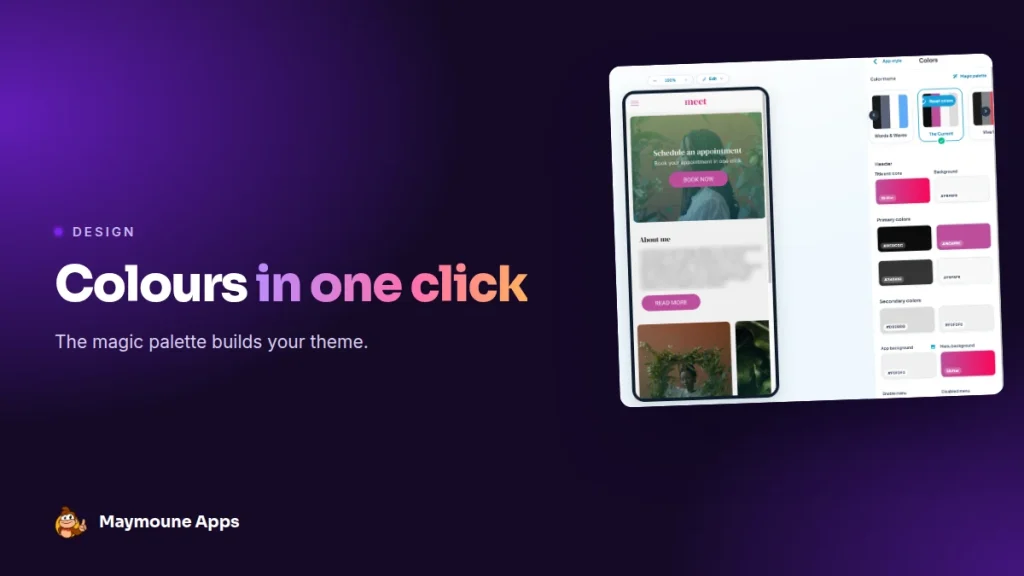
Choosing an app’s colours often takes hours. With the magic palette, one click is enough: the AI builds a harmonious set, you see it live on the phone screen, and you keep it or try again. It’s included from €19 a month.
You have a logo, maybe a favourite colour, but no brand guidelines. The title, buttons, background, menu: each element needs a colour, and they all have to match.
The magic palette does this work for you, in a few seconds. Here I show you how it works, with the real back office screens.
Why colours matter so much
Colours are the first thing customers see when they open the app, before reading a single word. Consistent colours build trust, make your brand recognisable and guide the eye to the right buttons.
An app with well-chosen colours gives the image of a serious business. And a clearly visible booking button gets clicked more.
Where the magic palette is
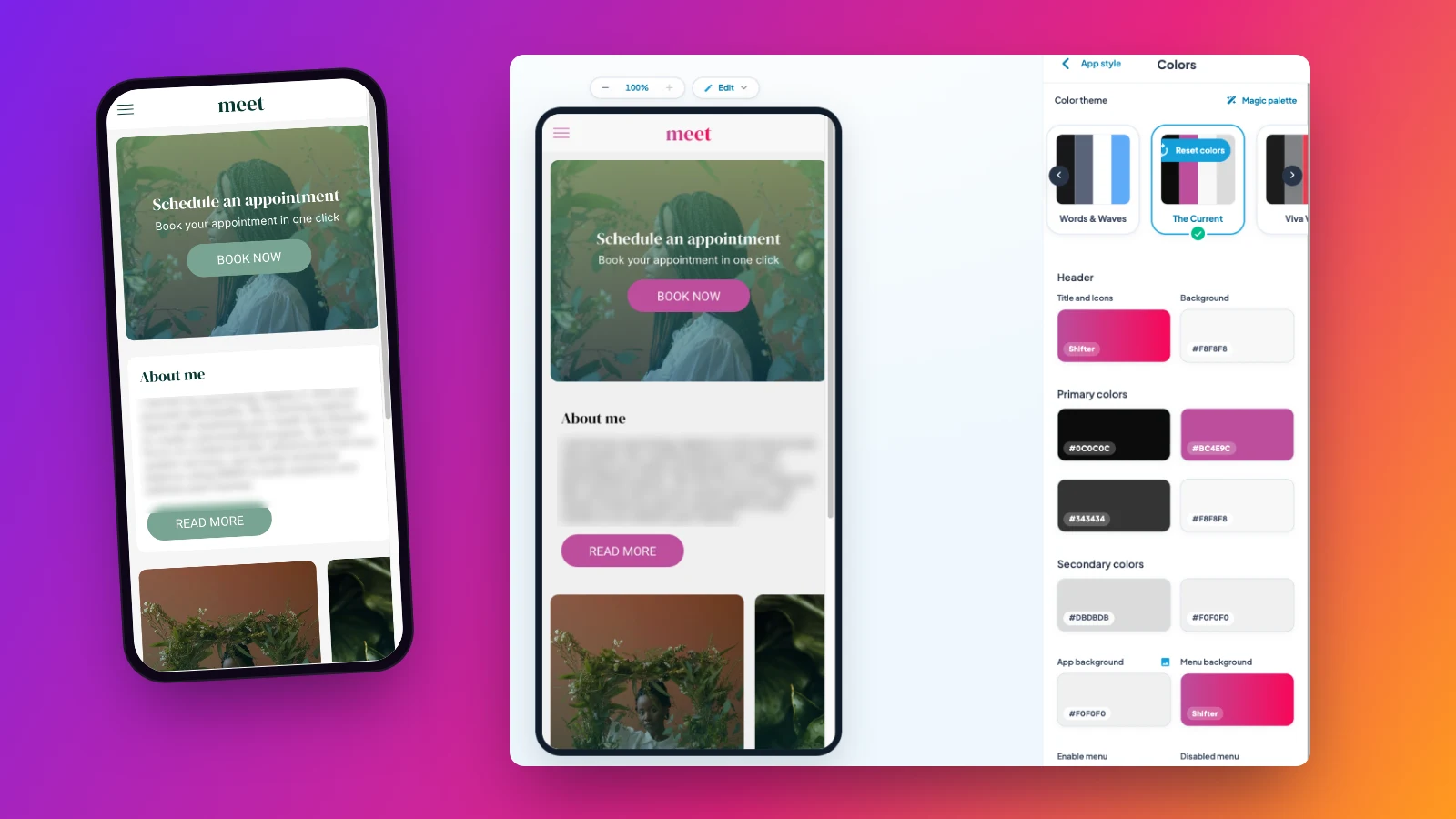
In the back office, open the app style, then the colours. At the top of the screen, next to the ready-made colour themes, a “magic palette” button builds a new palette with every click.
What the palette colours
- The header: the title, icons and background.
- Primary and secondary colours: texts, section backgrounds, accents.
- The app and menu background, with the option of using an image.
- The menu: the active section and the others.
- Buttons: text and background, on two levels.
The palette can even suggest gradients, for a more modern look.
You stay in control
- Live preview: each palette shows up right away on the phone screen, on the left.
- Try again: one more click, one new suggestion.
- Fine-tune: each colour can be changed by hand, for example to match your logo.
- Go back: one button restores your original colours, and nothing changes until you apply.
Five tips for colours that sell
- Start from your logo colour, and let the palette find the others.
- Keep one strong colour for action buttons: book, order, sign up.
- Check that text reads well on the background, in bright sunlight and in the evening.
- Stick to three main colours, for a calm and professional look.
- Test on your own phone before confirming.
Palette ideas by trade
- A spa or beauty salon: soft tones, sage green, beige, off-white.
- A pizzeria: a warm red for buttons, on a light background.
- A town council: a clear blue and a crisp white, for a clean and reassuring image.
- A fashion store: black, white and a single seasonal accent colour.
Run the magic palette, then adjust towards the mood of your trade.
What about the rest of the design?
The same style screen also sets fonts, buttons, form fields, icons and spacing. And the theme library changes the whole layout in one click. It’s all covered in the article an app that looks like you.
For texts, AI helps too: see the article on the AI writing and translation assistant.
How much it costs
At Maymoune, the magic palette and all design settings are included in all three plans:
- Starter, €19 a month: your web app, installed from a link or a QR code.
- Ultra, €59 a month: the same, plus the iPhone, iPad and Android app on the stores.
- Ultra lifetime, €2,999: a one-time payment, with publishing on the App Store and Google Play included.
My advice: run the palette five or six times, note the two suggestions you like, and show them to a loyal customer before choosing. Plan details are on the pricing page.
Maymoune Apps
A beautiful app from day one
Three plans, every feature included, no commitment.
✓ Magic palette included
✓ Live preview
✓ Unlimited notifications
✓ Support included
Also worth reading: the MCP protocol made simple. Other questions are answered in the FAQ.
Frequently asked questions
What is the magic palette?
It’s a back office button that automatically builds a harmonious colour palette for your whole app.
Can I keep my logo colour?
Yes. Each colour can be changed by hand after the palette’s suggestion.
Are changes applied right away?
No. You see a live preview, and nothing changes until you apply. One button restores the original colours.
Can gradients be used?
Yes. The palette can suggest gradients, for example for the header or the menu.
Is the magic palette an extra cost?
No. It’s included in all three plans: €19 a month, €59 a month or €2,999 once and for all. Details are on the pricing page.
Up next
 News of Maymoune
 Getting your app discovered: store optimisation and Google search
Name, keywords, screenshots, reviews, QR code: how to get your app found on the App Store, Google Play and in Google’s results.
3 min read18 Oct 2026 News of Maymoune
 Making money with your app: 6 models that work for a business
Online sales, bookings, subscriptions, advertising, loyalty: the models that make an app genuinely profitable, and which one to choose for your business.
4 min read18 Oct 2026 News of Maymoune
 Agency, freelancer or no-code tool: how to choose to build your app
Price, timelines, maintenance, ownership: an honest comparison between an agency, a freelance developer and a no-code tool for building a mobile app.
4 min read17 Oct 2026