 Maymoune
Write, sum up and translate your content with the AI assistant
Complete a sentence, sum up a post, change the tone, translate into 7 languages: your app’s AI assistant, right in the editor, and its price.
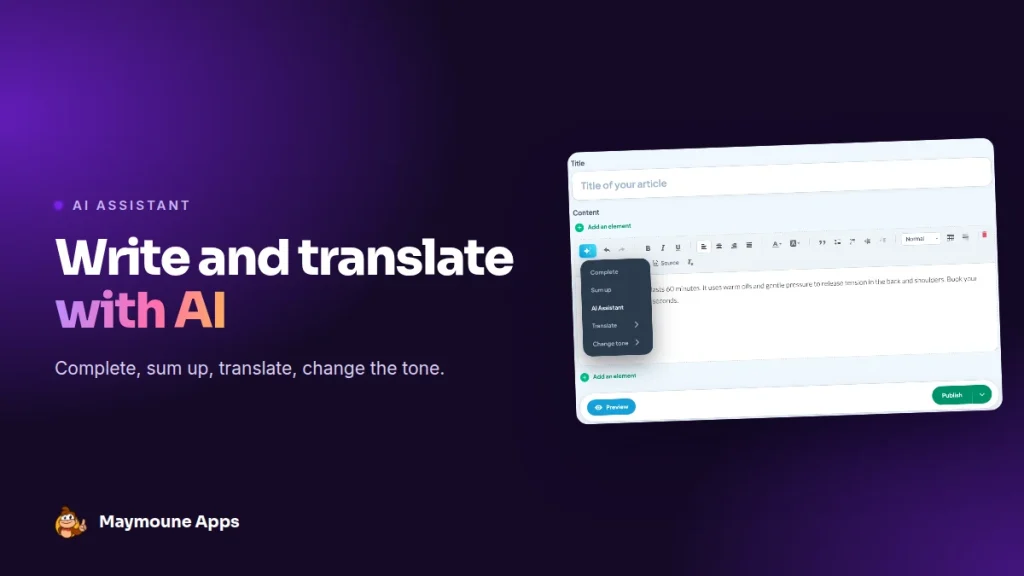
In your app’s back office, every text has its AI button. In one click, it completes a sentence, sums up a long post, changes the tone or translates into another language. It’s included in every plan, from €19 a month.
Sunday, 10 p.m. You still need to write the new treatment description, the summer hours announcement and the English version for tourists. Three texts, and you’d rather be asleep.
With the AI assistant, you write two lines, and it does the rest with you. Here I show you what it can do, with the real editor screen.
Where the AI assistant is
It’s in the toolbar of every text, as a star-shaped button. You select your text, click, and pick the action.
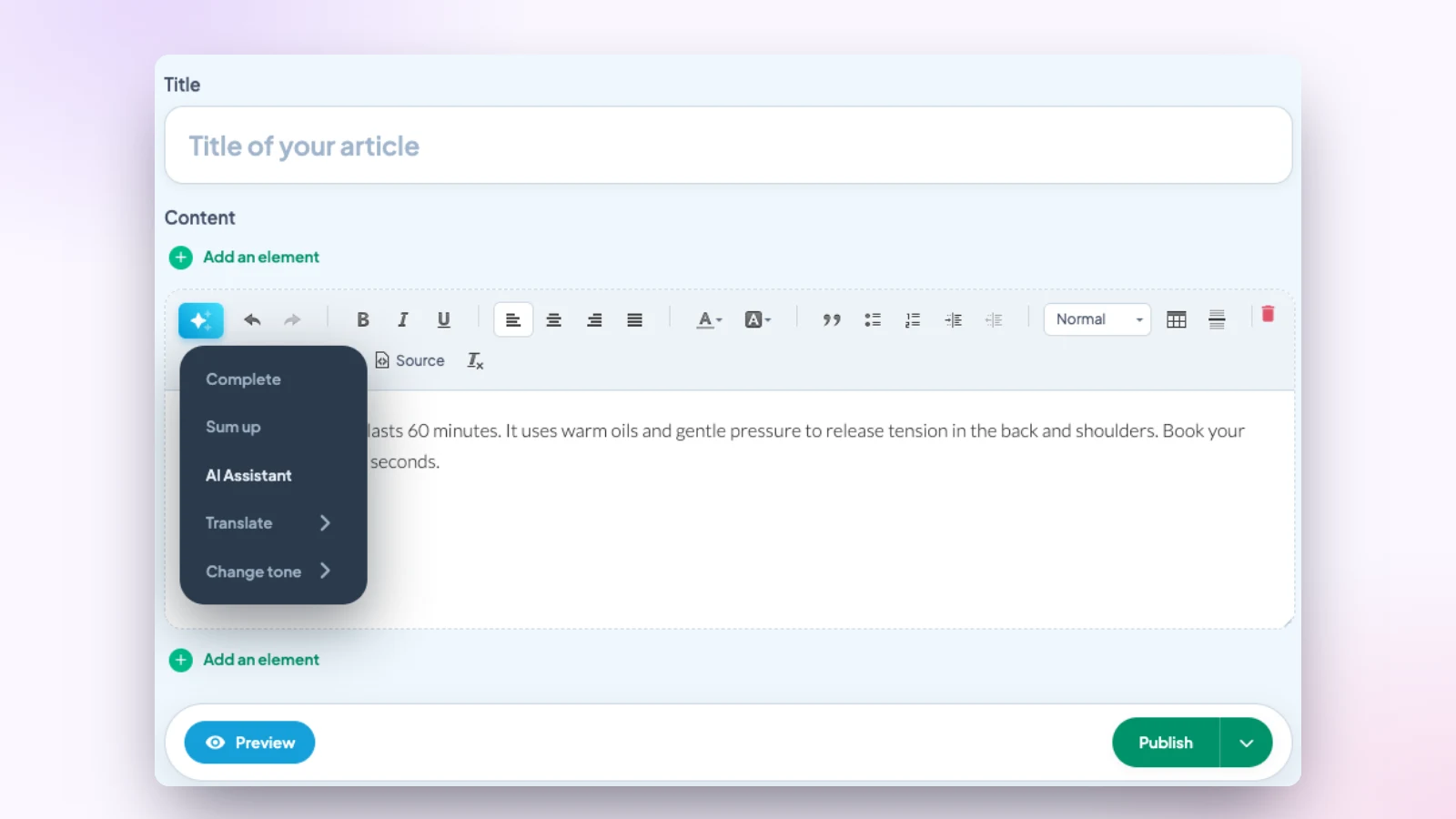
The assistant’s five actions
Complete
You start a sentence, the assistant finishes it and suggests what comes next. Perfect to get past the blank page.
Sum up
A long text becomes one clear paragraph. Handy for the summary shown in the post list, or for a notification.
Ask the assistant
You write your request in your own words: “Write the description of a 60-minute massage, in three sentences, for customers who want to relax”. The assistant writes, you adjust.
Translate
Your text switches to English, Spanish, German, Italian, Portuguese, Dutch or French, keeping the meaning and the tone. Useful to welcome foreign visitors or customers from across the border.
Change the tone
The same message, in an educational, professional, empathetic, relaxed or neutral version. A closure notice becomes empathetic, a special offer becomes relaxed.
Step by step: a description written in two minutes
- Write two rough lines: the treatment name, its length, what it brings.
- Choose “Complete”: the assistant turns it into a smooth paragraph.
- Switch the tone to “empathetic” for customers who want to relax.
- Read it, add your own touch, and publish.
- Translate it into English for foreign customers, in a separate section.
It all happens in one place: no need to open another tool, copy your text, then paste it back. The assistant works right inside the post you’re writing, with its formatting.
The result: you publish more often, and an app that publishes often is an app your customers keep.
Better found on Google
Each post has its SEO tab. The assistant helps you find a clear title, a short description and the right keywords, so your web app shows up in searches. See the article app or website.
Three examples by trade
- A restaurant: the weekly menu summed up in a notification, then translated into English for tourists.
- A beauty salon: a treatment description written in an empathetic tone, then completed with its benefits.
- An association: the general meeting report summed up in five lines for members.
More ideas of texts to publish are in the article 30 content ideas for your app.
Keep your own voice
- Always read before publishing: the assistant suggests, you decide.
- Check prices, dates, opening hours and sensitive information, such as allergens.
- Add a personal touch: a first name, an anecdote, a sentence of your own.
And to go even faster, your Claude or ChatGPT assistant can publish directly in the app. See the article on the MCP protocol.
How much it costs
At Maymoune, the AI assistant is included in all three plans, at no extra cost:
- Starter, €19 a month: your web app, installed from a link or a QR code.
- Ultra, €59 a month: the same, plus the iPhone, iPad and Android app on the stores.
- Ultra lifetime, €2,999: a one-time payment, with publishing on the App Store and Google Play included.
My advice: try it first on a text you know by heart, like your About page, to see what it brings. Plan details are on the pricing page.
Maymoune Apps
Your texts get written twice as fast
Three plans, every feature included, no commitment.
✓ AI assistant included
✓ Translation into 7 languages
✓ Unlimited notifications
✓ Support included
Also worth reading: control your app from ChatGPT or Claude, and an app that looks like you. Other questions are answered in the FAQ.
Frequently asked questions
Where is the AI assistant?
In the toolbar of every text in the back office, as a star-shaped button.
Which languages can it translate into?
English, Spanish, German, Italian, Portuguese, Dutch and French.
Can it change the tone of a text?
Yes. Five tones are available: educational, professional, empathetic, relaxed and neutral.
Is the text published automatically?
No. The assistant suggests a text in the editor, you read it and decide to publish it.
Is the AI assistant an extra cost?
No. It’s included in all three plans: €19 a month, €59 a month or €2,999 once and for all. Details are on the pricing page.
Up next
 News of Maymoune
 Getting your app discovered: store optimisation and Google search
Name, keywords, screenshots, reviews, QR code: how to get your app found on the App Store, Google Play and in Google’s results.
3 min read18 Oct 2026 News of Maymoune
 Making money with your app: 6 models that work for a business
Online sales, bookings, subscriptions, advertising, loyalty: the models that make an app genuinely profitable, and which one to choose for your business.
4 min read18 Oct 2026 News of Maymoune
 Agency, freelancer or no-code tool: how to choose to build your app
Price, timelines, maintenance, ownership: an honest comparison between an agency, a freelance developer and a no-code tool for building a mobile app.
4 min read17 Oct 2026