 Maymoune
Create an app for a charity or an NGO
Your causes told in photos, a donate button, your events calendar, your local groups on a map and a message to rally supporters: a charity app, a real demo and its price.
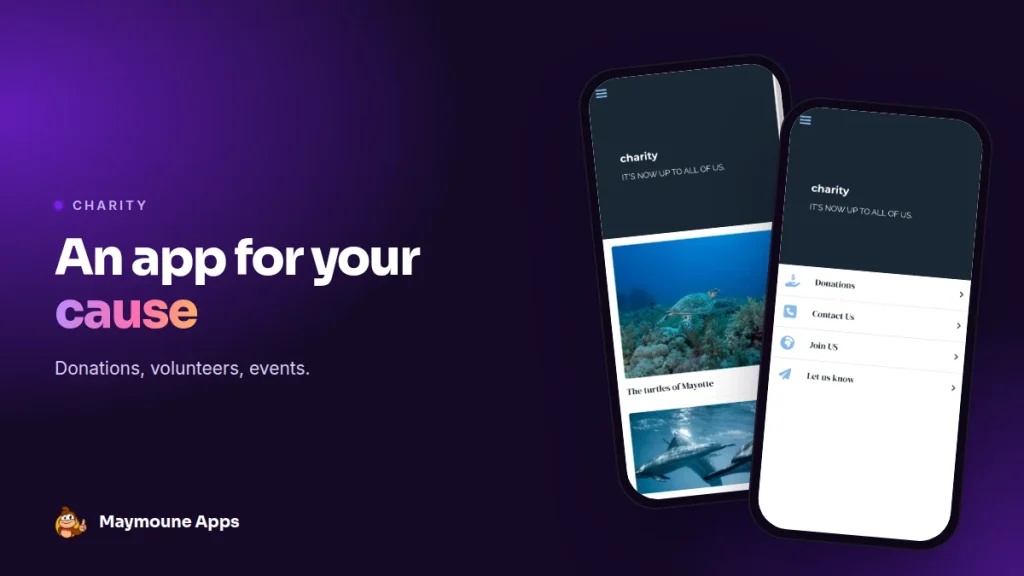
A charity app puts your cause on the screens of the people who support it. They follow your actions, give in one tap and come to help on the ground. You keep it up to date from your phone, and it starts at €19 a month.
Saturday, 9 am, on the beach. You are waiting for forty volunteers for the big clean-up. Twelve show up. The others saw the post on social media, then forgot about it.
With your app, a reminder would have reached their phone the evening before, with the place on a map. I’ll show you what it looks like, with a real demo, and what it costs.
Why an app for a charity
On social media, your message sits between a cat video and an ad. In your app, there is only your cause: your campaigns, your results, your next actions.
It also shortens the path to a donation. A donor moved by an article doesn’t have to look for your website: the button is right there.
Everything below works for an NGO, an environmental or animal protection group, a food bank, a foundation or a neighbourhood collective.
The screens of a charity app
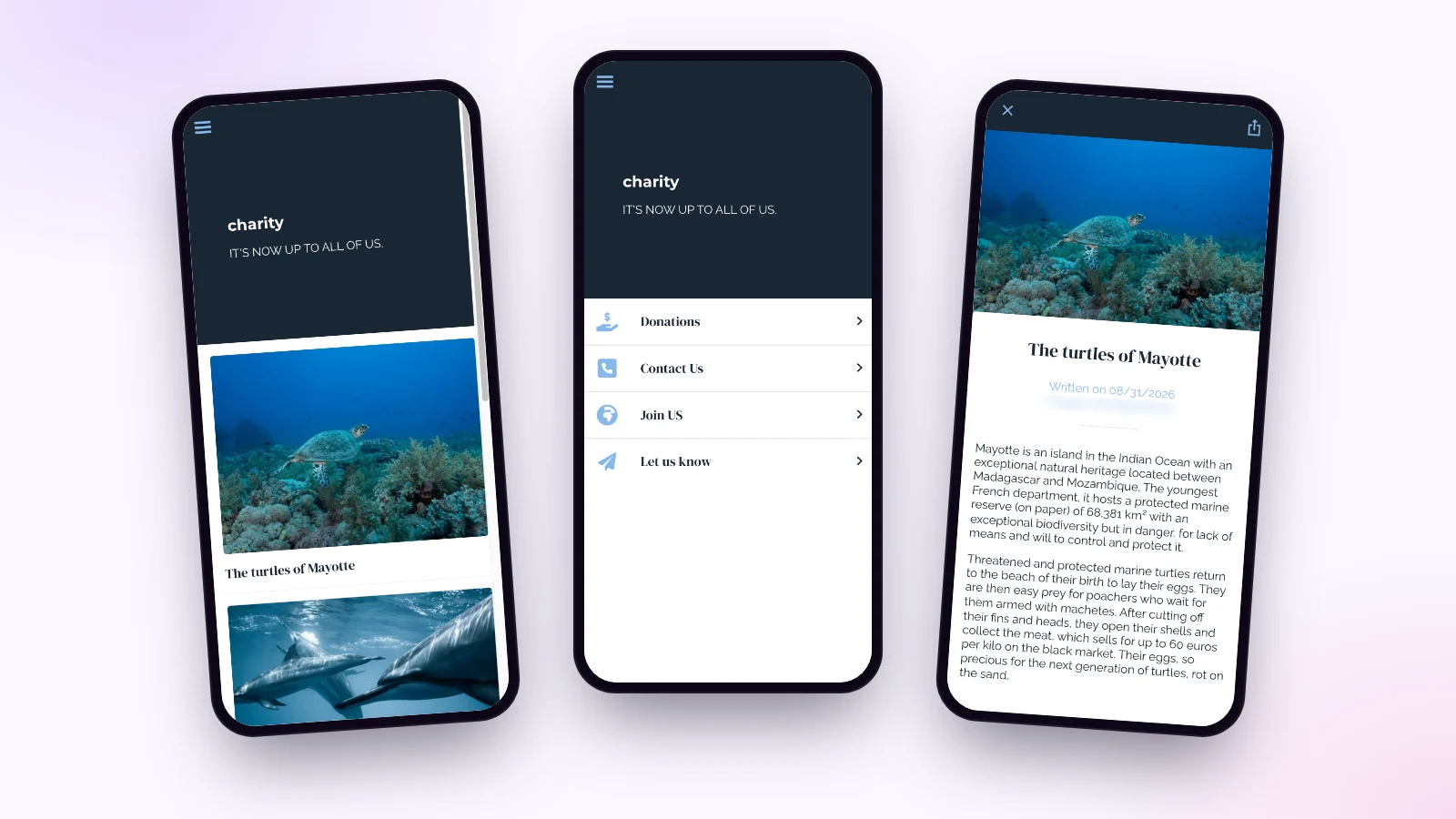
Here is the “charity” demo I prepared, built around an ocean protection group. It is a starting template: you replace the causes, texts and photos with your own.
Your causes, told
Each campaign has its own page, with a large photo and a text explaining what is at stake. The turtles of Mayotte, the dolphins, plastic pollution: readers understand why you act, and share the article in one tap.
The take action page
Four buttons on a single screen:
- Donate: the button opens your fundraising page, the one you already use.
- Contact us: a call or an email in one tap.
- Join us: your local groups on a map, with their address.
- Let us know: a photo, a video or a text sent from the phone, to report pollution or share an action.
The events calendar
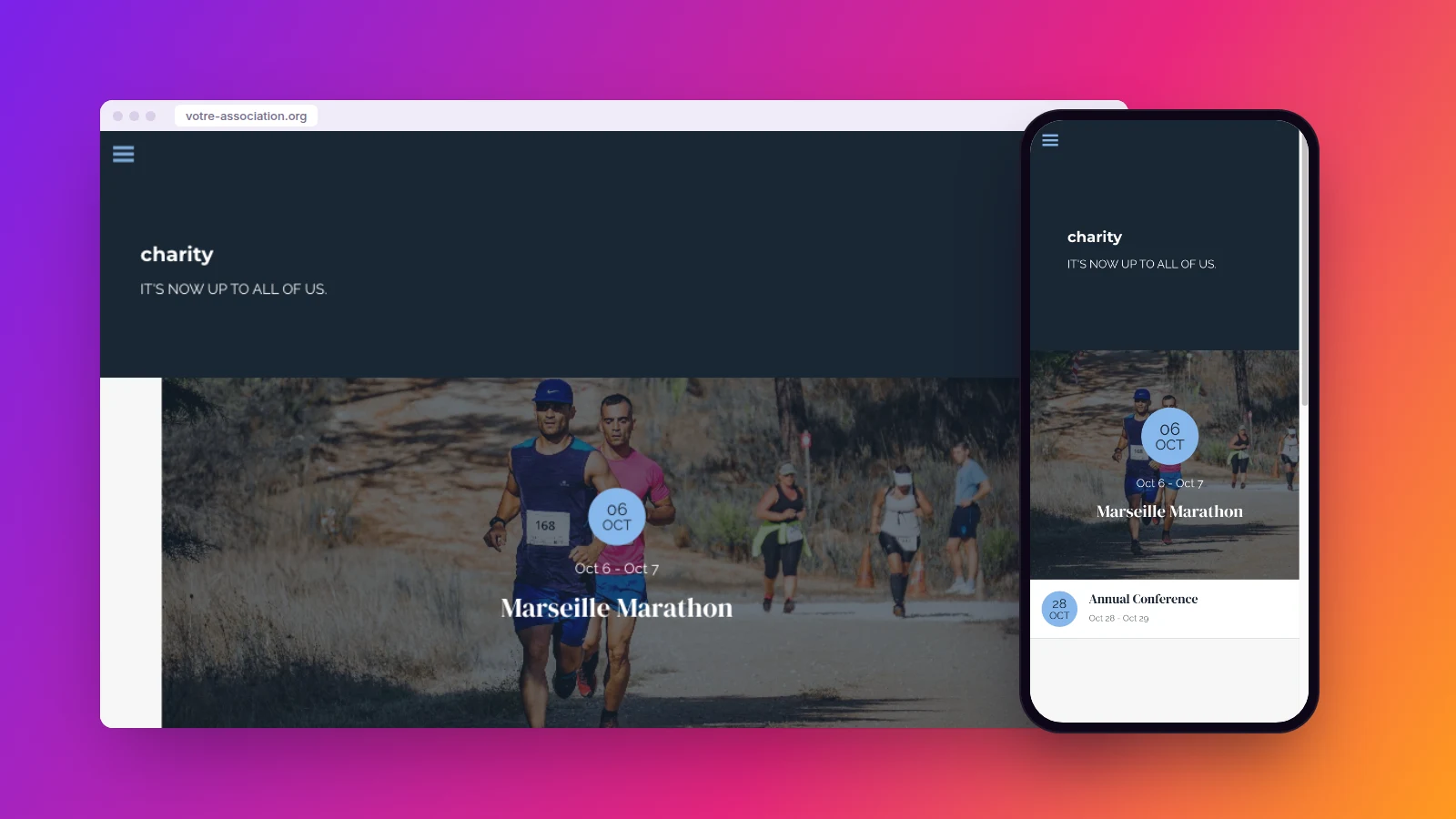
Charity run, annual conference, collection drive, beach clean-up: each event has its date, place and description. Supporters see at a glance where and when to find you.
Rallying your supporters
“Tomorrow 9 am, big beach clean-up. We’re counting on you.” You schedule this message for the evening before, and it reaches everyone who installed the app. Notifications are unlimited, in every plan.
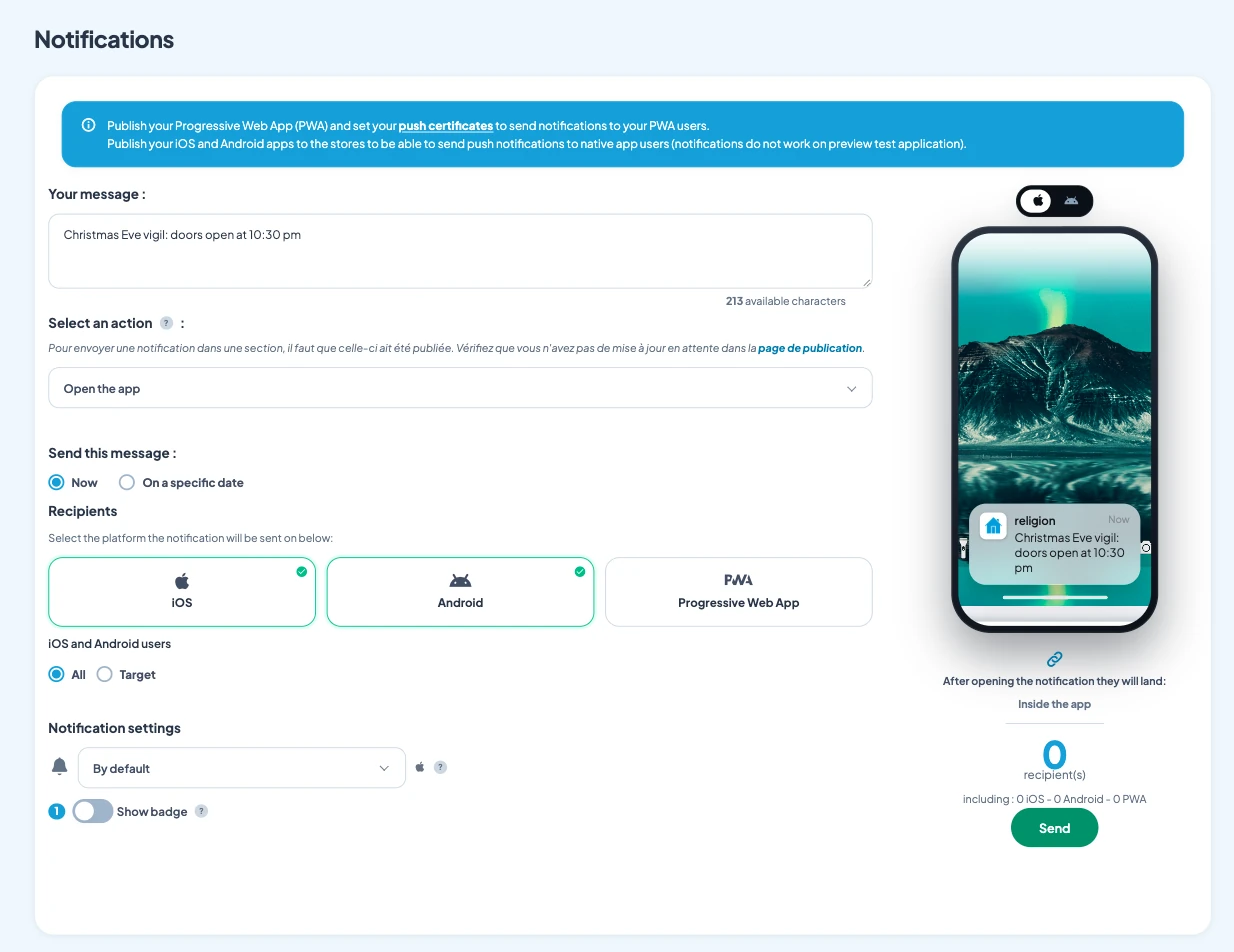
The same message works for a year-end appeal, a petition, or the result of a campaign. Saying thank you, with a number and a photo, makes people want to give again.
Who keeps the charity app alive?
One or two volunteers, in a few minutes a week. Each section is organised in the back office, and you group buttons into sub-menus, such as “Take action” or “Our community” with your social networks.
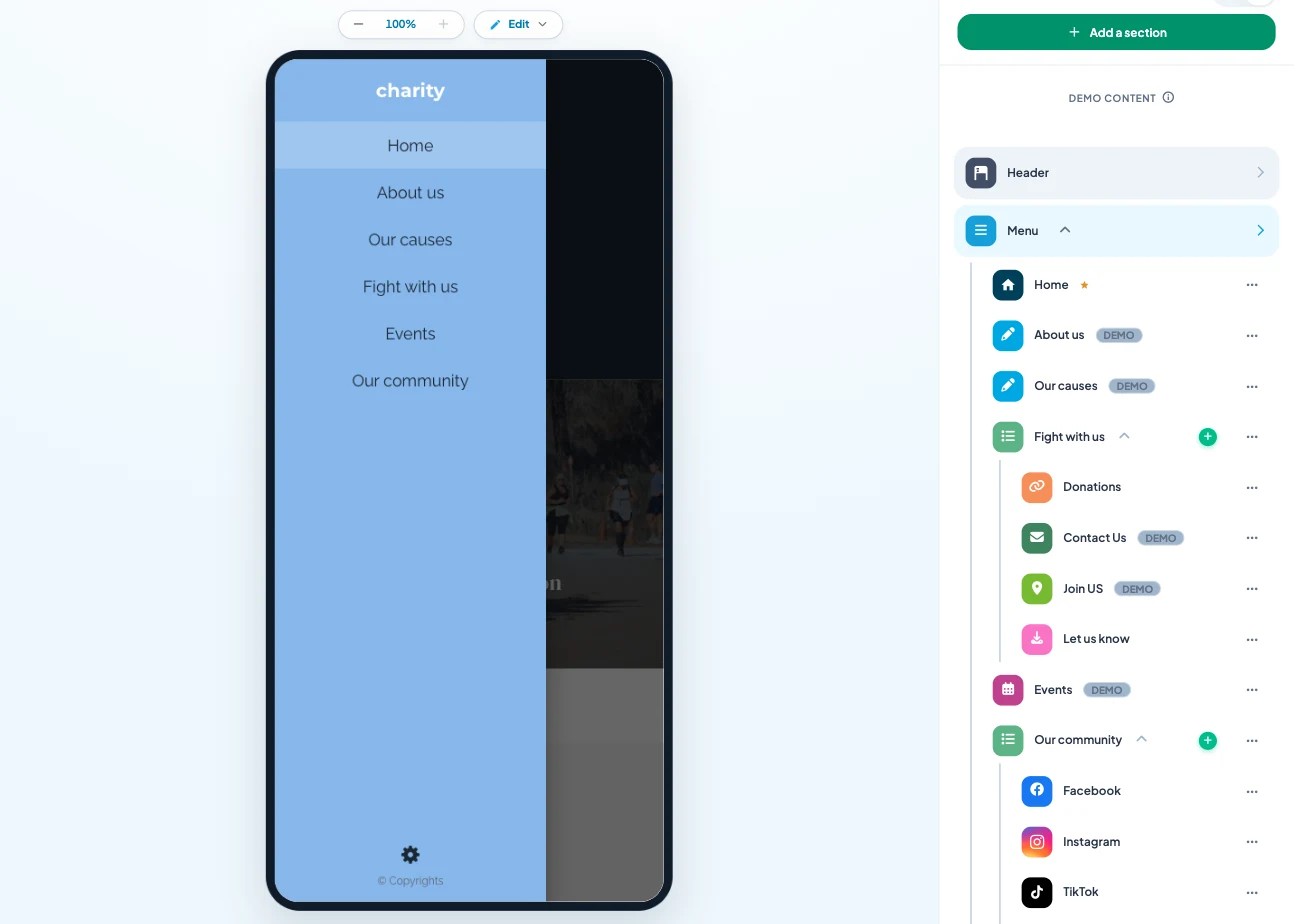
The writing AI helps you write a short, clear appeal, and you can control the app from ChatGPT or Claude. The easiest way to start: one page per cause, your donation link, and your next three actions.
How much does a charity app cost
At Maymoune, every feature is included in all three plans:
- Starter, €19 a month: your web app, installed from a link or a QR code.
- Ultra, €59 a month: the same, plus the iPhone, iPad and Android app on the stores.
- Ultra lifetime, €2,999: a one-time payment, with publishing on the App Store and Google Play included.
My advice: print the QR code on your flyers, posters and volunteer T-shirts. Everyone you meet during an action leaves with your cause in their pocket. Plan details are on the pricing page.
Maymoune Apps
Your cause in your supporters’ pockets
Three plans, every feature included, no commitment.
✓ One-tap donate button
✓ Events calendar and map of local groups
✓ Unlimited notifications
✓ Support included
To go further: running an association and its volunteers is covered in the article on the app for an association, organising a run or a gala in the one on the app for an event, and writing messages in the one on push notifications. Other questions are answered in the FAQ.
Frequently asked questions
How much does an app for a charity cost?
€19 a month for the web app, €59 a month with the iPhone and Android apps, or €2,999 once and for all. Every feature is included in all three plans. Details are on the pricing page.
How do we receive donations from the app?
You add a donate button that opens your usual fundraising page. Donors reach it in one tap, from the menu or from an article.
Can we remind volunteers before an action?
Yes. You schedule a notification for the evening before or the same morning, with a link to the event and its location.
Can we show our local groups?
Yes. Your local groups appear in a list and on a map, with their address, so everyone can find the nearest one.
Does the app carry our organisation’s name?
Yes. It is in your name, with your logo and colors, and you can connect it to your own domain name.
Up next
 News of Maymoune
 Getting your app discovered: store optimisation and Google search
Name, keywords, screenshots, reviews, QR code: how to get your app found on the App Store, Google Play and in Google’s results.
3 min read18 Oct 2026 News of Maymoune
 Making money with your app: 6 models that work for a business
Online sales, bookings, subscriptions, advertising, loyalty: the models that make an app genuinely profitable, and which one to choose for your business.
4 min read18 Oct 2026 News of Maymoune
 Agency, freelancer or no-code tool: how to choose to build your app
Price, timelines, maintenance, ownership: an honest comparison between an agency, a freelance developer and a no-code tool for building a mobile app.
4 min read17 Oct 2026