 Maymoune
The back office that populates your mobile app
In short : the Maymoune back-office is the place from where you populate and manage your mobile app : content, store, notifications, design, users. Three content sources combine — what you already publish elsewhere, what you create in Maymoune, and what the AI assistant produces for you. Without technical skills.
Manage your application with the intelligent back-office
Create and manage your business with the intelligent back-office – No need to be a technical expert to offer a mobile application to your users.
Try Now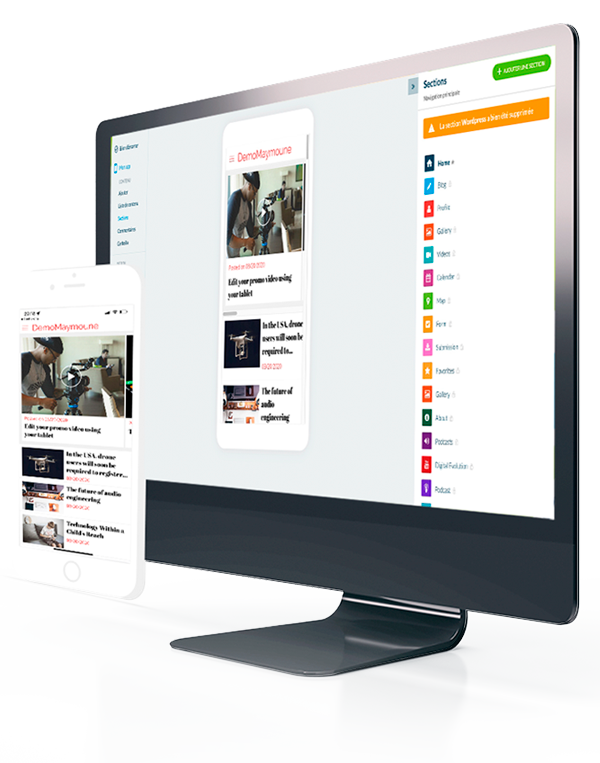
Mobile Application E-Commerce & Content & E-Learning
100% easy, 100% modern, 100% no-code



















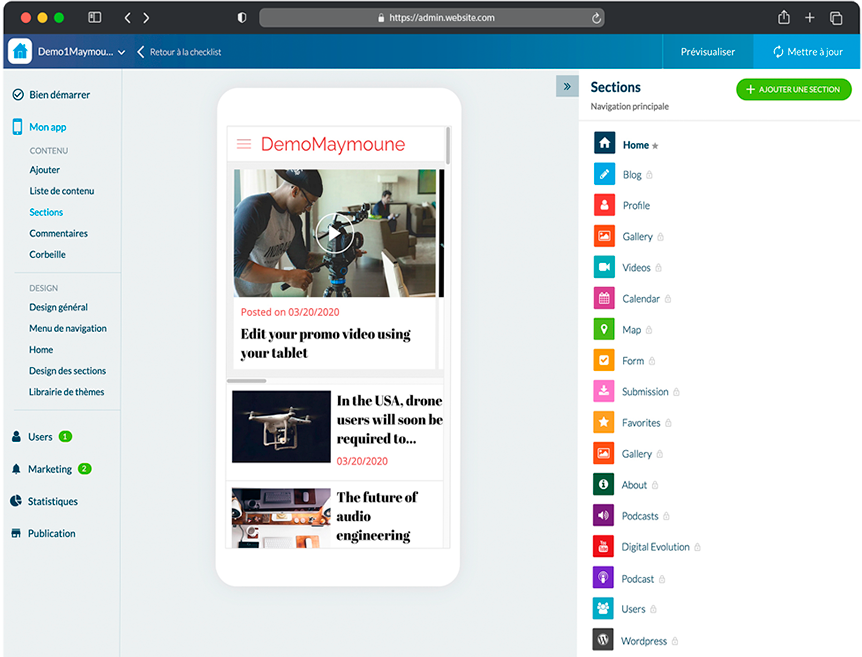
Simple and Efficient
Manage your application with a modern and easy-to-use back-office
Content
Become autonomous and inspire your community with enriching content.
E-Commerce
Manage your E-Commerce store and boost your sales
Try Maymoune Now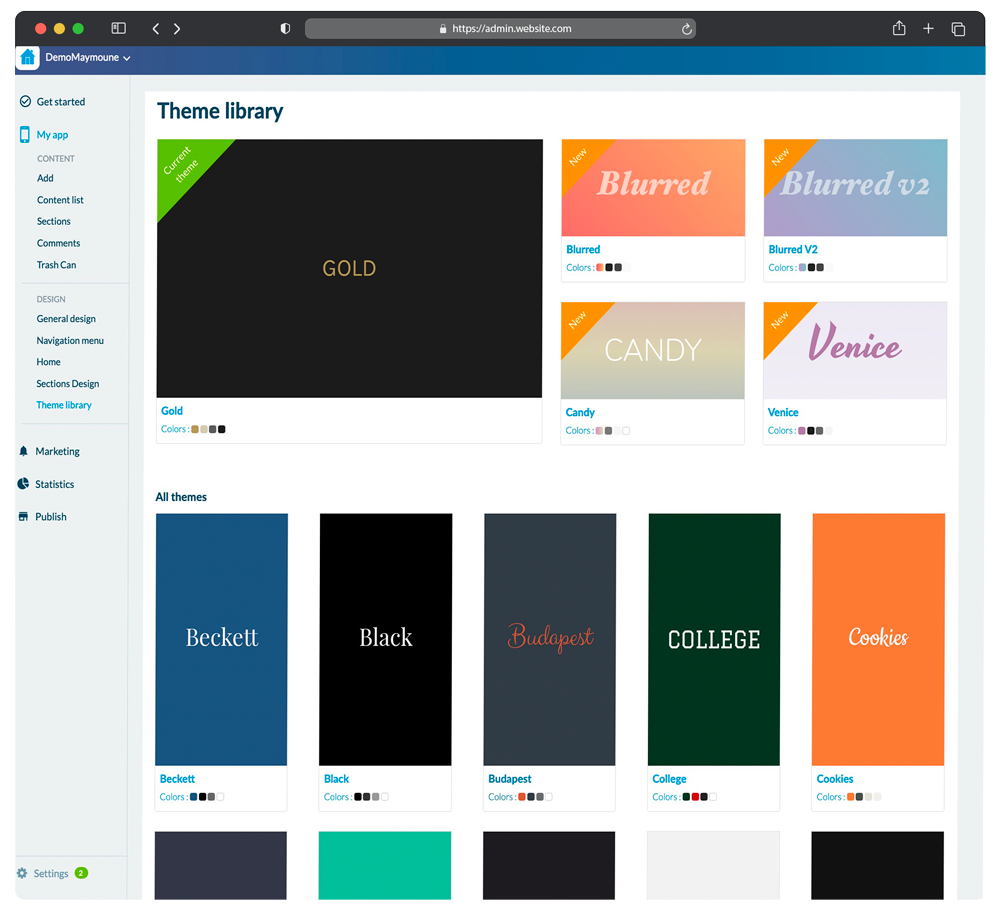
Design
Customize your application with your name and colors
- The Maymoune brand does not appear in your application. (WhiteLabel)
Create your application from scratch or from professional templates.
Customize the appearance, conception, and design of your application with real-time visual rendering.
Design
100%Quality
100%Interactive
100%WhiteLabel
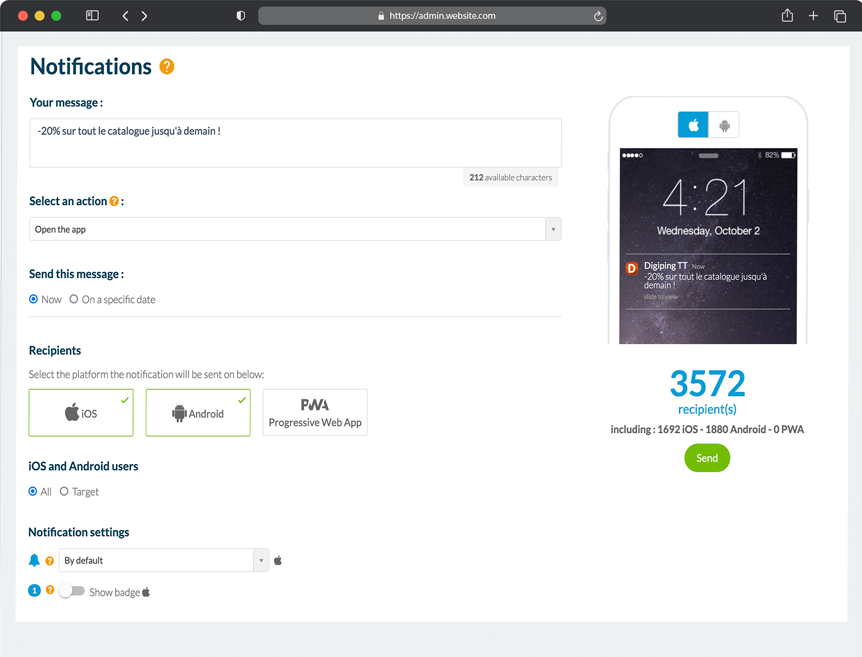
Push Notifications
Communicate directly with your audience with Push notifications
Engage your audience with Push notifications
Take advantage of the incredible marketing power of push notifications and transactional emails. Boost your visibility.
Scheduling, Reminder, Abandoned Cart
Define a Push notification publishing strategy and schedule send-outs. For example, your customer will receive an automated push notification for an abandoned cart at Day+1, Day+3, Day+6, etc.
Try Maymoune Now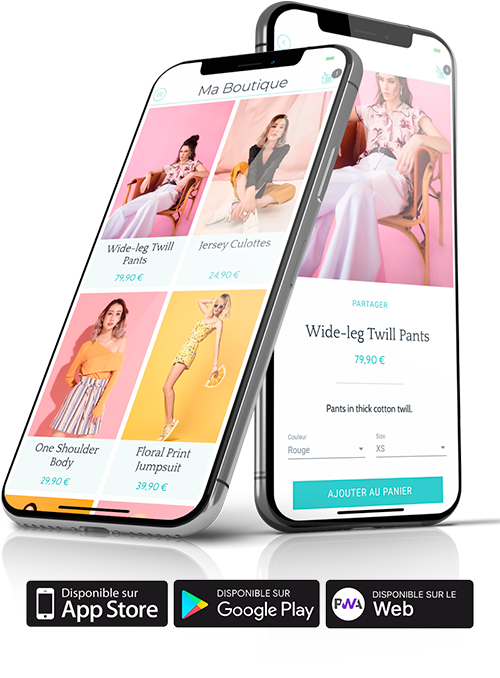
iPhone, Android, iPad and PWA Mobile Application
Build your native application for iOS and Android
- Native Application
- iPhone, iPad
- Android
- PWA Apps
You generate a true native application with real-time synchronized content, not embedded in a Web-View. We publish the first version of the application for you, and then you can choose to handle it with your team or entrust this task to us.
- Publishing on the App Store (Apple) and Play Store (Google)
- Access to the native .ipa file (Apple)
- Access to the native .apk file (Android)
Your iPhone and iPad application is available on the App Store. You gain access to the Apple user community and will be able to find new customers.
- A universal application for better visibility with your audience.
- Your application within reach of millions of users
- Better visibility thanks to ASO (App Store Optimization)
- A native application compliant with Apple guidelines
Your Android application is available on Google Play Store. You gain access to the “Google Apps” user community and will be able to find new customers.
- A universal application for better visibility with your audience.
- Your application within reach of millions of users
- Better visibility thanks to ASO (App Store Optimization)
- A native application compatible with 98% of Android mobile devices
Enjoy an application compatible with all modern internet browsers. Your application uses PWA technology, allowing faster and smoother display for the user. In addition to compatibility across all web browsers, Google-created technology provides an exceptional user experience, including numerous benefits such as push notifications, offline functionality, and direct access without downloading.
- Compatible with all browsers
- SEO ranking on search engines
- Better user experience than a Responsive website
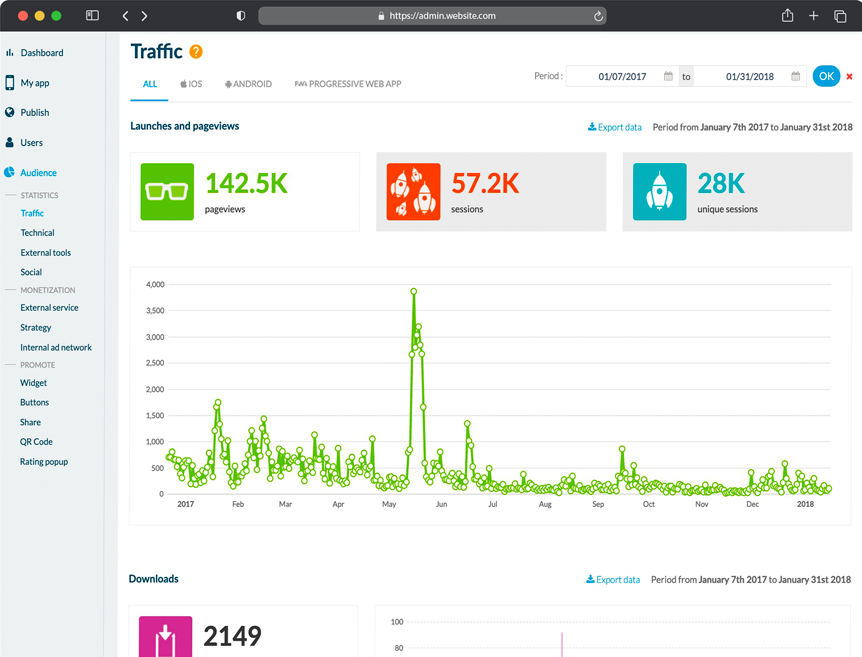
STATISTICS
Detailed statistics on the mobile application
Download statistics
Analyze the number of downloads of your application, per day, per week, and since day one of publication on the stores.
Traffic statistics
Analyze the number of launches, unique sessions, page views.
Try Maymoune NowYour project
Have a mobile application creation project?
Contact usCreating the app is not the point
Everyone focuses on creating the app: the design, the icon, the launch. That’s the visible part, and it’s the shortest. The real issue comes the day after publication: what do we put in it, and who takes care of it?
An empty app gets uninstalled within a week. An active app stays on the home screen. The whole difference lies in the back office.
Three ways to populate your app, and they complement each other
- What you already publish elsewhere. Your store, your blog, your videos, your podcasts automatically feed the app. You publish once, it appears in the app.
- What you create directly in Maymoune. Articles, photos, videos, product sheets, notifications: you write in the back office, or from your phone.
- What AI produces for you. The assistant writes your posts and responds to your customers. You can also ask ChatGPT or Claude to publish a notification, a product, or an article in your app.
These three sources are not mutually exclusive. Combining them is how an app stays alive without spending all day on it.
What you manage from the back office
- Content — articles, photos, videos, sections, pages.
- The store — products, prices, stock, orders.
- Push notifications — the tool that brings your users back.
- Design — colors, logo, home screen, section organization.
- Your users — who signs up, who returns, what is viewed.
- Extensions — twelve families, more than 190 modules to activate according to your needs.
What the back office does not do for you
It does not decide what you have to say. The AI assistant writes quickly and well, but you are the one who knows what interests your clients. Allow a solid half-hour at the start to set up the structure of your application : this is the only moment where you need to think before you click.
When you get stuck on a detail
It’s the question you only ask once subscribed : “how do I…”. Help is organized on three levels, and the most useful one is not on the site.
- On the site — human support, and a FAQ for questions you have before getting started.
- In the app’s back office — a comprehensive FAQ : hundreds of documented use cases, with photos and videos, and clear explanations. This is the real documentation, the one that answers while you build. AI support also answers there, at any time.
- In the community — La Taverne and its Maymoune Apps space, free, where other users reply.
This is often what makes the difference between a launched app and an app abandoned after three weeks.
See the back office in action
The easiest way is to watch it work rather than read about it. A demo shows the configuration screen, publishing content, and sending a notification.
Frequently Asked Questions
Do you need technical skills to use the back office ?
No. You work just like in a word processor : you select a section, fill it in, and publish. No coding required.
Can I edit my app once it is published ?
Yes, as many times as you want. Your content changes reach your users’ app without going through app store review again.
Can I connect a website I already have ?
Yes. A Shopify, WooCommerce, PrestaShop, or Magento store, a WordPress blog, a content feed : your publications feed the app without double entry.
How does the AI assistant work ?
It writes your posts and replies to your customers. You can also manage your app from ChatGPT or Claude : request a notification, a product, or an article, without opening the back office.
How many people can manage the app ?
The back office is designed to be used by multiple people. This is a point to cover during the demo, depending on how your team works.
Can I do everything from my phone ?
Yes. Publishing a notification, a product, or an article can be done from your phone.
